Ty for playing the game! Yeah the compare feature is still not perfect tho, it took most of my jam-time ( ò)>
ReturnOH
Creator of
Recent community posts
Thanks for playing it!
I'll copy-paste an answer I gave to another user :P
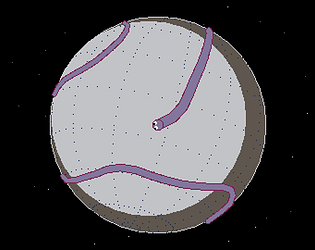
I had to rewrite it a few times but the logic is simple: when you click "compare" it takes a snapshot of both target and player disc, reduce both images to 128 x 128 (with no antialasing) then divides the pictures in several concentrinc circles. Then it just looks ad the quantity of color in each section and compares it with the other side.
It's actually not a very accurate method of picture matching, but I prefer it that way so even less skilled player could get at least 1 star at every level easily :)
Thanks for trying it!
Also thanks for the question, the matching code is the part that took most of my time during the jam ahah
I had to rewrite it a few times but the logic is simple: when you click "compare" it takes a snapshot of both target and player disc, reduce both images to 128 x 128 (with no antialasing) then divides the pictures in several concentric circles. Then it just looks ad the quantity of color in each section and compares it with the other side.
It's actually not a very accurate method of picture matching, but I prefer it that way so even less skilled player could get at least 1 star at every level easily :)
Basically what the other user said, about the UI sometimes the click registered logically but I didn't get the "pressing" animation of the buttons (they remained still). As I said it's an enjoyable experiencr otherwise, if you'll fix those minor things (even after the jam) it could be a complete fun game!