

I will!
A member registered Dec 25, 2018 · View creator page →
Creator of

Short text-and-movement story for the 2025 Queer Vampire Jam.
Adventure
Play in browser
Recent community posts
Construct 3 3DObject Plugin - SDK V1 only comments · Replied to kindeyegames in Construct 3 3DObject Plugin - SDK V1 only comments
Thanks so much for the replies! This worked. I was using a 2d sprite for the controller originally, but I had it in a container with the model for ease of referencing so I couldn't destroy the model without destroying the player controller. Instead of using a container, I added an instance variable to the model representing which 2d player controller it should follow. This way, I can easily destroy and re-create the model without impacting a player's container. Your idea to destroy & create new works just as well as the "reload" I initially wanted.
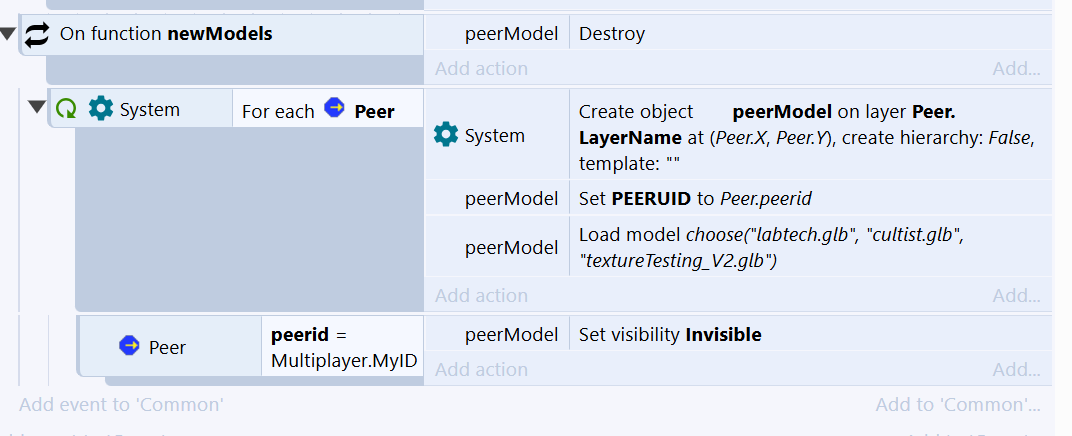
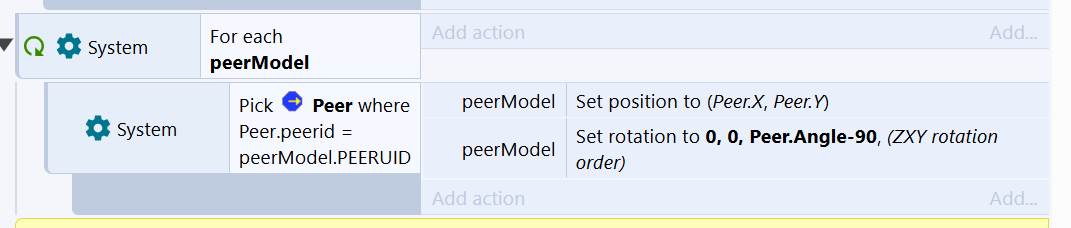
Thanks again, and great plugin!
Construct 3 3DObject Plugin - SDK V1 only comments · Posted in Construct 3 3DObject Plugin - SDK V1 only comments
Is there a way to increase the limit of model loads during runtime? I'm making a multiplayer game and want players to be able to change models. I can't use "load from prefab instance" because 1) other instances of the player object are treated as extra players and 2) when the host syncs instances to peers, the UIDs are different for peers. My current approach works great except for the one-load runtime limit. 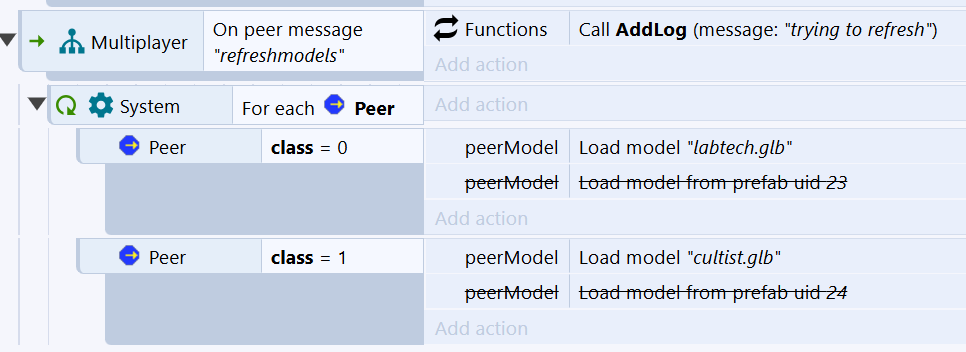
I'm also open to suggestions if you have any ideas! Thanks!