Hi! There is a new build with recalibrated accuracy. It is hard to tell exactly as it involves a lot of randomness, but overall it should be more fair now (unless it gets affected by extremely bad or extremely good luck). Please let me know if it still feels off.
Thank you for passing the game all this time, it's so inspiring to hear.
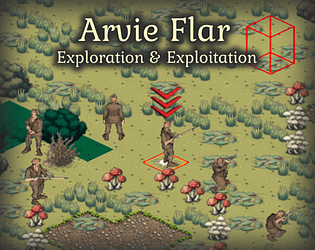
Your comment made me think over the way accuracy is balanced in the game. The formulae were supposed to be the same in both games, but there are enough small alterations that might significantly change results. I guess it is time for me to revisit that code and rebalance it again. I will post or here when there are updates.
A new build is ready, version 0.1.10. The fix is not ideal and I wasn't yet able to fix it on a machine that would really have no sound output, but it should work for now and I'll publish a better fix later.
The idea is amazing! The model and the environment are really good. I had a few troubles with it though:
- it would be nice to have alternative methods of movement. Smooth sliding gives me motion sickness very quickly and it is one of the major problems with VR in general, not only for me. Teleportation and stepped movement would really help.
- Tutorial or some kind of instruction would help. As your description says, it is pretty difficult to fire the thing, and it seems to even more difficult to figure everything out on one's own.
- There was a guy in british uniform, who was running towards me very slowly. He ran to stop exactly at my position obscuring my view completely. If I move away, he follows me to my new location. The only way to be able to do anything is to keep moving all the time. It does not seem possible to interact with him. Who is that guy? Is it possible to make him stand somewhere aside?
Thank you for writing me about this! Can you help me find what's failing?
If you open your Windows Explorer and navigate to %appdata%/ArvieFlar there should be logs. If you could send me the log file, I will be able to investigate the issue.
I've received the message and yes, now I see what you mean: there is a bug in scaling the game screen down from the default size. A fix is being worked on.
Hi Generic Scout! There is no discord group is available at the moment, but you may email me to: mruberg dot verd at proton dot me
The bug you're describing is somewhat weird, I've never seen anything like that but it definitely would make sense to take a closer look. Do you have one or multiple displays? It would help to know their resolutions, scale, orientations, and if the displays are extended/duplicated/etc. On Windows 10 this information can be obtained from Settings->System->Display page. Alternatively, I can extend in-game logging to make it record all this on start, if you find it too cumbersome to retrieve this information manually.