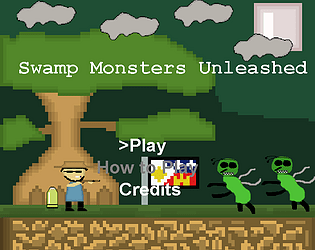
It's easy to break the intended flow of the game by infinitely jumping, and you can fall out the world into the void pretty easily. It's also hard to walk smoothly due to ground collision in some pieces of the map, and some of the platforms don't serve a purpose aside from testing out parkour.
Very fun game! I liked the enemies, and I enjoyed that majestic jump spinning. Made me feel like an acrobat in space. Nice shooting mechanics as well. Only thing I could manage to break was falling out of the sky by getting past the walls and floating into the infinite void of space.
I had a ton of fun playing through your game! I enjoyed the puzzle aspect to collecting the cherries, and I liked how the hints guided us along the way to figure out where different cherries spawned or ones that were previously unattainable to become attainable with a switch! Very cool mechanics!
Fun game! I had to rely on the teleport mechanic more than I thought because some jumps that looked like they were possible weren't. It's also possible to clip out of the game and fall indefinitely.
Here is my game programmed for the original Sony PlayStation! The actual game is in the .bin/.cue pair, Aquila.bin and Aquila.cue, and a PlayStation 1 emulator can load either or to use my game. You can use any emulator of your choice, but I heavily recommend using DuckStation or ePSXe. DuckStation is more multi-platform though, and I tested the game in there more than in ePSXe.
the SCPHXXXX.bin files are PlayStation 1 BIOS files that contain the kernel code for the PS1 BIOS for different regions. DuckStation will automatically set the correct one, and ePSXe uses its own high-level BIOS implementation.
In the directory containing the DuckStation executable, files, and other folders,
Create a new directory called bios and place all the SCPHXXXX.bin files inside of
it.
If the BIOS directory inside of DuckStation isn't already set to where you created that directories with the BIOS's, click on browse to find it and open up that directory for DuckStation to save.
In the game list search directory, you can ignore it for now as you are going to just drag and drop the aquila.bin in the emulator. For now, you can simply click on Next.
For controller port 1, go to automatic mapping and and choose your mapping of choice. I recommend using an Xbox 360/One, Logitech, or PlayStation 4/5 controller, but a keyboard will do fine as well. Click on Next.
If not satisfied with controller settings(optional), Click settings at the top and go to Controllers -> Controller Port 1 Analog Controller.
Configure your controller or keyboard settings to map to the emulator's internal ps1 controller.
Drag and Drop aquila.bin and enjoy!
ePSXe setup:
Go to config -> gamepads -> pad 1
To edit the controllers, click inside one of the
boxes and click a button or key to edit the default key in the box
When done, click on file -> Run ISO -> find aquila.bin -> Open it and Enjoy