Unfortunately, that's not possible. Valve does not provide an API that allows games to access or check a player's Steam Trading Cards.
兔子茶會 RabbitTeaParty
Creator of
Recent community posts
Hmm... Or perhaps you could package and upload a simple game project for testing purposes only, with the plugins I mentioned installed? That way, I can take a direct look on my side and help identify what the issue might be.
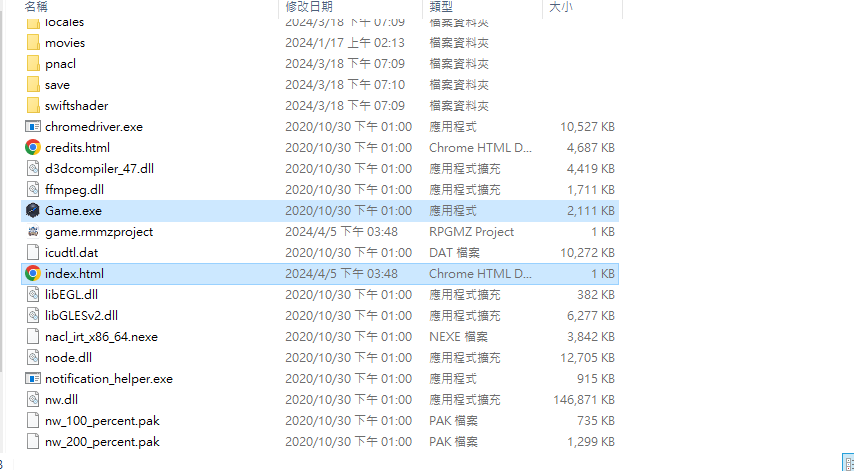
As for the Electron.js part, it is normal for the game to crash immediately on the very first launch.
That’s because I designed it so that, during the first run, it will automatically modify part of the RPG Maker MZ core code into a version that Electron.js can read, and it will also generate a file named replace_done.flag as a marker indicating that the modification has been completed.
After that, launching the game again should work normally.
However, if you’re seeing the infinite spinning loading circle again, my guess is that you may have restored the js folder back to its original version—the one that has not gone through the automatic modification process.
In that case, you can simply delete the replace_done.flag file, and the code replacement process will run again, converting the files into a version compatible with Electron.js.
By the way, I wanted to ask—did you upload your build to Steamworks through the web interface, or did you use the SteamPipeGUI tool?
Hmm!? That’s strange...
If you’re using NW.js, then you should just use the NW.js version directly.
Also, NekoGakuen_SteamworksPlus_en_US.js is only an early translation version. The current NekoGakuen_SteamworksPlus.js v1.3.0 already includes the English translation, so you no longer need the separate translation plugin.
As far as I know, you should only need the NW.js files I provided, NekoGakuen_SteamworksPlus.js, NekoGakuen_SteamworksPlus_SteamUserStats.js (for the achievement functionality), and steam_api64.dll from the Steamworks SDK for everything to work properly.
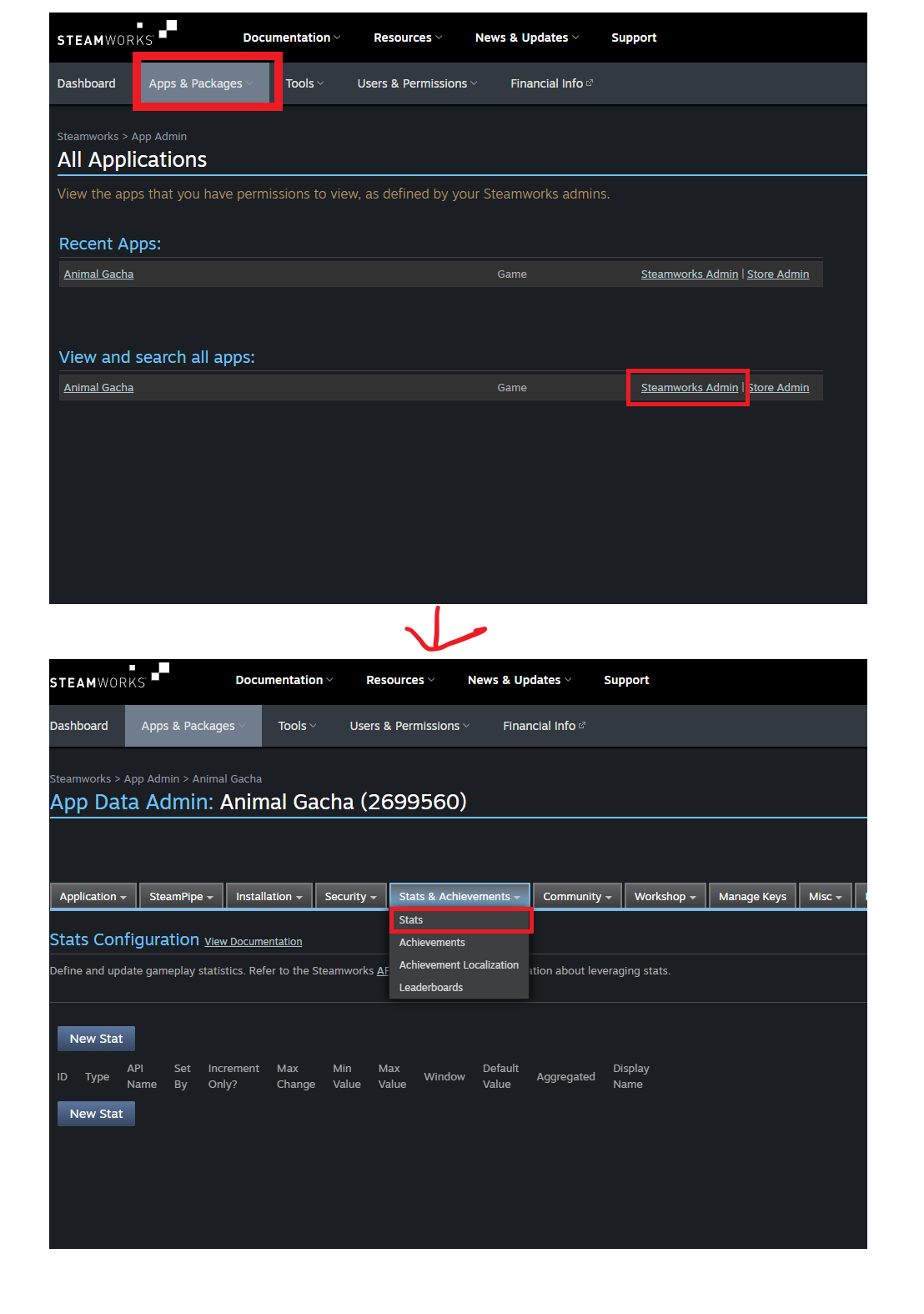
Also, please make sure that the Steam Achievement ID configured in the Steamworks backend exactly matches the ID used for the achievement function.
Hello,
I’d like to check on your current setup. Are you using the NW.js / Electron.js version that I provided?
Also, when testing, I recommend not using the playtest feature from the RPG Maker MV / RPG Maker MZ editor. Instead, you should launch Game.exe directly through Steam for testing.
If possible, could you also let me know which version of Windows you are using? Currently, my plugin requires at least Windows 10 or later to run properly.
Hello, I’ve confirmed that the issue was actually on my side, and I sincerely apologize for the inconvenience. I have now fixed the issue with the additional plugin NekoGakuen_SteamworksPlus_SteamApps.js. Could you please re-download the latest NekoGakuen_SteamworksPlus_SteamApps.js plugin file? Thank you for your patience and understanding.
Hello, I have now re-exported the NekoGakuen_SteamworksPlus.dll file, and it should now properly support Windows 11 operating system. Please re-download the file from itch. As for TransMod, it is a translation patch. You need to load both NekoGakuen_SteamworksPlus.js and NekoGakuen_SteamworksPlus_TransMod.js into the plugin manager, and place NekoGakuen_SteamworksPlus_TransMod.js before NekoGakuen_SteamworksPlus.js, which means above NekoGakuen_SteamworksPlus.js:
---------------------------
NekoGakuen_SteamworksPlus_TransMod.js
NekoGakuen_SteamworksPlus.js
---------------------------
After you have configured the plugin parameters for NekoGakuen_SteamworksPlus_TransMod.js, you need to specify the translation patch name in the "Translate Patch" parameter of NekoGakuen_SteamworksPlus.js plugin (for example, NekoGakuen_SteamworksPlus_TransMod.js).
Hi, this is the part where I wrote the wrong code and put the following in line 3066
SteamworksAPIManager.getSteamId = function (variablesId) {
if (!this.isSteamClientRun()) { return false; }
if (variablesId) {
$gameVariables.setValue(Number(variablesId),
this.greenworksCore.getSteamId());
}
return this.greenworksCore.getSteamId(); }
}
Change to
SteamworksAPIManager.getSteamId = function (variablesId) {
if (!this.isSteamClientRun()) { return false; }
var steamInfo = JSON.stringify(this.greenworksCore.getSteamId());
if (variablesId) {
$gameVariables.setValue(Number(variablesId), JSON.parse(steamInfo).steamId);
}
return JSON.parse(steamInfo).steamId; }
}; }
Um... Actually, I've been busy recently developing NekoGakuen SteamworksPlus, which is a plugin I'm writing myself. It's a bit different from NekoGakuen SteamworksAPI in that it doesn't rely on Greenworks.js or require downloading corresponding versions of node, etc. It calls API functions directly from the native Steamworks SDK. Currently, I'm working hard on adding and researching leaderboard functionality. I hope you can give me some time to research the leaderboard feature. Also, at present, I've only created a Traditional Chinese version of the NekoGakuen SteamworksPlus plugin. Considering the large amount of text content in the plugin, I really need someone who can help translate it into English for the English version QAQ
Hi ~ I'll give you this test nwjs first, can you press F8 to capture the debug screen and show me?
https://drive.google.com/file/d/1ypq3o2KBzZGxuvgEfICdnJYMOUDev5w-/view?usp=shari...
Hi ~ I'll give you this test nwjs first, can you press F8 to capture the debug screen and show me?
https://drive.google.com/file/d/1ypq3o2KBzZGxuvgEfICdnJYMOUDev5w-/view?usp=shari...
That... You try to use nwjs version 0.83.0, and download the node file corresponding to version 0.83.0, then you try to upload it to dopot to download the test to see the game, if it still doesn't work, see if you want to share a screenshot of the error message to me, or go to the following Discord, and then DM my account.🙇♀️
https://discord.gg/qdR4qNQ
That... Can you take a screenshot of some of the problems you're having, is the path correct, and do you have to press publish every time you change the background settings to update to it, or else.... You can try logging out of your computer's Steam client and then logging back in again to get the Steam client to update successfully....


Hi, so far it turns out that there was an error in the DLC part of the Steamworks plugin I wrote, and I've just fixed it and updated it to 1.1.3, so I'm really sorry for making you very troubled. 🙇♀️
https://rabbitteaparty.itch.io/nekogakuen-steamworksapi/devlog/619850/update-ver...