On Sale: GamesAssetsToolsTabletopComics
Indie game storeFree gamesFun gamesHorror games
Game developmentAssetsComics
SalesBundles
Jobs
TagsGame Engines

r1kGAMES

7
Posts
57
Followers
A member registered Sep 08, 2021 · View creator page →

Creator of

Recent community posts

Thanks for the fast reply. On my machine it works in debug mode, as an executable, and in windowed or full screen mode. It also works full screen or windowed on every resolution my monitor can do. I'll have my sibling check their DirectX and OpenGL versions and ask what their monitor resolution is too. I think their computer might be older so that might be the issue. Is there a version of DirectX that you think would indicate it is too old for it to work?

I just got the shader fully implemented into my game. Everything looks and works perfectly. However, I packaged an executable of the project and sent it to my sibling for testing and they said they just get a black screen when it’s turned on. Is there any reason it would work perfectly for me and not for them? Is it possibly a graphics card issue? 

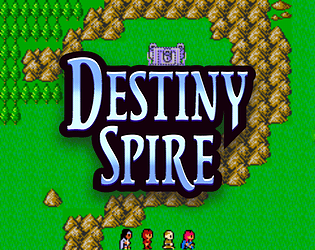
Thanks! Classic Ultima was definitely one source of inspiration for us. Check out our steam page, we're getting ready to release the demo very soon

https://store.steampowered.com/app/3369150/Destiny_Spire/

Thanks for replying so quickly. I spent most of the day tweaking the presets to get the effect just right for my game haha, I think it looks really cool

Just downloaded and the effect looks great, but I'm having an issue. If I place any other object in the game besides the preset I get this error:


___________________________________________

############################################################################################

ERROR in action number 1

of Draw Event for object crt:

Variable <unknown_object>.gui_user_event(100040, 1) not set before reading it.

 at gml_Script_anon@3326@gml_Object_crt_Create_0 (line 64) -                                    event_perform(gui_user_event[0], gui_user_event[1]);

############################################################################################

gml_Script_anon@3326@gml_Object_crt_Create_0 (line 64)

gml_Object_crt_Draw_75 (line 4) -        crt_apply()

hey thanks! Really appreciate it

hey thanks for playing and for the feedback! I’ve been thinking about your suggestion on the roll move, I could try adding an option that would require you to hold a button to roll, my only concern is I don’t want to add any extra buttons and the button that I think would make most sense to need to hold down is the jump key but I worry that might get weird once you unlock the double jump.

I’ll give it a try though and see how it feels since it’ll be pretty easy to test out. You are able to stop rolling if you release the directional key/joystick. It is probably the bit about the game that’s tricky to get the hang of but it is pretty fun once you get the hang of it and can take advantage of the extra speed.


again, thanks for playing