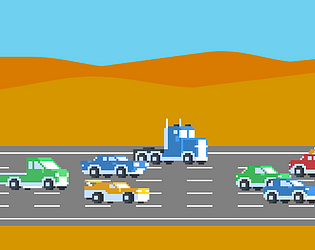
Laying the roads is indeed really tedious and I can't figure out how to get past the first level. However, I really enjoyed the dice game you made though and I hope to see more games from you in the future!
The problem with the app on macOS is the app isn't executable. To fix this problem open Terminal and change directory "cd /Applications/floppy\ minecraft\ mac.app/Contents/MacOS" and make the file executable by using this command"chmod 755 ./not\ minecraft\ dont\ sue\ me\ pls".
The problem is the app isn't executable. To fix this problem open Terminal and change directory "cd /Applications/floppy\ minecraft\ mac.app/Contents/MacOS" and make the file executable by using this command"chmod 755 ./not\ minecraft\ dont\ sue\ me\ pls".
The problem is the app isn't executable. To fix this problem open Terminal and change directory "cd /Applications/floppy\ minecraft\ mac.app/Contents/MacOS" and make the file executable by using this command"chmod 755 ./not\ minecraft\ dont\ sue\ me\ pls".
The problem is the app isn't executable. To fix this problem open Terminal and change directory "cd /Applications/floppy\ minecraft\ mac.app/Contents/MacOS" and make the file executable by using this command"chmod 755 ./not\ minecraft\ dont\ sue\ me\ pls".
The problem is the app isn't executable. To fix this problem open Terminal and change directory "cd /Applications/floppy\ minecraft\ mac.app/Contents/MacOS" and make the file executable by using this command"chmod 755 ./not\ minecraft\ dont\ sue\ me\ pls".
The problem is the app isn't executable. To fix this problem open Terminal and change directory "cd /Applications/floppy\ minecraft\ mac.app/Contents/MacOS" and make the file executable by using this command"chmod 755 ./not\ minecraft\ dont\ sue\ me\ pls".
The problem is the app isn't executable. To fix this problem open Terminal and change directory "cd /Applications/floppy\ minecraft\ mac.app/Contents/MacOS" and make the file executable by using this command"chmod 755 ./not\ minecraft\ dont\ sue\ me\ pls".
The dev should fix this issue, the app wasn't executable. To fix this open Terminal and change directory "cd /Applications/floppy\ minecraft\ mac.app/Contents/MacOS" and make the file executable by using this command"chmod 755 ./not\ minecraft\ dont\ sue\ me\ pls".
The dev should fix this issue, the app wasn't executable. To fix this open Terminal and change directory "cd /Applications/floppy\ minecraft\ mac.app/Contents/MacOS" and make the file executable by using this command"chmod 755 ./not\ minecraft\ dont\ sue\ me\ pls".
The dev should fix this issue, the app wasn't executable. To fix this open Terminal and change directory "cd /Applications/floppy\ minecraft\ mac.app/Contents/MacOS" and make the file executable by using this command"chmod 755 ./not\ minecraft\ dont\ sue\ me\ pls".
The dev should fix this but the issue for me was that the app wasn't executable. Open Terminal change directory "cd /Applications/floppy\ minecraft\ mac.app/Contents/MacOS" and make the file executable by using this commands "chmod 755 ./not\ minecraft\ dont\ sue\ me\ pls".