

Sorry for the late reply, got distracted and have been trying to reproduce the problem in a fresh project. I haven't been able to do it in the about screen like my original example, likely due to how many changes I've made to it, but I have been to get it to happen in dialogue. This is in a fully updated 'release' version of Ren'Py btw.
Just add your shaders folder to a fresh project, add a default textshader, and give the default hyperlink style the shader:
define config.default_textshader = "typewriter"
style hyperlink_text:
properties gui.text_properties("hyperlink", accent=True)
hover_underline True
textshader "HighlightSimple:#ffffff"
label start:
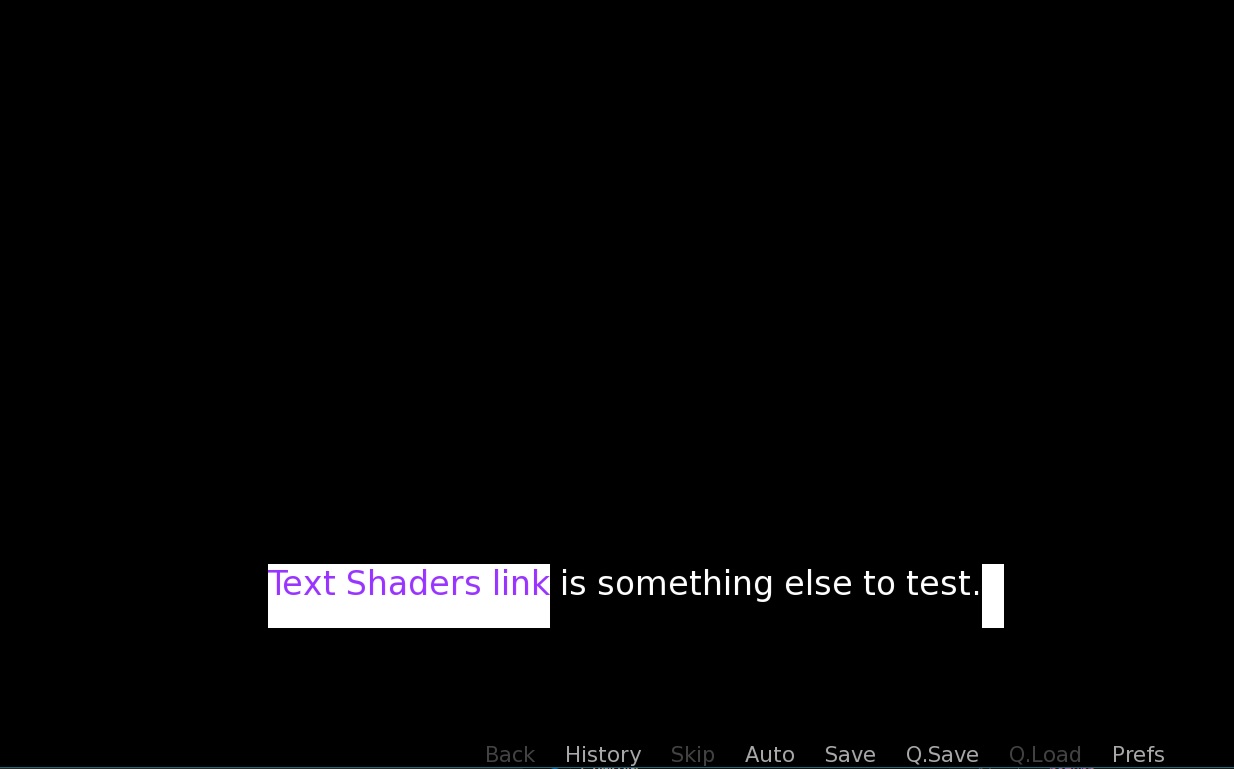
"{a=https://makevisualnovels.itch.io/text-pack}Text Shaders link{/a} is something else to test."
I can send you a copy of my project if you are curious to see the initial issue as well, but it would need to be via Discord or something. Let me know.
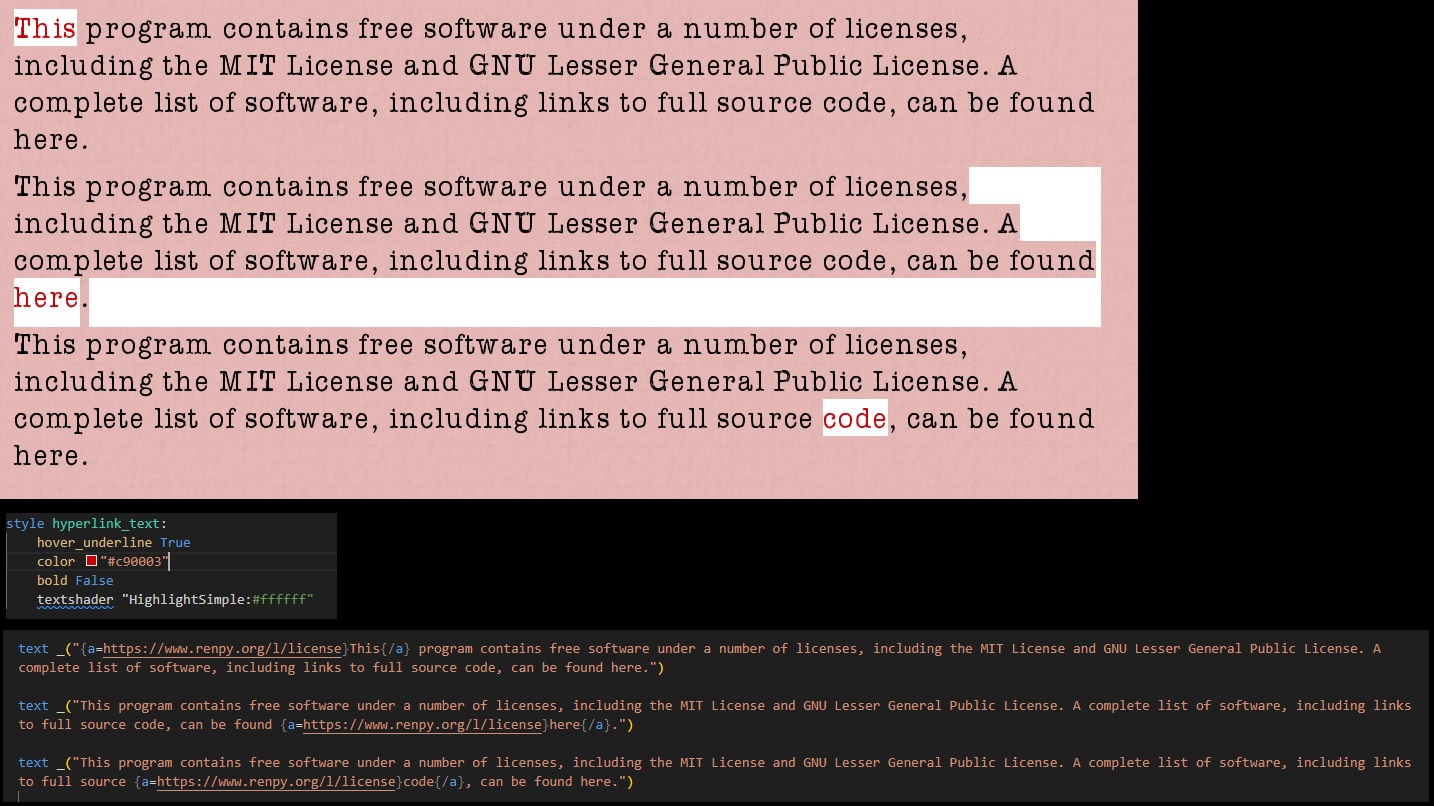 Having a bit of an issue using the HighlightSimple shader with text hyperlinks and am not sure how to go about fixing it. It seems to only occur if the link is in the last line of a multi-line block of text.