FYI, the Shift+H command is simply used to hide/show the countdown overlay not to pause or end the timer.
PetersSimpleTools
11
Posts
3
Topics
7
Followers
4
Following
A member registered May 24, 2025 · View creator page →
Creator of
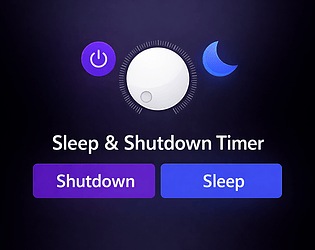
A Intuitive Windows timer that can sleep or shut down your PC
Move anything to from any Folder to another in 1-click
Your files, your battlefield—draw, shoot, grab, and C4 your way to a spotless folder!
Action

Turn any image into a colorful palette, batch up to 25, export swatches-only JPEGs, no internet, no ads.

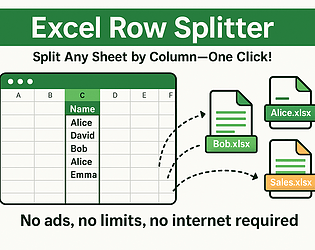
No ads, no limits, no internet required
Recent community posts
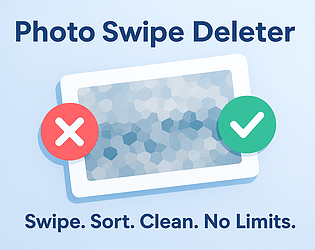
Photo Swipe Deleter — Swipe, Sort, and Clean Your Photo Folders (No Limits, No Subscription) community · Posted in Updated features:
Photo Swipe Deleter — Swipe, Sort, and Clean Your Photo Folders (No Limits, No Subscription) community · Posted in what are the shortcut keys?
It has been added! Please uninstall and reinstall the .exe to see changes. There will be a yellow shortcuts button that appears in the top right corner once folders are selected. It will ask you to click and assign any delete key then a keep key. I appreciate your input! if you have any more suggestions in bettering this program let me know :D
Photo Swipe Deleter — Swipe, Sort, and Clean Your Photo Folders (No Limits, No Subscription) community · Posted in what are the shortcut keys?
Photo Swipe Deleter — Swipe, Sort, and Clean Your Photo Folders (No Limits, No Subscription) community · Created a new topic Updated features:
Dice vs Monsters (2nd place in Gotm Jam #5) comments · Posted in Dice vs Monsters (2nd place in Gotm Jam #5) comments
I've added a feature that allows you to now export a list of hex codes. When you click the export button it also gives you the option to name and add that palette to a list of palettes. Pleas go ahead and delete and reinstall from the download page. If you have anymore feature you'd like added, don't hesitate to let me know. I'm always looking to improve and please. :D
Photo Swipe Deleter — Swipe, Sort, and Clean Your Photo Folders (No Limits, No Subscription) comments · Posted in Photo Swipe Deleter — Swipe, Sort, and Clean Your Photo Folders (No Limits, No Subscription) comments