Aw I’m so glad to hear this! Thank you so much for your comment <3
pawprints
Creator of
Recent community posts
-
Jul 7, 2025: Fixed waveform so it doesn’t disappear at high zoom levels and/or long audio files.
-
Jul 3, 2025: Added support for .otto files and adjusted the UI since audio file names no longer need to be manually specified.
-
Jun 25, 2025: Fixed a bug that prevented duplicated notes from being adjusted with point editor. This apparently broke when I updated the package to Svelte 5, yikes.
-
Jun 17, 2025: Fixed keyboard shortcuts on Windows. My Apple bias was showing!
Oh wow! Congrats! As far as I know this is the first user-made level EVER to be released for Otto’s Galactic Groove!! And it’s an original track too!
I just sideloaded it and it worked great, fun little electro bop :-) I got an S rank with 14871 points on Hard.
Btw, how did you find the experience with the Otto Editor?
Oh man this OS update cycle has been rough!
I’ve re-uploaded a copy of the previous version of Skwish that’s compatible with 2.6.2. It doesn’t have achievements but is otherwise identical. Once you’re able to update to the latest OS, you can then unlock any achievements instantly by installing the latest version.
Hope that helps and happy puzzling!
Oh no! That’s not supposed to happen!
I’ve heard from a player on Discord whose game also crashed after updating. Their error message starts with libs/achievements/achievements. lua: 189: Can't find file 'Images/icon.pdi'; either non existant, non-accessible, or a directory.
Does that match what you’re seeing on your device?
There are several keyboard shortcuts built into Otto Editor that you may find useful.
Spacebar: Start/stop playbackBackspace: Delete noteCmd + A: Select all notesCmd + C/Cmd + V: Copy and paste notesShift: keep notes horizontal when using the pencil toolAlt: duplicate notes when draggingA(during playback): write notes to track
Creating a new level
First, prepare your music:
- Make sure you have permission from the rights-holder to use the song. (Or better yet, write an original tune!)
- Make a note of the song’s beats per minute (BPM).
- Create two versions: a ‘full’ version with all instrumentation, and an ‘accompaniment’ version without the melody. In-game, the ‘accompaniment’ version will be heard when the player misses notes.
- Protip: Exporting a third ‘melody only’ version can be useful in the editor.
- Export your files as WAV format.
Second, create a new file in the editor:
- Open the level editor by clicking Run tool above
- Go to File > New file…
- Enter the song name and beats per minute, then select the song’s audio file.
- Click the Difficulty menu and choose a difficulty level to start writing notes to.
- Protip: It can be easier to start with the hardest difficulty level and edit that down for other difficulty levels.
Third, add the song’s notes using the editor interface.
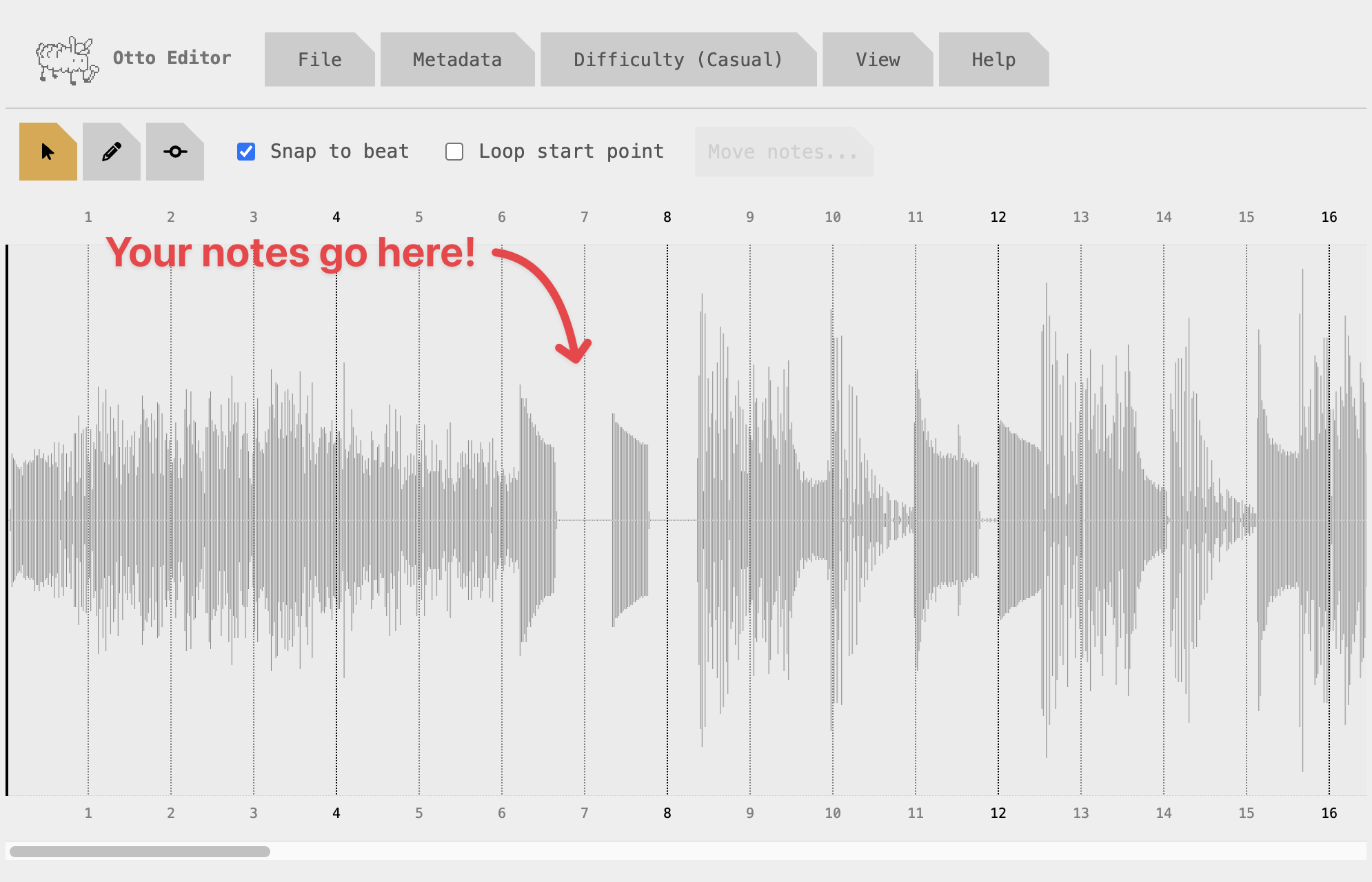
There are three cursor modes, which can be selected using the buttons in the top left.

Move tool: click to select and drag notes
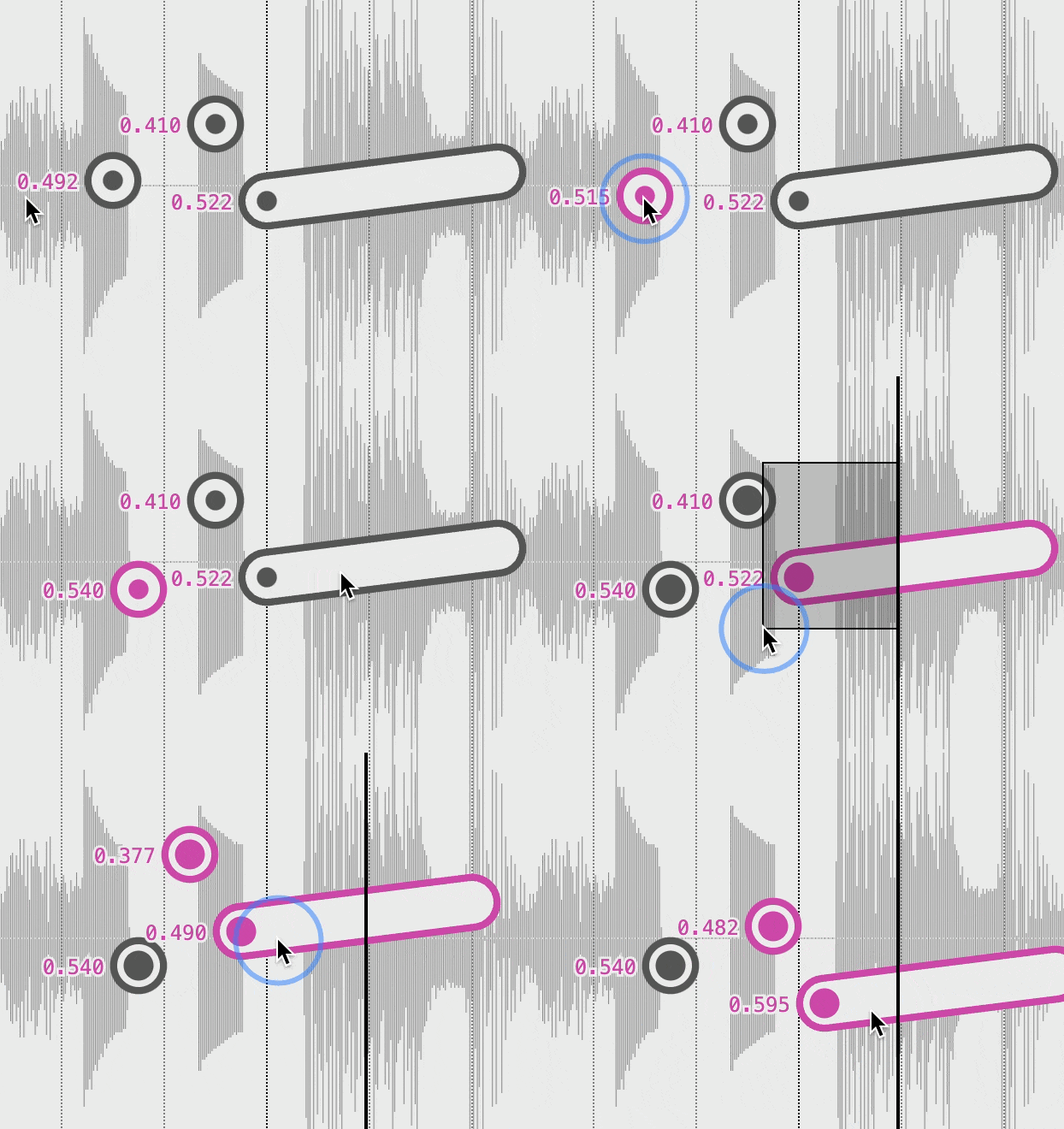
Pencil: click and drag to add notes
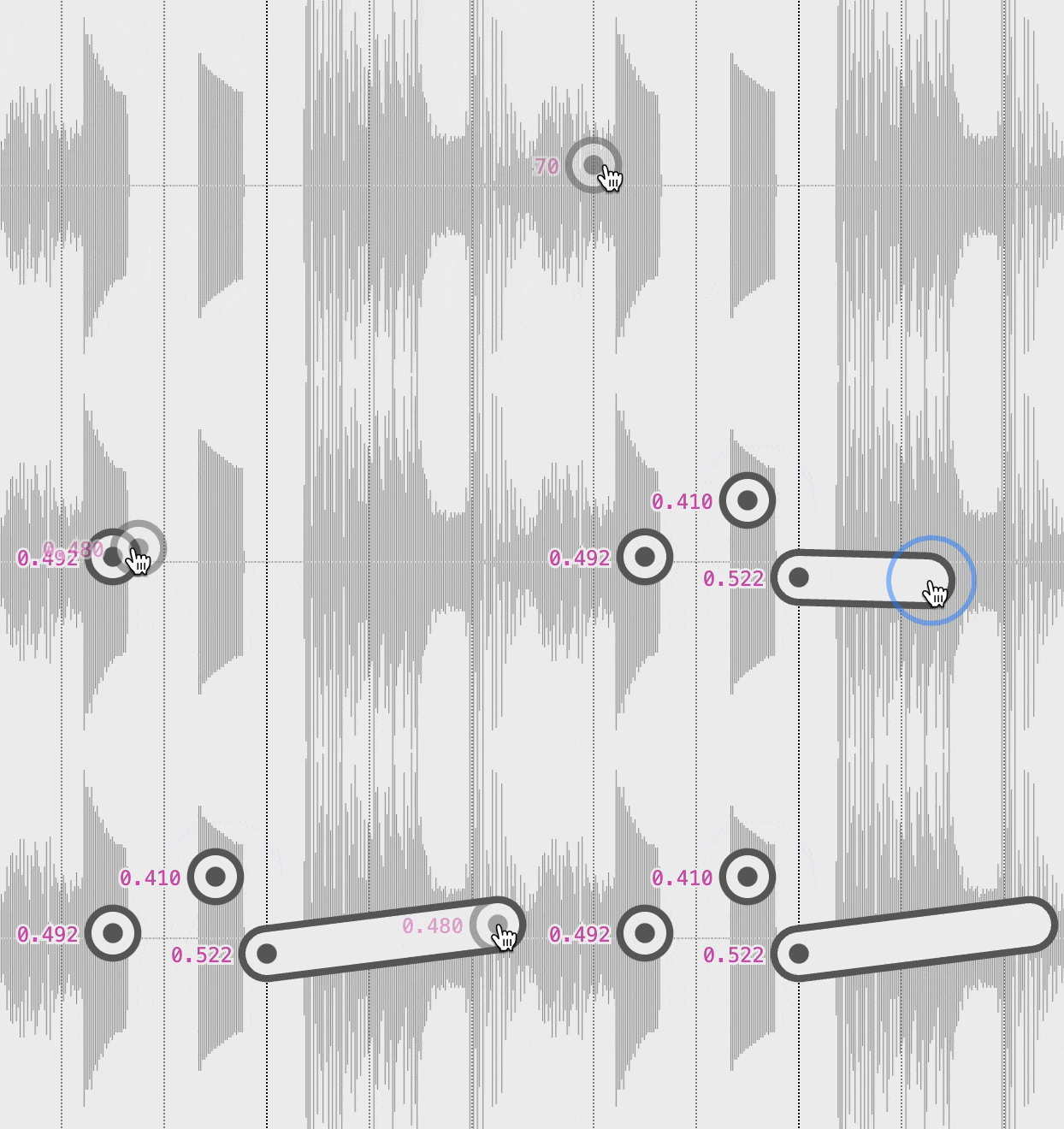
Point editor: add and edit angles within notes
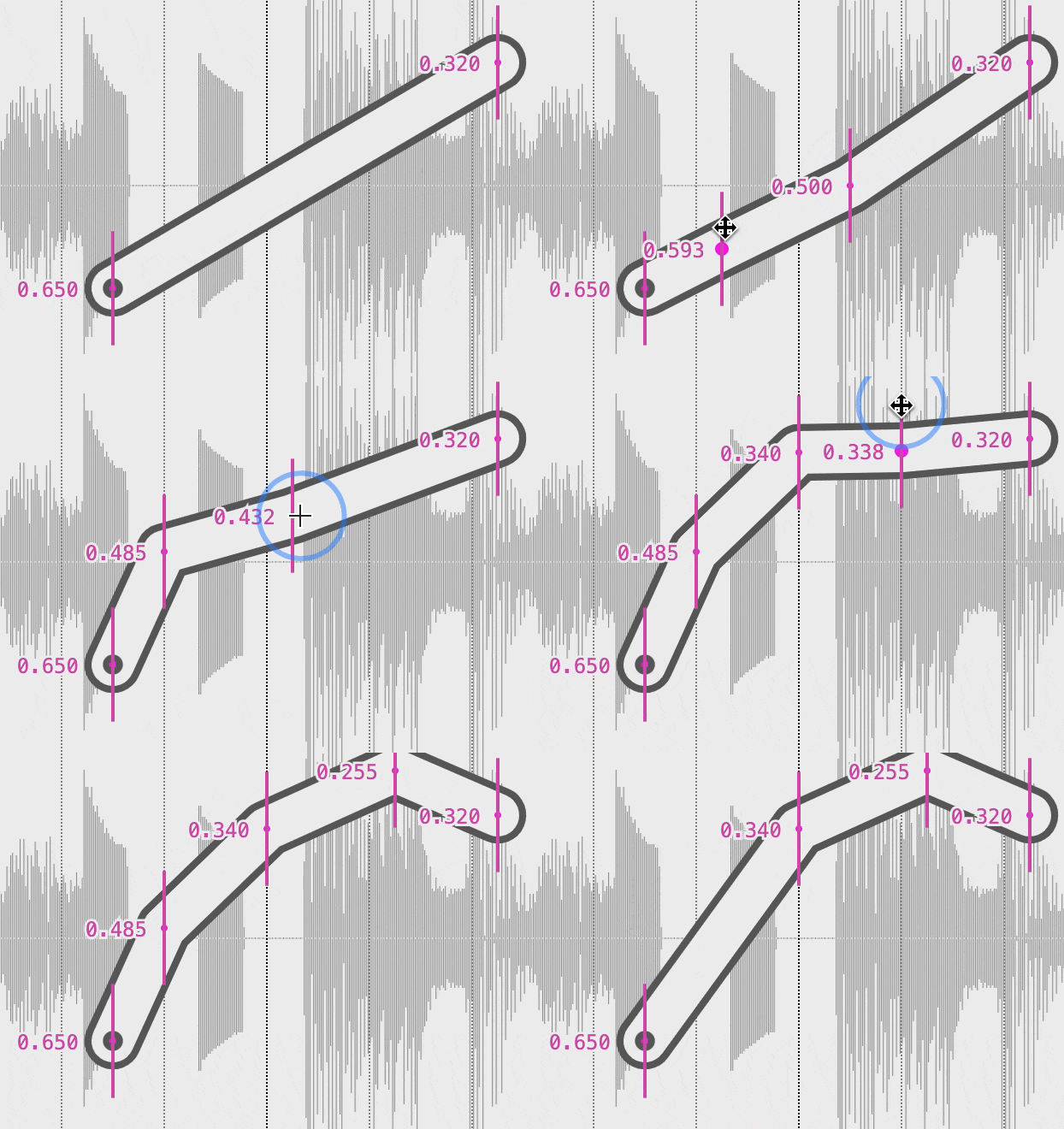
Warning: The editor does NOT autosave. To save your progress, click File > Download a copy. You can then re-import it later.
- Handy keyboard shortcuts:
- Hold the ⌥ (Alt) key to duplicate when dragging
- Press Cmd/Ctrl + A to select all
- Press Cmd/Ctrl + C/V to copy and paste notes
- Press A during playback to add notes
Fourth, export the notes file:
- Click File > Download a .otto file.
- Select WAV file(s) for the in-game audio. For best performance, encode in mono ADPCM format (instructions on how to do that here).
Finally! Your level is ready to play! Follow the instructions in How to sideload levels. Or send your song to a friend – all they need is the .otto file.
Here’s how to sideload custom levels onto your Playdate so you can play them in in Otto’s Galactic Groove!!
- Plug your Playdate into your computer and set it to Data Disk Mode
- Open the PLAYDATE disk
- Go to folder Data > com.pawprints.OttosGalacticGroove
- Copy your .otto level file (which is actually a folder; make sure it's not a .zip file)
- Eject and disconnect your Playdate from your computer
- Start the game and open Jukebox mode
Notes:
- The process is the same whether you made the level or someone else did.
- Older versions of the editor exported a JSON file with two PDA files. If your level is in that format, copy those three files directly into com.pawprints.OttosGalacticGroove
Thanks for asking! Chapter 2 came out in January, so if you haven’t played it already I recommend checking it out!
As for Chapter 3, I’ve been distracted by another Playdate game (it’s a rhythm game!) and boring Real Life Stuff. I am chomping at the bit to start work on it though. Too many game ideas, not enough time 😮💨
Just want to chime in and add my support for accessibility options too! Unlimited lives and more checkpoints would go a long way to make the game more enjoyable (personally speaking).
I don’t think damage modifiers would make a big difference since half of my deaths so far were caused by being knocked into a bottomless pit 😅
UPDATE: This is now fixed in v1.4
Oh man… I think I introduced an even worse progress-halting bug into chapter 2 while fixing the other one 🙀
This means that v1.2 is essentially broken. I’ll publish a fix later next week! In the meantime if you have access to v1.1 I recommend using that version.
Hey jarrodl! That’s super weird. From the way you describe it, that sounds just like the bug from v1.1. So perhaps I did not successfully fix it 🙈 So sorry about this!
Would you be able to send screenshots of what you’re seeing to support@pawprints.games? Ideally with a screenshot of the games list in settings, too. Thank you!
Sounds like you have the original version 1.0.0 of the game installed. The five extra levels and challenge scores are in the v1.1.0 update!
If you re-download the game from Itch and sideload it again to your Playdate, that should update it. (You may need to delete it from your console to force a new download as the Sideload process can be somewhat unreliable.)