

Thank you so much! let's hope in the future we get more customization capabilities (:
Btw just wanted to mention that the new update is live now! so feel free to check it out, hope you enjoy the new changes and variants!
A member registered Jun 26, 2016 · View creator page →
Creator of
An updated take on the default theme of Aseprite, fully customized, looking to improve contrast on the UI
A 5px PixelArt font - Demo Included - Supports German, English, Portuguese, Spanish and more!
A monospaced pixelart font designed for games and pixelart. ( Demo Included )
A set of pixelart keyboard keys made in 24x24px, includes variants and a few mouse icons
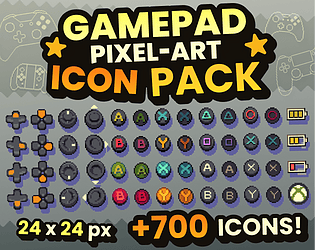
+700 UI Icons! (24x24px) Supporting Xbox 360, Xbox One, PS4, Steam Controller, Switch Joycons and Pro Controller
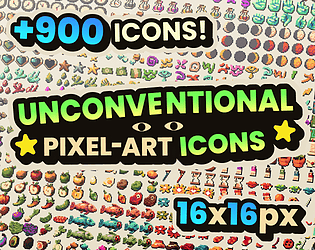
A set of +900 variated icons including household items, food, some weapons, symbols, etc.

A 8x8 pixelart tileset made for platformers + Animated player sprite
A pixelart font made for you <3 ( Demo Included )
Recent community posts
Renewed Classic - HD Aseprite Theme comments · Replied to khatsuru-Art in Renewed Classic - HD Aseprite Theme comments
The best fix possible atm is having them be more "square-ish" but they stay pretty small.
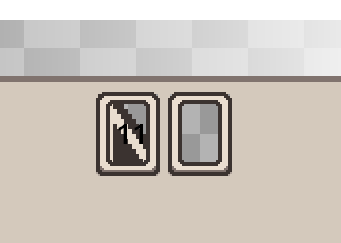
Making them wider breaks the color pickers since these 2 elements are linked without a way to assign different sizes to them without modifying the source code of aseprite so atm this is the best solution until they add a way to change this inside the theme files ):
I'll post these changes in the next update but sadly this will have to be a compromise for the theme atm
Renewed Classic - HD Aseprite Theme comments · Replied to Ponk in Renewed Classic - HD Aseprite Theme comments
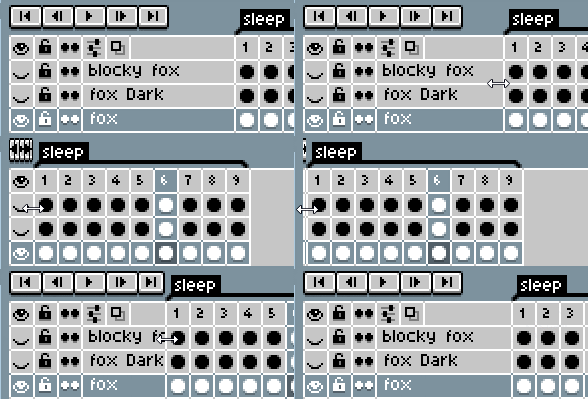
Hey there! Thank you for reaching out, I’m not sure what’s going on since the theme can’t really modify the width of the layer section, only the height 🤔 all I can think of is that because of the theme being 2x the size your layer might been collapsed, have you tried stretching them something like this?
itch.io Community » itch.io » Developer Updates · Replied to SurrealEmber in User Profile Links Update