Indie game storeFree gamesFun gamesHorror games
Game developmentAssetsComics
SalesBundles
Jobs
TagsGame Engines

Out Bush

8
Posts
1
Followers
1
Following
A member registered Feb 08, 2025

Recent community posts

It's a nice game, though on a few occasions Your player is placed next to the Big Bad Stupid Diamond Eater and that it's following your every movement! 

Perhaps Move the Player and Nasty opponent to the opposite ends of the Maze and make the Diamond placement in a random spot starting from more the Players side and move it further towards the Nasty opponents end as the game progresses?

I wasn't sure if Vice would run on my new Mac System, though it looks like this is running fine and Munchy plays as described in the notes. Unsure how fast the game speeds up, I got it to 148 when it was nearly a wall of Red Mushrooms.

Yeah I think it's a nice game too! 

Wants me want to try something on my CPC, though the MSX has some advantages in the coding here.

It's Frogger for the MC10! 

Thanks Marco!

Hi folks, I'm the author of this entry and I just wanted to say if finding an emulator to play my game is too difficult, I found another emulator available for Windows, Linux and MacOS which I was able to Download and play my game on.

I'm using the latest MacOS version of CPCemu v2.5, which is available here:

https://cpc-emu.org/download.html

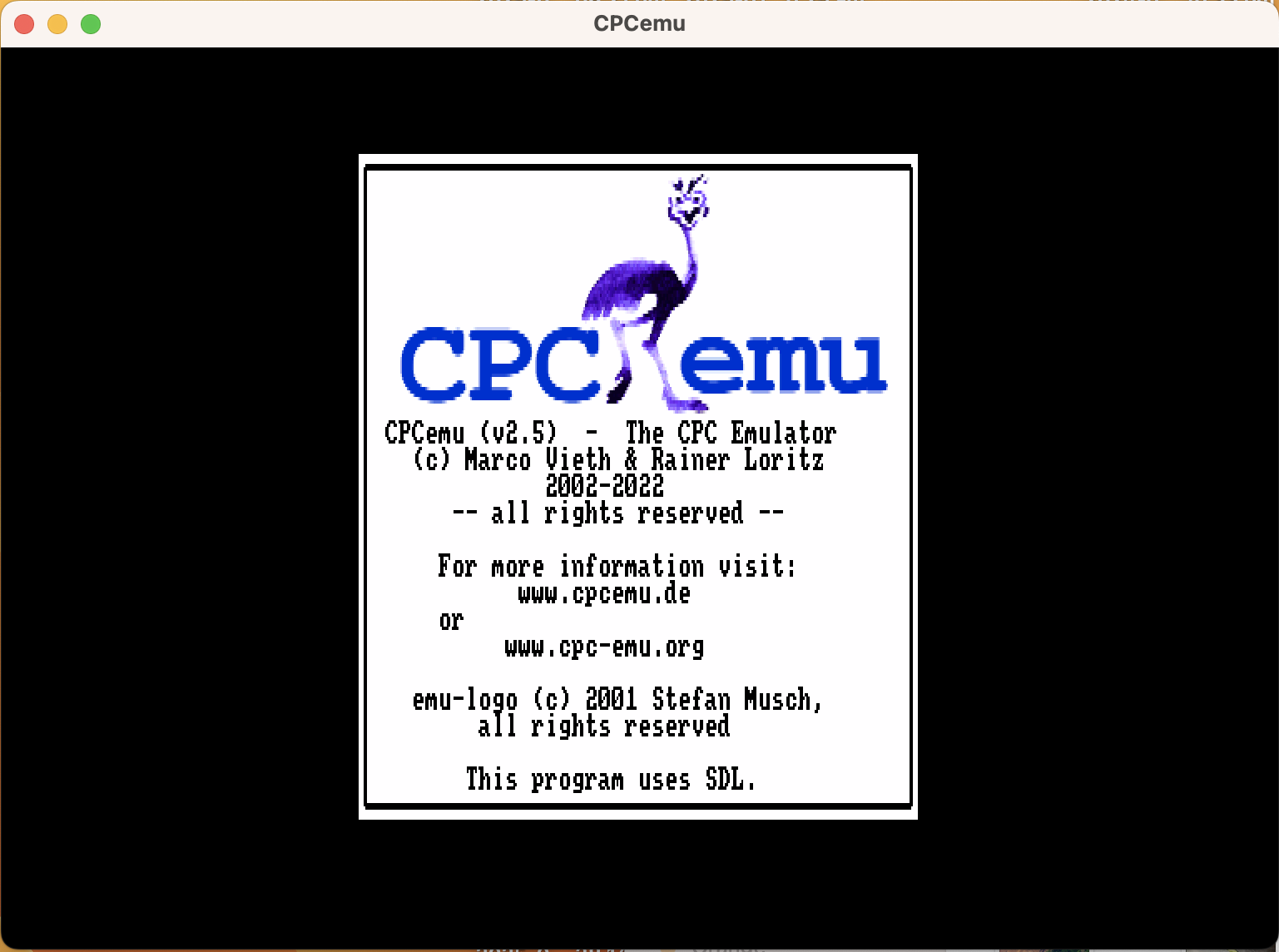
After the file is downloaded and initially executed it will ask which language you want and what keyboard, I just select English, though the Amstrad CPC computers did come in QWERTY keyboards (English nations) as well as AZERTY (other European Countries).


Any key can be pressed when this screen appears.

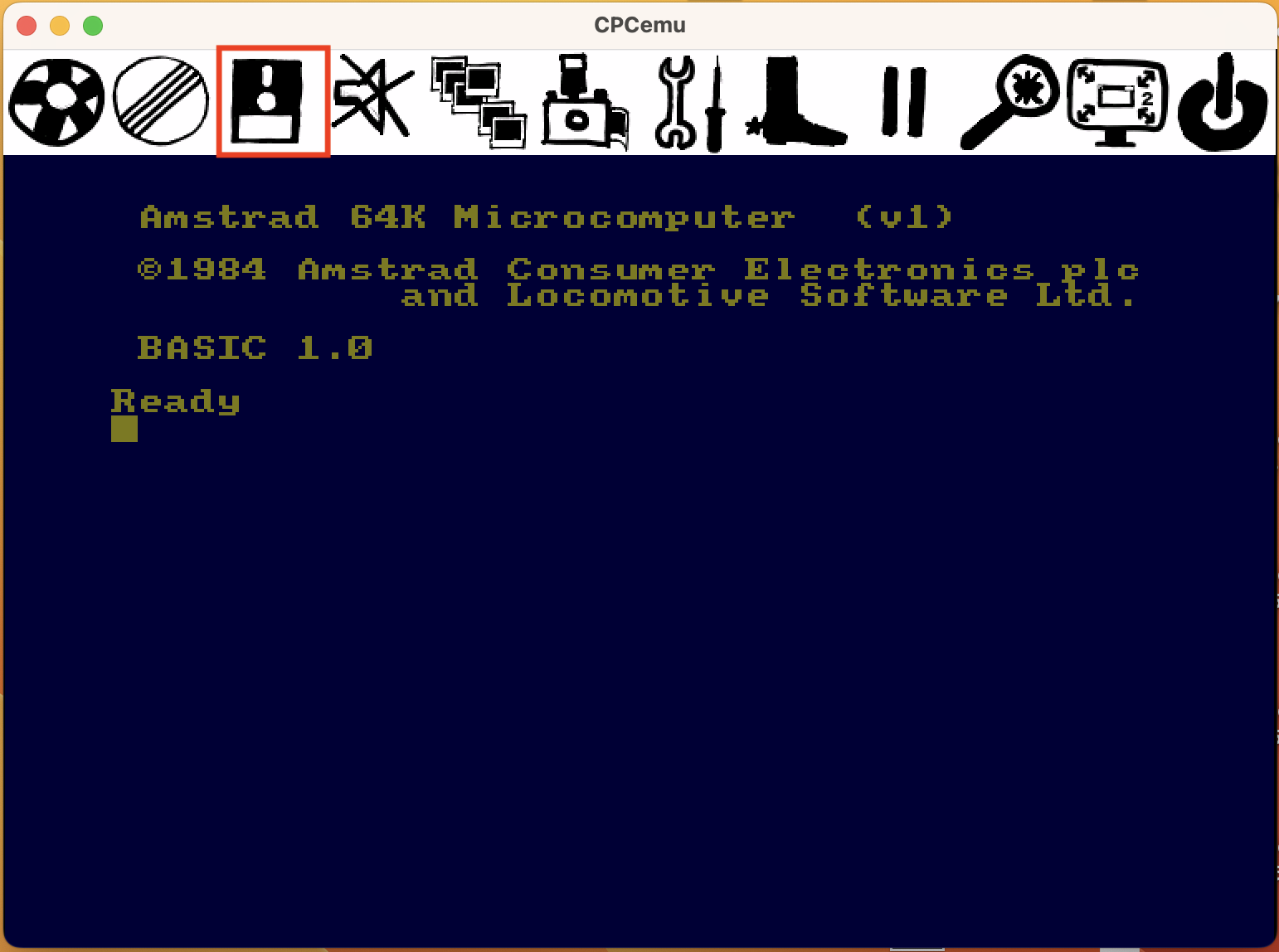
Now the Blue Amstrad Opening Screen Appears, we now need to Pull Up a Menu, I do this on my Computer with the Command Key with the Hash Symbol which displays the Mouse Arrow, followed by clicking the Mouse Button:


the menu appears, now use your mouse pointer to select the 3rd Icon of the Disk that I've selected with the Red Box.

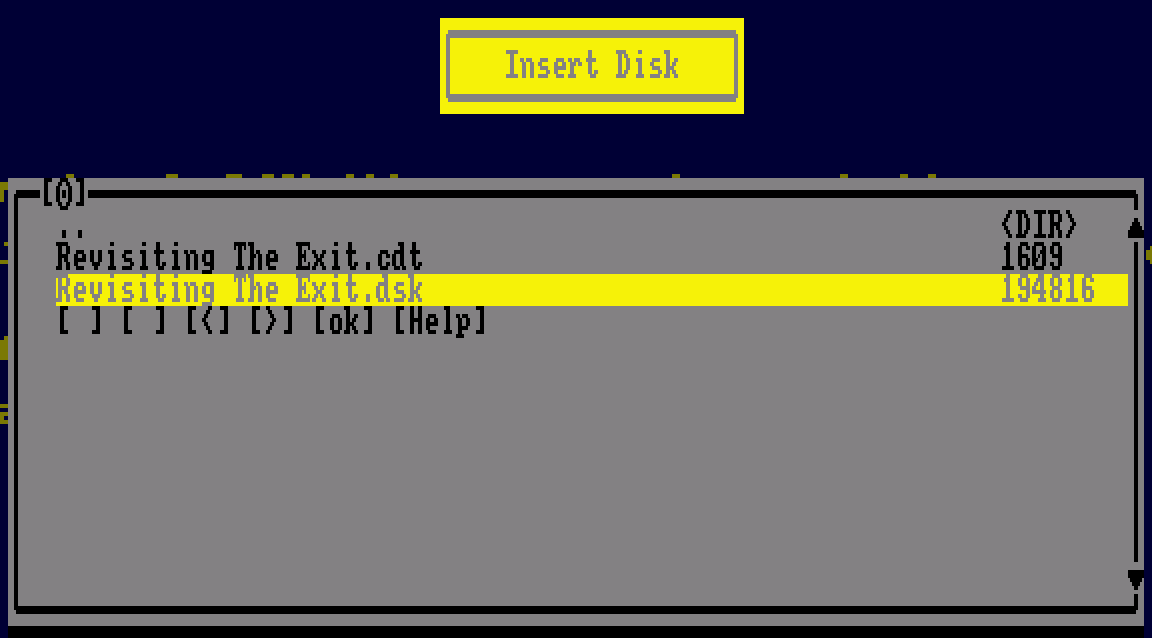
A Box Appears, you can now select Insert Disk A:


A DOS style Directory Box now appears to allow you to select a DSK image with a Directory Path in Red below. On my computer I have the Emulator in my Downloads as well as my Folder to my game. To get to it select the ".." to take you to the previous directory, you may need to do this several times before you see something like 'path = /Users/<username>/Downloads/', if 'Revisiting the Exit' is in there select that and then select the 'dsk' image (as pictured).

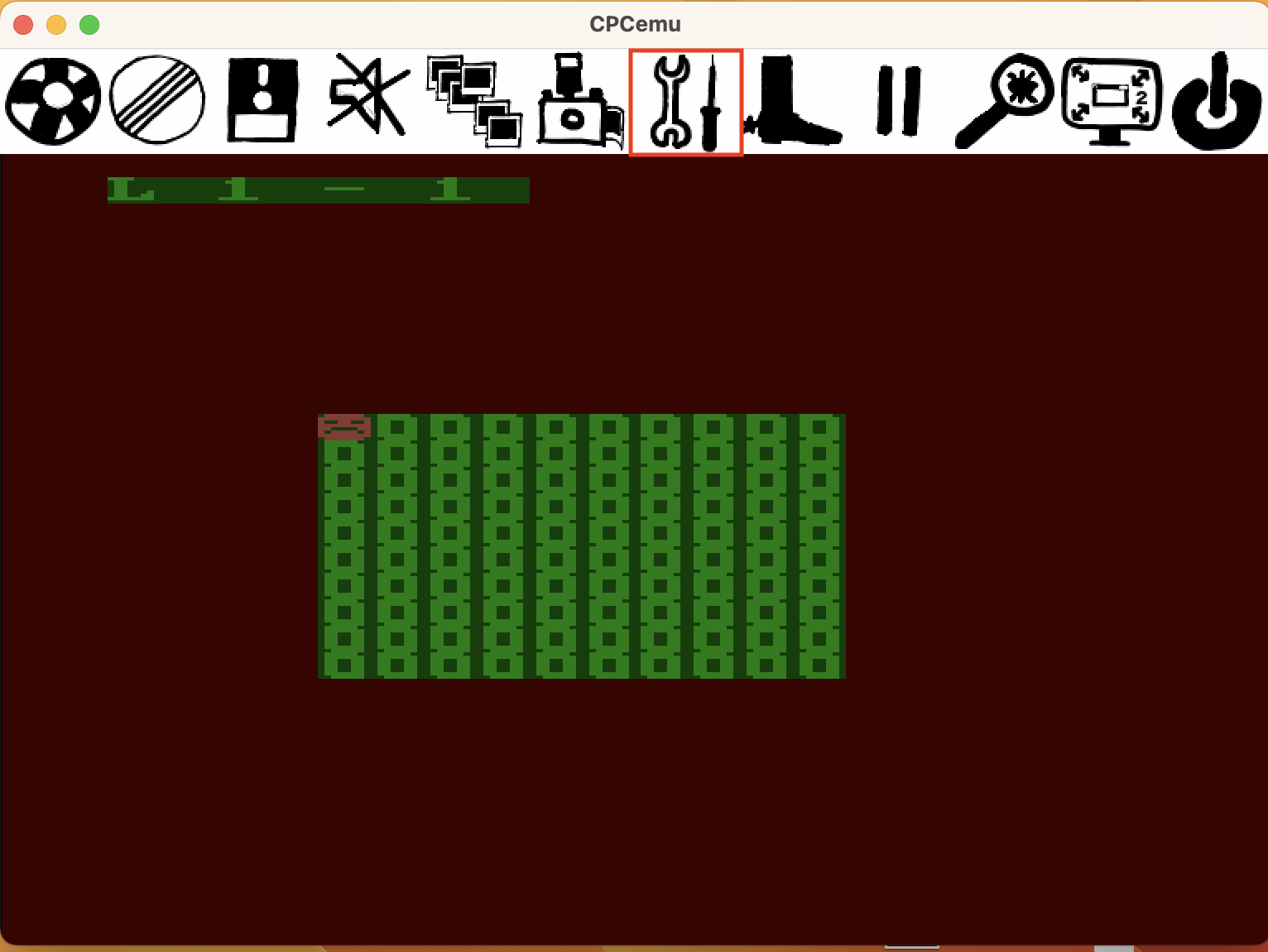
Selecting that the game now starts, though it won't work until Joystick is selected.

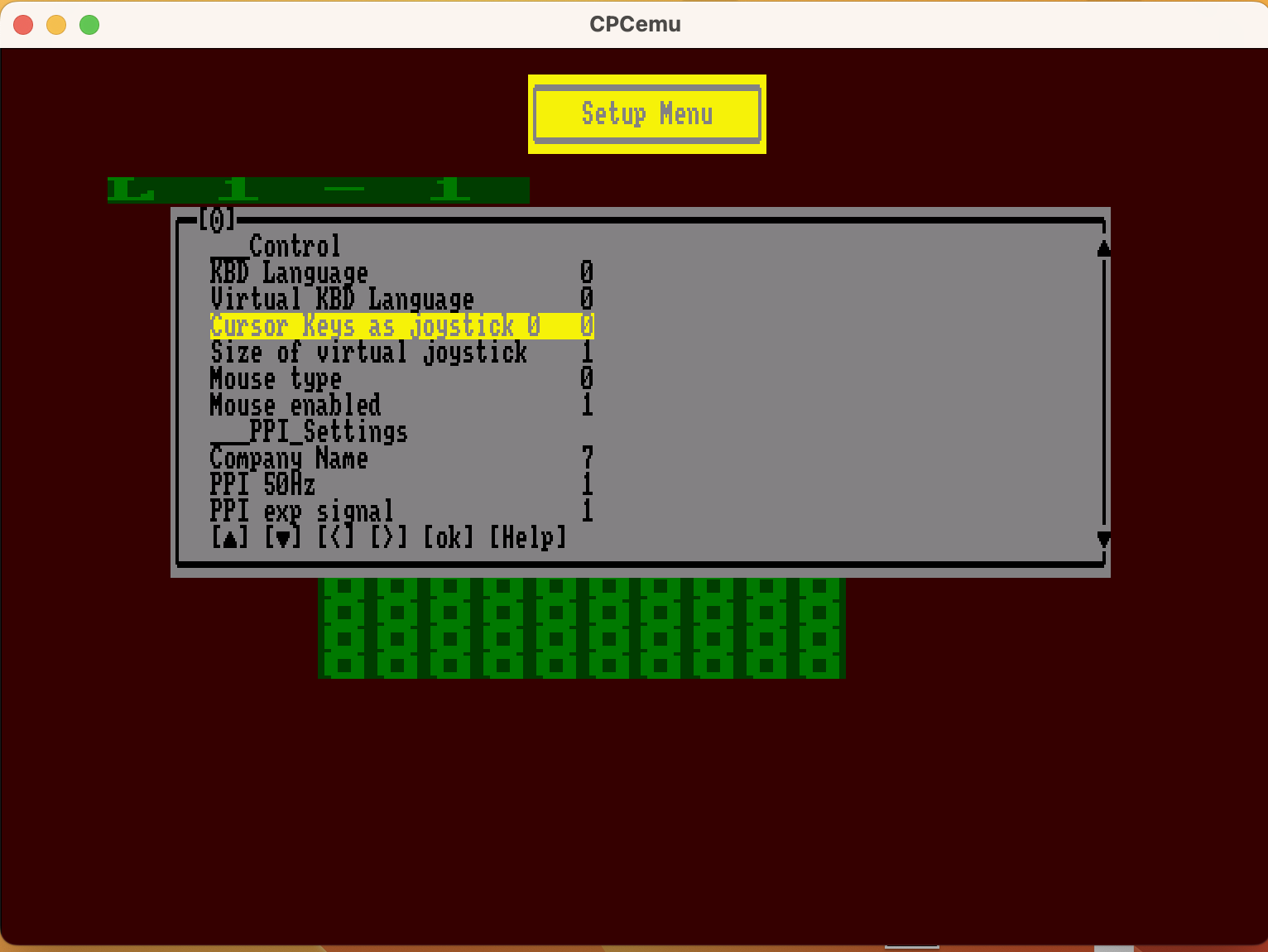
To do this press the Command key and use the Mouse to Select the "Spanner/ Soldering Iron" Icon.


A long list of items then appears, the one I found that works best is Cursor Keys as joystick 0:


this value needs to change to 1 which can be adjusted using the right arrow key, once that's done Okay can be selected with the changes in place ready to play the game.

Enjoy!

I had something similar in the CPC version which just Freezes. 

Unfortunately the CPC DSK image isn't working for CPCBox:

https://retroshowcase.gr/cpcbox-master/index.html

returning: "[DSK Parser] Error: Invalid DSK id"