On Sale: GamesAssetsToolsTabletopComics
Indie game storeFree gamesFun gamesHorror games
Game developmentAssetsComics
SalesBundles
Jobs
TagsGame Engines

obscurerev

28
Posts
10
Topics
3
Followers
4
Following
A member registered Feb 15, 2021

Recent community posts

can you add more songs???

well you can do stuff in this weird debug menu 

anything interesting you find about this?

it's not the best but it will do

(1 edit)

idk how to but I found this on the online version, don't know if it works on the downloadable version. https://github.com/obscurerev/FNF-Mods-in-Full-Screen

(1 edit)

So I was playing the Tabi mod and while in the free play I accidentally pressed the \| key above the enter button and it brought up a really weird stat menu. idk if anybody has encountered this before but thought it would be pretty interesting to share.

https://github.com/obscurerev/FNF-Mods-in-Full-Screen

I might later. It's so hard especially with the lag.

I already tried my hand at Expurgation but I think beating Hellclown is an accomplishment enough.

I made a post like last month saying how I couldn't beat it. Now here we are. It drained me mentally but I did it.

Ironic

(1 edit)

it's ok, this was probably a pointless post to make. While I was posting, I kept going back to the one on Snokido and it seemed to lag less and less on Hellclown but still was a little laggy. It might just be my skill level but I always die on the part where you are doing those hold notes on that very long turn either because of lag or because of my hands shaking. Sorry if this post wasted your time. (any tips to beat that part would be nice :)

Yes, but you can also change the sprites and the massive size of Hellclown lags up the track so I need a way to play phase 3 with the debug menu and full screen so I can focus.

(1 edit)

It most likely is, but I am on the official KBH website just in an app which I use to bypass blocked sites. But it doesn't allow full screen on anything and the KBH let me change the sprite of Hellclown in debug so it won't lag, while the one on Snokido which is not blocked doesn't have debug menu at all I can't change the sprite of Hellclown so it won't lag as much. Here is the Chrome app if you want more context:
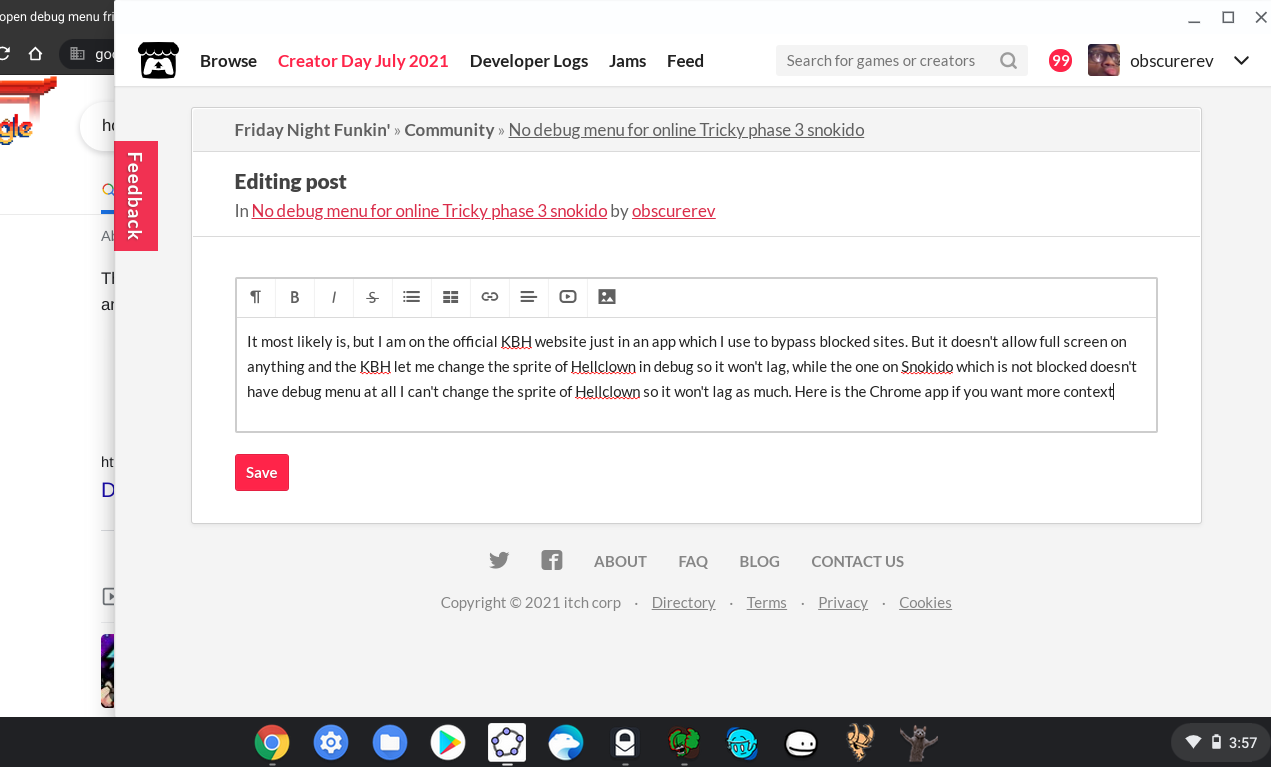

Like the app I'm using to bypass the block isn't allowing me to go full screen on anything. For example, youtube. There is a full screen option on KBH but it doesn't work.

(1 edit)

So I have a bit of a dilemma. I am typing this in a school chromebook app that I found a workaround to Google. The problem is that I can't go full screen in anything. The tricky phase 3 mod on kbhgames can't let me go full screen as well and I need the full screen to focus on the game. KBH has the debug menu so I can change the sprite of Hellclown so it won't lag. On the other hand, the one on Snokido isn't blocked if I play it through this: Tricky Snokido (I promise it's not a rickroll). The problem is that the lag makes it almost impossible to beat Hellclown and there's no debug menu to change the sprite for the Snokido version. Can anyone help me solve this problem?

https://github.com/obscurerev/Friday-Night-Funkin-Full-Screen-Mod-Links

This game is so fucking good and got hooked when I got the chance to play it. When I first heard about Friday Night Funkin' in January, I was addicted to this series called Rhythm Heaven. When I first started seeing youtube videos about the game, I really overlooked it as some trendy game that will die out soon. But then I found out it was a rhythm game, so I went to itch.io to play it. It really wasn't good fps-wise, but the music, the art, the gameplay, I never played anything like it before. I never expected this game to get so big, and with the Kickstarter, oh my god it's like the gift that never stops giving. So that's how I found this game and why I love this game.

Week 7

this topic is getting so repetitive

this is kind of like the millionth time someone has posted this

Eggnog is a bop tho

It's hard for me even on normal mode.

Every popular game is going to have it's haters and it's annoying little kids.

gladly

(7 edits)

I can't believe no one has ever thought about this. If Friday Night Funkin can't be loaded perfectly on your normal web browser, why not load it through GeForce Now's Steam web browser. The performance of the game all depends on your internet connection. Here are the instructions on how to do this:

  1. Open the play.geforcenow.com website
  2. Log in or sign up for an account
  3. Go to any steam game that you don't own or have to pay for
  4. Wait for the game to load, you have to be patient here (if loading takes too long, try switching region servers in the settings, or just play at night because people are asleep and loads will be almost instantaneous)
  5. Wait for the Steam window to load, if it doesn't load try clicking the maximize button on the window in the bottom left corner
  6. When Steam is loaded (assuming you have a Steam account), click on the small window in the top right by your profile to enter Big Picture mode (or just go to View options and enter Big Picture mode that way)
  7. Go to the web browser on the left
  8. Search Friday Night Funkin' and scroll to the itch.io version
  9. Get Funkin!

Keep in mind that you only have an hour on a free subscription, but you can purchase a paid subscription to up the time. I hope this helped somebody that wants to play FNF smoothly on any Chromebook.

yes pls