Indie game storeFree gamesFun gamesHorror games
Game developmentAssetsComics
SalesBundles
Jobs
TagsGame Engines

NeezGames

14
Posts
31
Followers
A member registered Sep 28, 2024 · View creator page →

Creator of

Recent community posts

Your Welcome its my pleasure, if you have any doubt please feel free to contact me

Hi again! You were totally right, that's my mistake. It turns out the textures didn't pack properly into the .blend file after all. I am so sorry for the runaround!

I just uploaded a separate "textures.zip" file to the download page. You can grab it now, unzip it, and use the (File > External Data > Find Missing Files) trick in Blender to link everything up. 

Thank you so much for your patience, and let me know if it's working properly now!

My apologies—I gave you slightly wrong instructions in my last message. There is no separate textures folder to download because I packed all the textures directly inside the main file.

Since it's still showing up purple for you, two things might be happening:

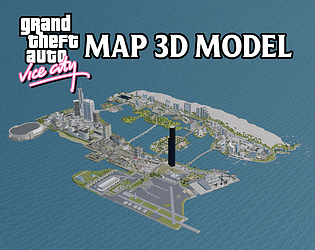
1. If you imported the .fbx or .obj file into Blender, it will often turn purple. Instead, try directly opening the "Vice City.blend" file.

2. If you are opening the .blend file directly and it's still purple, you might be using a newer or older version of Blender that isn't reading the packed textures correctly. Try changing your Blender to the blender 3.0 version!

"Hi! Apologies for the late response—you definitely didn't get scammed. The purple color is just Blender's default way of saying it doesn't know where the texture images are saved on your specific computer.

You can fix this automatically in just a few clicks:
Go to File > External Data > Find Missing Files. Then, find and open the Textures folder included in your download and click 'Find Missing Files' again.

Blender will auto-link everything and the map will look normal. Let me know if you need any more help getting it set up!"

how can i contact you personally

Intente usar la versión Unity 2022.3.46f1


Creo que abriste una versión diferente de Unity, ¿puedes decirme qué versión, por favor? Intentaré solucionarlo

Thank you so much for the review and playing my game and posting it on youtube.

first you need to download unity, then you open up unity and import the package inside unity, after importing the package you can go to the scene where the main game is located and test the game

Thanks for you so much for the feedback

Thank you so much for the review

Thanks so much! Happy to hear you're loving the game.

ok its no probem, thanks for replying

hello, im alow poly 3d artist, i think i can help you in your project