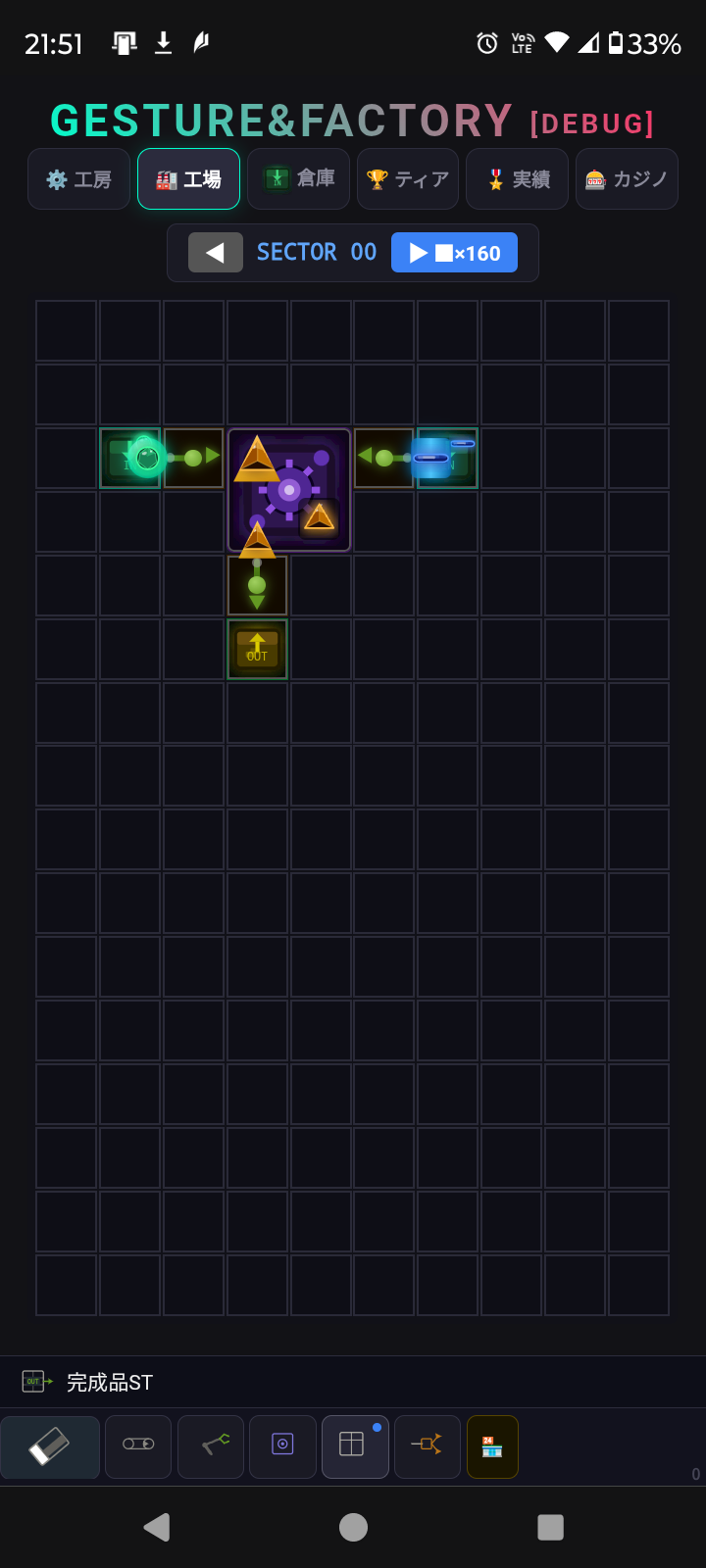
Here's an example: how to craft a Triangle automatically
First, go to the Workshop tab → Parts section and craft the parts you need.
For a basic Triangle line, you'll need:
- 2× Storage Source
- 3× Inserter
- 1× Assembler
- 1× Storage Sink
Step-by-step:
- Place two Storage Sources. Tap each one to set what it outputs — set one to Point (●) and the other to Line (─)
- Leave one grid space, then place the Assembler
- Connect each Storage Source to the Assembler using an Inserter — when placing an inserter, drag/swipe in the direction you want it to move items
- Once enough Points and Lines are delivered, the Assembler will start producing Triangles automatically
- Place another Inserter on the output side of the Assembler, pointing toward a Storage Sink — finished Triangles will be collected there and added to your inventory
Once you get the hang of one line, you can chain multiple assemblers together for more complex recipes!