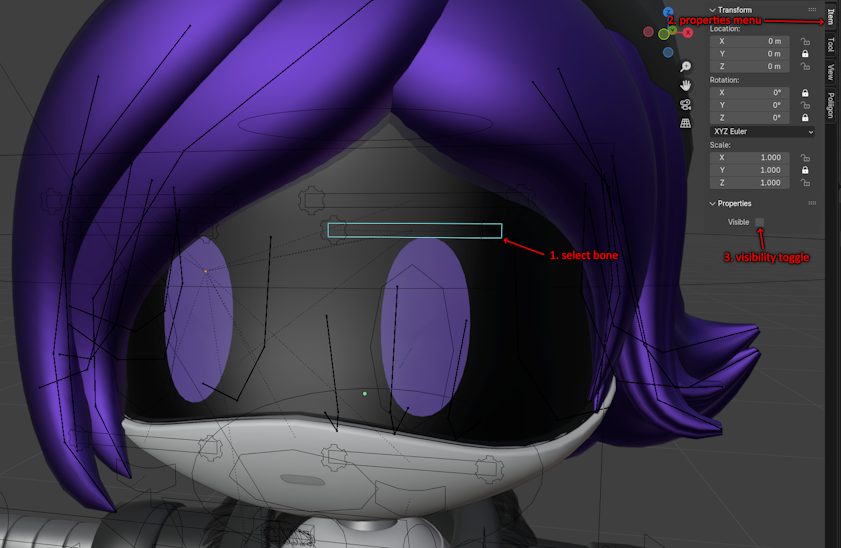
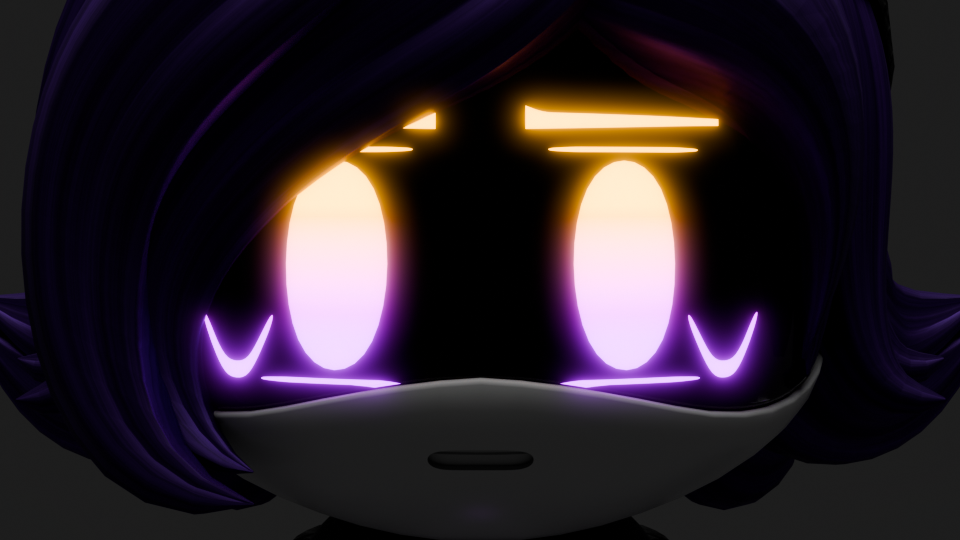
I'm not sure if this breaks something I'm unaware of, but this seems to fix the artifacts caused by the eyelids/eyebrows both masking at the same time. Let me know if this works for anyone else or if it causes issues I haven't found.
Select the Eye_Rig and go into pose mode. Find the bone you want changed, then bring up the properties menu(shortcut is N by default), then there will be a visibility toggle at the bottom.
Since your Twitter says you are on break, do you want some new showcase renders that include all models from v1.1 so it's up to date? I don't know how to message you directly to ask this.
Is this causing the eyes to double up for you? For me the transparency reveals the eyes inside the visor, then the glass adds another set of eyes on the surface of the visor.
How is glow supposed to be applied to the eyes? In Compositing I've tried using a Cryptomatte for the DD_Light material and adding Fog Glow, but that doesn't seem to work because the eyes are behind the visor. Not sure if I'm just missing a better way to do it. Problem appears to be that I put too much light in the scene, so I couldn't add regular Glare without it causing other highlights to massively clip, just had to turn down the intensity of light sources and increase the intensity of the DD_Light material.