Indie game storeFree gamesFun gamesHorror games
Game developmentAssetsComics
SalesBundles
Jobs
TagsGame Engines

momofumi

32
Posts
1
Topics
194
Followers
2
Following
A member registered May 04, 2016 · View creator page →

Creator of
Recent community posts

This one took me over a months to finish.

Thank you. This is my Discord: momo_naga

Thank you so much! I’m really glad you like it. I’m planning to update this pack with more content, and I’ll also be creating another 32x32 pack that pairs well with it. Stay tuned!

I update the sprite sheet, please re-download the asset pack. Sorry for the confusion.

Hello!

We're really sorry, We will let you know if we add another payment method in the future.

at the moment the payment method available is only PayPal.

Thanks!

My bad I thought that was the same thing, I downloaded RPG Maker from the site and reinstall it, now it's ver 1.9.0 and the problem fix.

(1 edit)

No, I playing your demo (v130) and add nothing to the demo.

(2 edits)

Hi Sang! 

I try using your plugin with RPG Maker 1.8.1 and it works just fine, I found no problem about icon being disappear.

So i guess the latest version break your plugin? nonetheless, if you can update your plugin to work with ver 1.9.0 that would be great.

For now I'll be using RPG Maker 1.8.1.


Cheers!

(1 edit)

Thanks for the fast response, disable dash is fixed thank you, but my RPG Maker is currently at ver 1.9.0 so I don't think the problem is because of that. 

Edit: Icons inside the main menu is also disappear.

(1 edit)

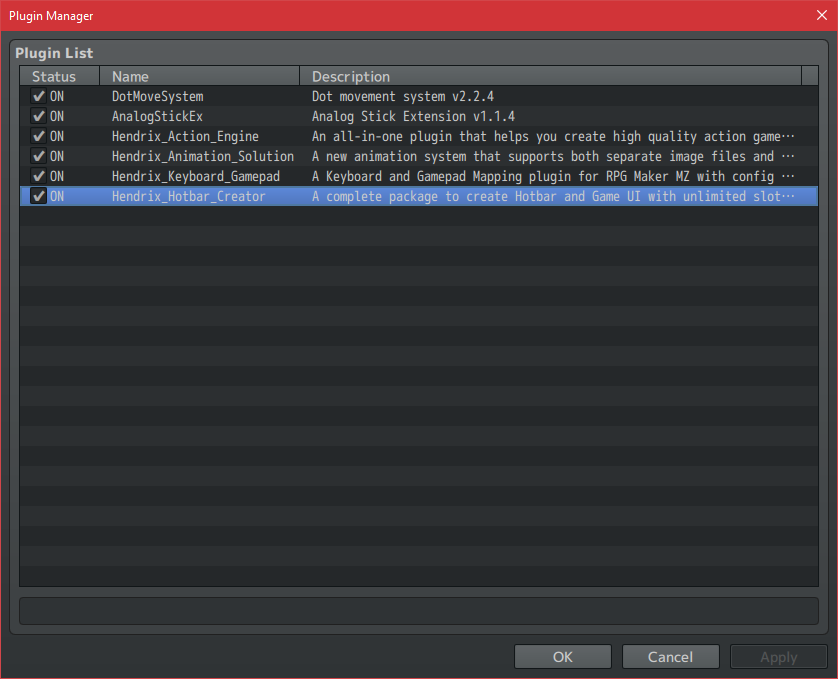
Hi, I purchase your RPGMaker Action Combat Plugin, it was awesome plugin and it working great, however I run into some issue with hotbar plugin. At first when i'm play testing for the first time, it's working normal as it supposed to, but then when I'm open plugin manager then hit OK button  then icon inside the hotbar is disappear.

 I don't even messing around with the plugin parameter or anything. Just open plugin manager then hit okay. I hope you can solve this problem

I'd love to making game with this plugin.

Also when using controller, the player is set to always run even though Always Dash option is turned OFF, is there a way to disable that. I want my player is able to walk and run with a press of button. Thanks!

The reason for this tileset isn't in Rpg maker format because the Rpg maker has various limitation in it's map editor. The better solution to your situation is to use parallax mapping method in Rpg Maker Vx Ace.

(1 edit)

Sorry for the confusion. This tileset was not made in Rpg Maker format, and it is also not stated on the page that this tileset was specifically made for Rpg Maker. What is stated is that this tileset pack includes a sample map created using Rpg Maker MV. Have you tried playtesting the sample map?

Edit: If you want to open the sample map you can try program called Tiled map editor https://www.mapeditor.org/ just extract Sample Map.zip. then go to folder Sample Map > maps then, inside you can open JSON file using Tiled. Hope that helps.

Hi there raffle0! if you want to commission work, please drop me an email with the detail of your project at nugrohowahyu1789@gmail.com thank you! :)

It also can be use for commercial project

Sorry, my paypal got disconnected from this site, but now it's alright so you can try to purchase again.

If you still encounter same problem please let me know. Thank you very much.

I don't think so my paypal account is just fine. Somebody just sent me payment about a week ago, there was no problem.

somebody also has this issue before, so sometimes this happen. I don't know what's the problem.

no. It's only 24 x 24

Not in the near future. I dont have much time these days, sorry.

no, just walking and running. Each animation has 6 frames.

You're welcome.

I updated the tileset so that it's working with terrain tool. Please download the tileset again. :)

Hi lee510, thank you for purcashing our assets pack! 

If you want the grid size to be 24 x 24 pixel, when created new map make sure you change the tile size both widht and height to 24. Hope that helps :)


I'm sorry I can't open that link because in my country imgur is blocked. If you aploaded somewhere else then we can look into it.

If you have anymore question please let us know!

(1 edit)

Hi crablue! Thank you for purchasing our assests pack. :)

You can use this tileset in map editor program such as tiled or game engine such as RpgMakerMV or any other game engine.

If you have anymore question feel free to leave them in comment below


Cheers~

thanks :)

yes sure.

Thank you :D

Thank you very much.

That would be nice. Good luck.

The pixelation is community for pixel artist. However, Tileset aren't necessary to be pixel art. You can for example create a tileset with digital painting or vector image.

If you want to make tiles you need to learn how to tiling, grid, etc. The youtube video that I mentioned before was my starting point. It explain how the tileset works and how to tiling them.

I don't have any tutorial video. If you want to learn, there's plenty online tutorial that can help you. This is one of them https://www.youtube.com/watch?v=MFvsRvo_78Y Also

Also There's online community that can help you. Pixelation is the great place to start.

Thank you :D

Thak you :D