

great man i really don't know much about endeavourOS but i think it will be a good
A member registered Jan 25, 2023
Creator of
Recent community posts
THE BEST ALTERNATIVE OF MC OFFICE
there too many windows users that want to switch to linux need mc office in their work yes libreoffice is very good but you must try it for a while to know how to use it but i tried a one that is very easy for windows user that want to switch too linux and its ui is very similar to mc office ui and it's very compatible with mc office (as it uses docx and the other mc office formats mainly) it's onlyoffice
i think it's the best alternative because it's ui and compatibility and i used it for a month and now it's my main office app
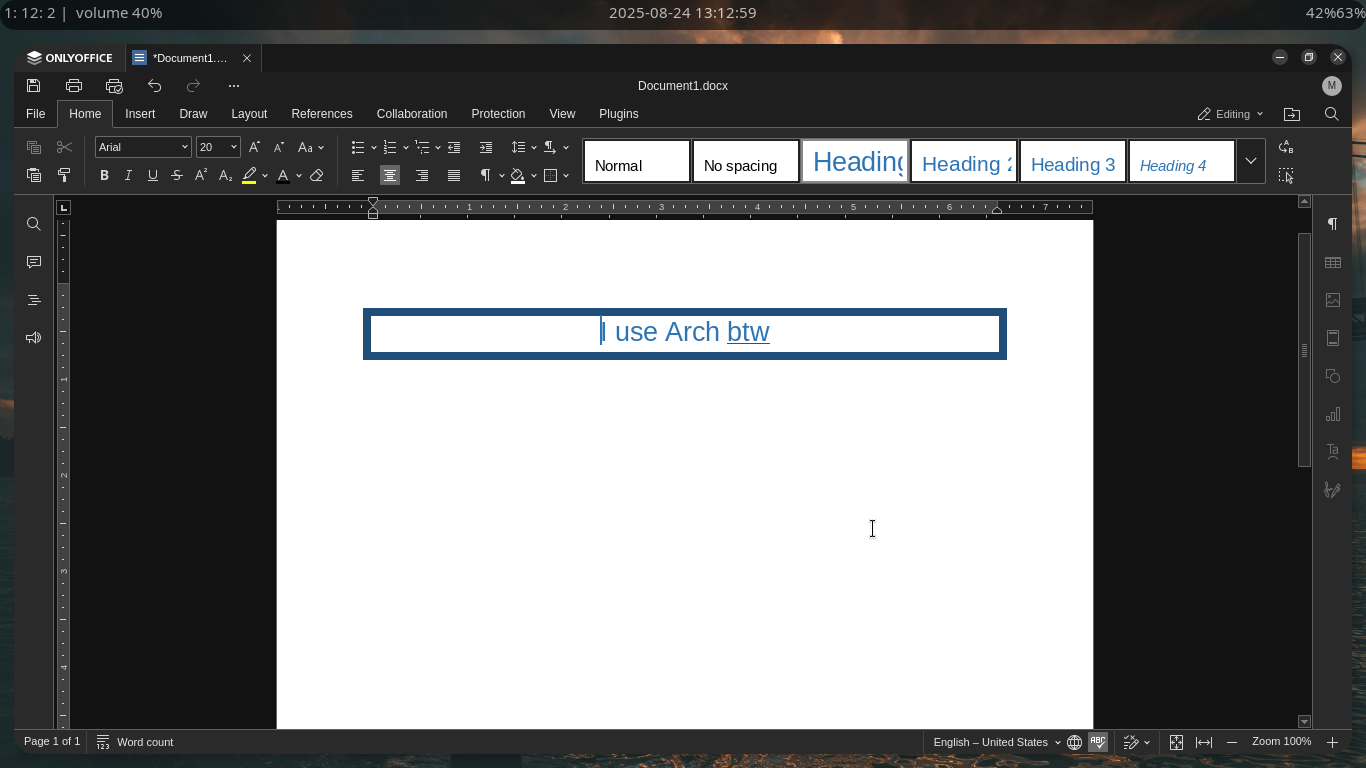
but there is an one con that its heavier than libreoffice but i am using it on an old thinkpad with 2 gigs of ram and it runs fine not perfect but fine
HOW TO INSTALL
only write this command make sure you have yay
yay -S onlyoffice-bin
or you can install it via the appimage downlaod the appimage from the official site then go to the downloded folder then add
chmod +x DesktopEditors-x86_64.AppImage
then write this too
./DesktopEditors-x86_64.AppImage
it will excute it directily and if you want it to appear in your app menu download this
yay -S appimagelauncher
Run the AppImage once → it will ask to “integrate” it into your system
NOTE(i don't tested the appimagelauncher before so idk if it will works fine)
k that's it thank you for reading
CAN I3WM LOOK BEAUTIFUL
to many of linux users want to try hyprland but there GPUs doesn't support it so they use another WMs like i3WM (that what i'll focus on it)
when you install it you will see that hyprland have more cool features like autotiling and you will be upset but i want to tell that if rice your i3wm with the right way you will get something like this or even better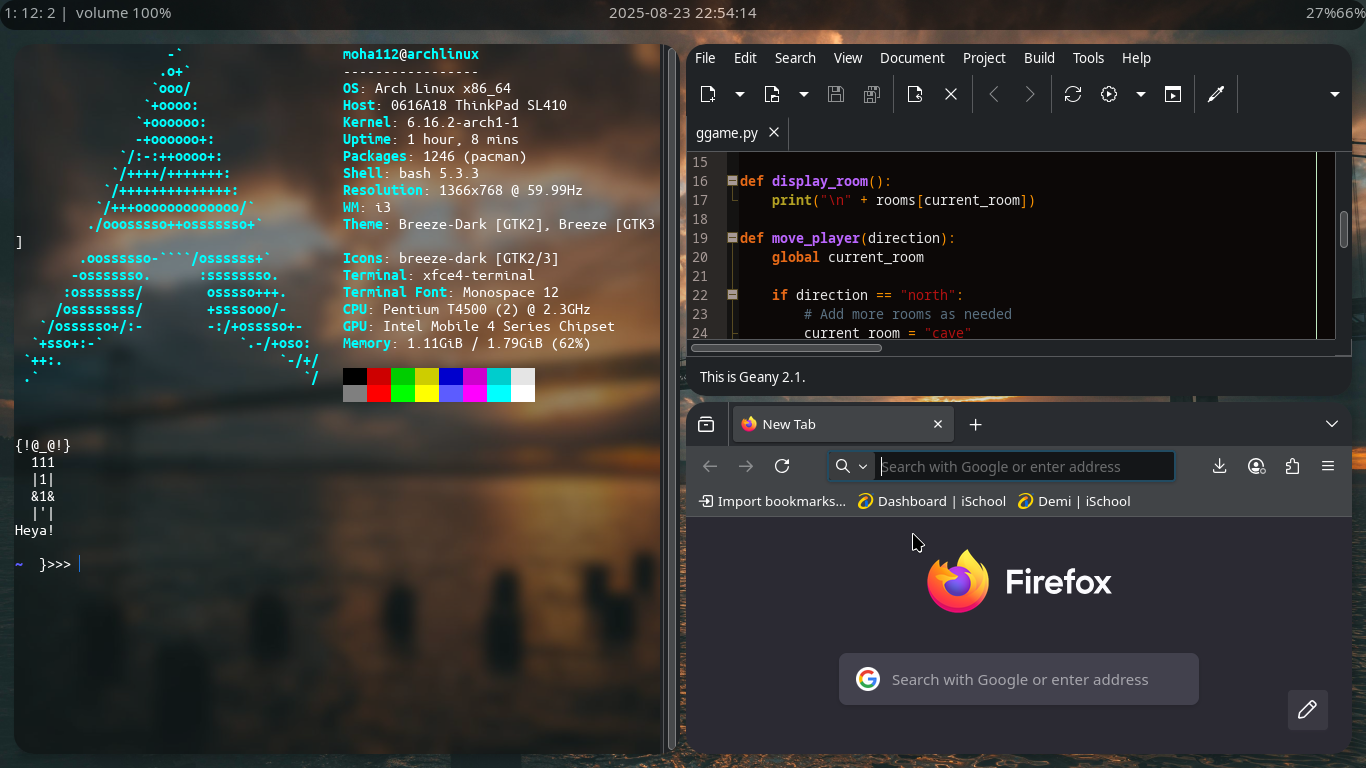 and i will list here some programs that you will need
picom:
picom is a lightweight x11 compositor you can add very good visual effects like transparency, shadows, fading, blur, rounded corners, and VSync
you can install it with pacman(if you using archlinux or distros based on it)
sudo pacman -S picom
then paste this to your i3 config (usually in ~/.config/i3/config.conf)
exec_always picom
or this if glx gives errors
exec_always picom --backend Xrender
and you can edit you picom config file as you want or steal someone config (:]
polybar:
i3statues looks very bad polybar is a panal (i don't have any good definition for it) but if you mix it with picom to make it transparent and add rounded edges it well look peferct and you can edit it too more i suggest to watch tutorials for all one of the tools to know how to use it because i am very lazy to explain how }:])
autotiling:
this is my best one this adds autotiling feature to i3wm and it looks perfect
it's too easy to install just make sure you have python-i3ipc installed you can download it with pacman this is how to downlaod and run autotiling
git clone https://github.com/nwg-piotr/autotiling.git
cd autotiling
cd autotiling
python3 main.py
it works very fine
that's all thing and thank you for reading