On Sale: GamesAssetsToolsTabletopComics
Indie game storeFree gamesFun gamesHorror games
Game developmentAssetsComics
SalesBundles
Jobs
TagsGame Engines

mofleury

12
Posts
1
Topics
3
Followers
1
Following
A member registered Dec 05, 2021 · View creator page →

Creator of

Recent community posts

Awesome, thank you for the quick action!

I will try it out as soon as I am able :)

Cheers !

Great, I hope that you find a way to include the setting in a clean way then!

... And that this gets fixed in Godot itself too, there are quite a lot of mentions of this issue actually,  a fix will arrive sooner or later ;)

Hi again,

I found a fix for my issue : it is indeed a common problem with Godot, and appeared since multi window was introduced.

Luckily, it can be fixed via an editor setting, that can be passed on command line : --single-window

Using this in Godot editor itself is not ideal, because it prevents embedding the game in the editor, but with pixelover I really don't see any difference, I don't think that multi-window is used by pixelover.

My recommendation would be to use single window by default in pixelover builds ;)

Hope that helps, thanks again for this great tool!

Thank you for the feedback!

It is still far from the state that I want it to be in, but I keep going step by step :)

I ma happy to hear that you liked it!

Hi! 

I realized that I have not given a follow-up on this issue, but actually I do have news : I have the same issue with vanilla Godot. 

This means that the issue is not due to pixelover, I am now hoping that the next release of Godot will not have the problem, I'll let you know.

Cheers 

So, I was able to give it a try... but bad luck, it does not work, apparently because the shader is not working with compatibility renderer.

I have this error message at startup :

SHADER ERROR: 'hint_normal_roughness_texture' is only available when using the Forward+ renderer.

and when I open a document, the view is blinking, mostly showing random white shapes that take most of the canvas.

So I'm afraid that falling back to compatibility renderer will require a bit more work ^^'

I'll try to do some experiments with Forward+ renderer on my Godot project, see if I can reproduce the issue, I still find it strange that it would cause such lags... I should also be able to test my pixelover file on another machine, to see if the results are different.

If you have other ideas or tests that I can run, let me know ;)

Ah great, I'll check this command, and confirm if it was indeed the cause of the issue, thank you!

First of all, thank you very much for this great tool, it allows me to build and animate sprites that look pretty good with my nonexistent artistic skills, I love it!

I moved recently to 0.17, and the UI is now systematically slower, for pretty much all operations (for example renaming a node : when I click on a node name, it takes a little less than one second for the edition mode to appear)

Pixelover is still useable, but such lags are rather annoying ^^'

I am not sure how many more details I can give, I am running a recent laptop with integrated graphics card  :

---

Processor    Intel(R) Core(TM) Ultra 7 155U   1.70 GHz

Installed RAM    32.0 GB (31.4 GB usable)

System type    64-bit operating system, x64-based processor

---

This is possibly due to subtle changes after Godot 4, let me know if there is any information that could help to troubleshoot the issue.

Thank you!

Awesome, thank you for the kind words!

Thank you for the feedback, that means a lot!

Awesome sprites! I am using this in a hobby project of mine, I'll make sure to give credits if it gets public someday :)

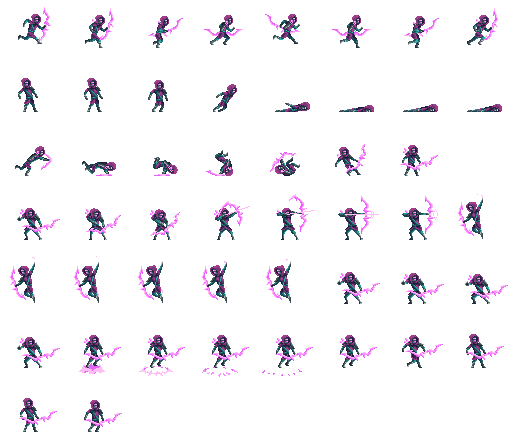
For now, here is a version with minor tweaks to the attack animation, so that the arrow is shot at head level (I needed this so that we can avoid arrows by ducking):

Maybe someone else can find it useful, enjoy :)

This is a fantastic character to start working on games, it has all of the needed animations you may need!

... well, nearly :P I wanted a roll animation, to have a dodge that can be used from the ground and also from the air (similar to Dead Cells). I could actually add it by reusing slides of other animations and editing details.

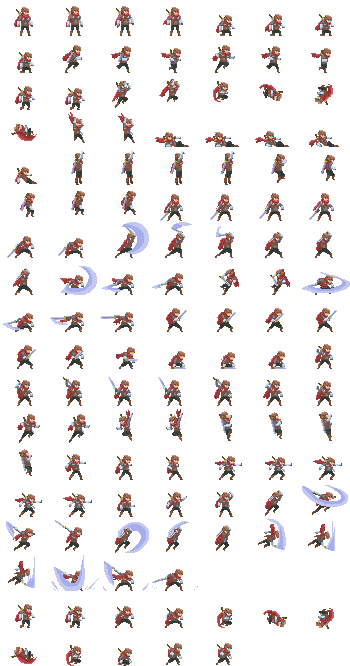
Here is the updated spritesheet if anyone else is interested (last 12 sprites) :

:

Hope that helps, enjoy!