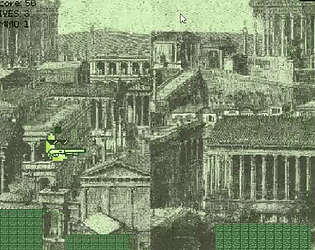
Thank you! Those are supposed to be jumping gorillas lol. Also the part about running off screen is intentional although obviously unfinished and untuned. My idea was to give the game a win state there would be a goal you can "reach", messing up jumps sets you further back and timing them better and staying on the floor longer let's you get closer to the "finish line". Like I said, obviously unfinished and such, but hopefully I can it get working the way I intended one day.
MGDF
Creator of
Recent community posts
It's a nice template for what feels like a 3d adventure game, like those point and click games adventure games but with a 3d controller and world. I am not sure why but I couldn't run it well on chrome, firefox and explore worked just fine though.
Ps, I realized I accidently left this comment in my own page by mistake lol. I copy and pasted it here just now.
I read through the info stuff on the link and I would rather not have to sign up for another site if I can help it. Is there anything on there I need to be there for? Like additional information or rules? Also since you didn't mention a special theme, special item, or other restrictions is it safe to assume everything else is fine?
The tool is great, but is there a way to export it to other file types? FBX keeps breaking the model and turning them into eldritch things. I tried to open it with blender to see if I could fix it somehow or something, but I can't. I don't know if it's just me, but I can't ever make FBX models work, GLB ones just kind of work while everytime I try to export or import to/from FBX the model just turns into a weird plastic mush
Can some one please explain to me how to use this addon? I tried to follow a tutorial on youtube that had me importing the glb file under files. But the guy on the video messed with the properties, even though when I click on the file the properties are blank. I followed the instructions to add the addon through the addon manager and restarted construct3 before doing this. I have no idea what I'm supposed to do. How do you use this? I can't find a tutorial
