

Also, a minor thing that might just be based on my own experience with games in the past, is that I expected the aiming mechanic to go in the opposite direction of where my mouse was dragging away from the character. I got used to the controls though, and I don't think there's anything wrong with how it is.
A member registered Jun 01, 2022
Recent community posts
I just played through the game and thought it was really fun. I've been watching your youtube series for a few months, and that has been one source of inspiration for me. Now seeing how this sort of game can be created from Unity and actually playing it makes me even more inspired. I eventually am interested in making my own game, but for now have just been watching tutorials and trying to copy them so that I can understand better how both Unity and C# work, and maybe eventually create something on my own. Since I am so new to these things, I'm not sure how feasible any of the following comments would be to implement, but as a person who enjoys playing games, I do have some thoughts.
When I minimized the game and then opened it again, sometimes the character would get stuck for a few seconds if it was holding the magnet, or not be able to pick up the magnet for a few seconds if it wasn't holding the magnet. I was playing on a computer. I think these might have something to do with the game treating clicks on the minimizing button and the rest of the space in that top part of the game like any other click to aim or throw the magnet.
Also, in the tutorial level you have at the start, there is a white door with arrows on it that the character runs into, to have it flip and allow the character to pass. I found that if I ran the character into the door just enough to get the door to open but then stopped, then I couldn't go back through it without moving away from the door on the other side and coming back towards it.
One thought I had during my playthrough was that it would be nice to be able to cancel my aiming of the magnet. I hadn't seen that there was an option for this in the settings. Maybe making this more known to the player in some way, perhaps at the start of the game like the other actions the player can take, could be helpful.
I really liked the last puzzle, because I struggled with it for a bit before I realized that I could throw the magnet down the hole with the ramp and flip the door there to have the side of it extending out, blocking the block from going up. That allowed me to jump on it, and then go through the space under the other barrier that was held up because the other block wasn't on the ground. I had to think differently about the problem to solve it, and I enjoyed that. I've been reading through some of the other comments here and it seems like other people solved it differently. I think it's cool that a puzzle can have multiple solutions. I went back after I played and took a screenshot of the solution I found.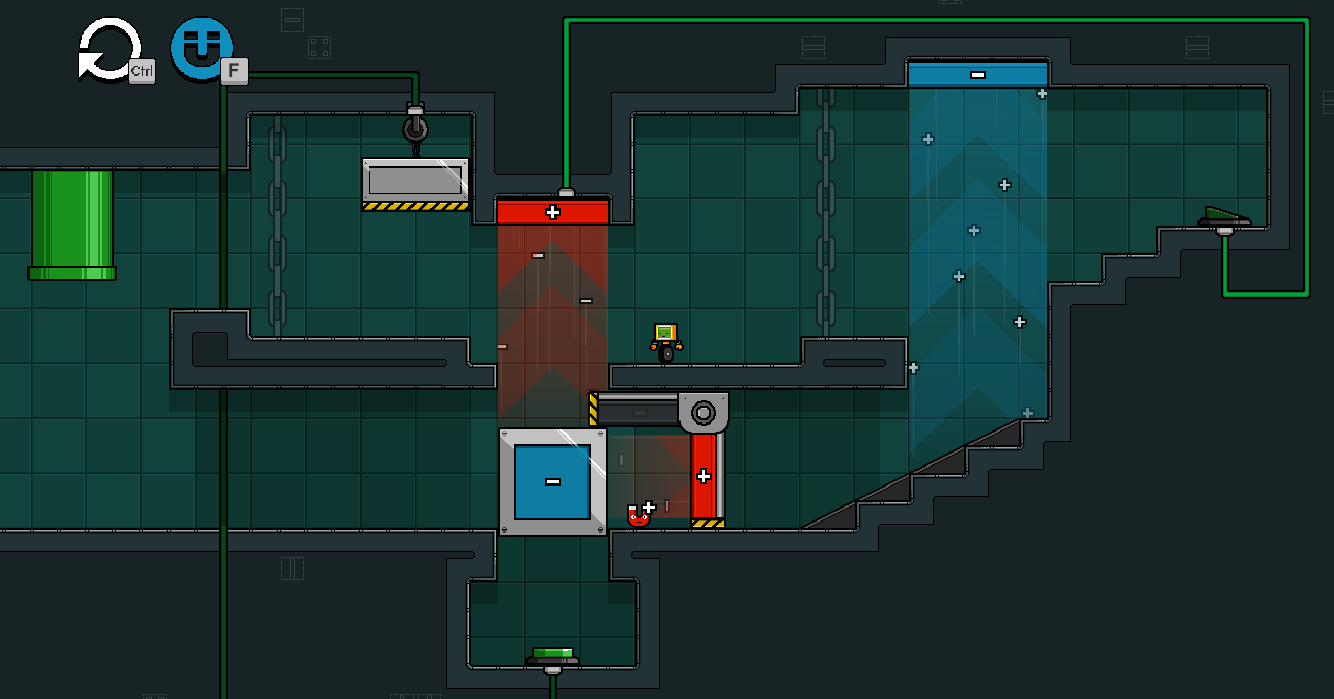
Overall, I thought this was a very good game. The things I commented on are pretty minor, all things considered, and it felt like a solid game that I genuinely enjoyed playing. I liked how the character felt, and I liked how the magnetic doors, like the one in the image above, would drain and fill with color after the magnet moved them.