Indie game storeFree gamesFun gamesHorror games
Game developmentAssetsComics
SalesBundles
Jobs
TagsGame Engines

maskborne

2
Posts
2
Topics
9
Followers
1
Following
A member registered Feb 25, 2026 · View creator page →

Creator of

Recent community posts

About two months ago we were working in our cave test level. Assets painted just to get us started.
While I think they look great, we have since developed the style further and explored the actual biomes of the world. Here I just want to show a comparison of what things looked lke back in February and now here at the end of April, almost exactly two months apart

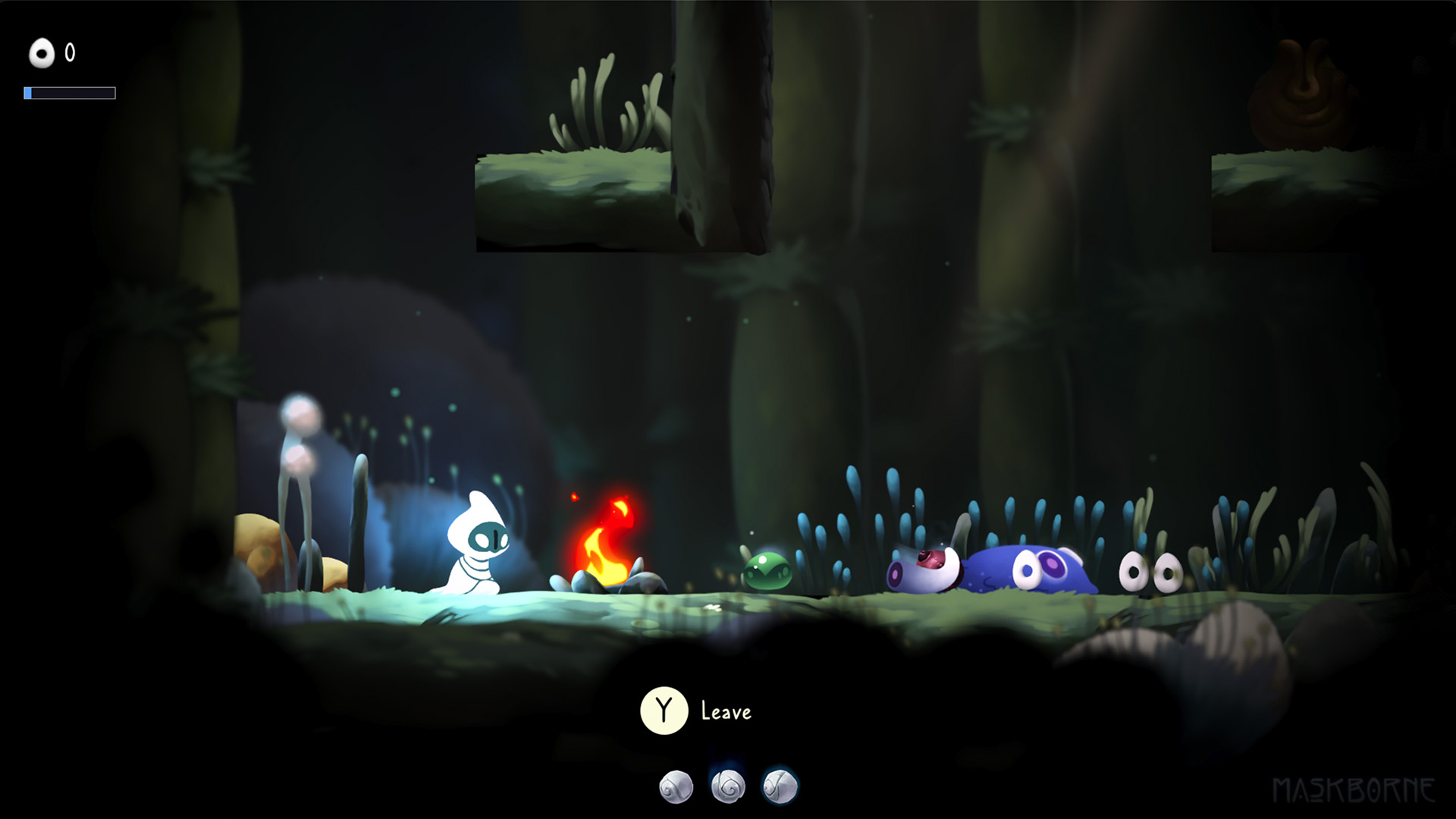
Our WIP resting place for the player. A familiar bonfire everyone who's ever played a souls game knows very well. This didn't exist a few months back, just like so many of the new visual and features
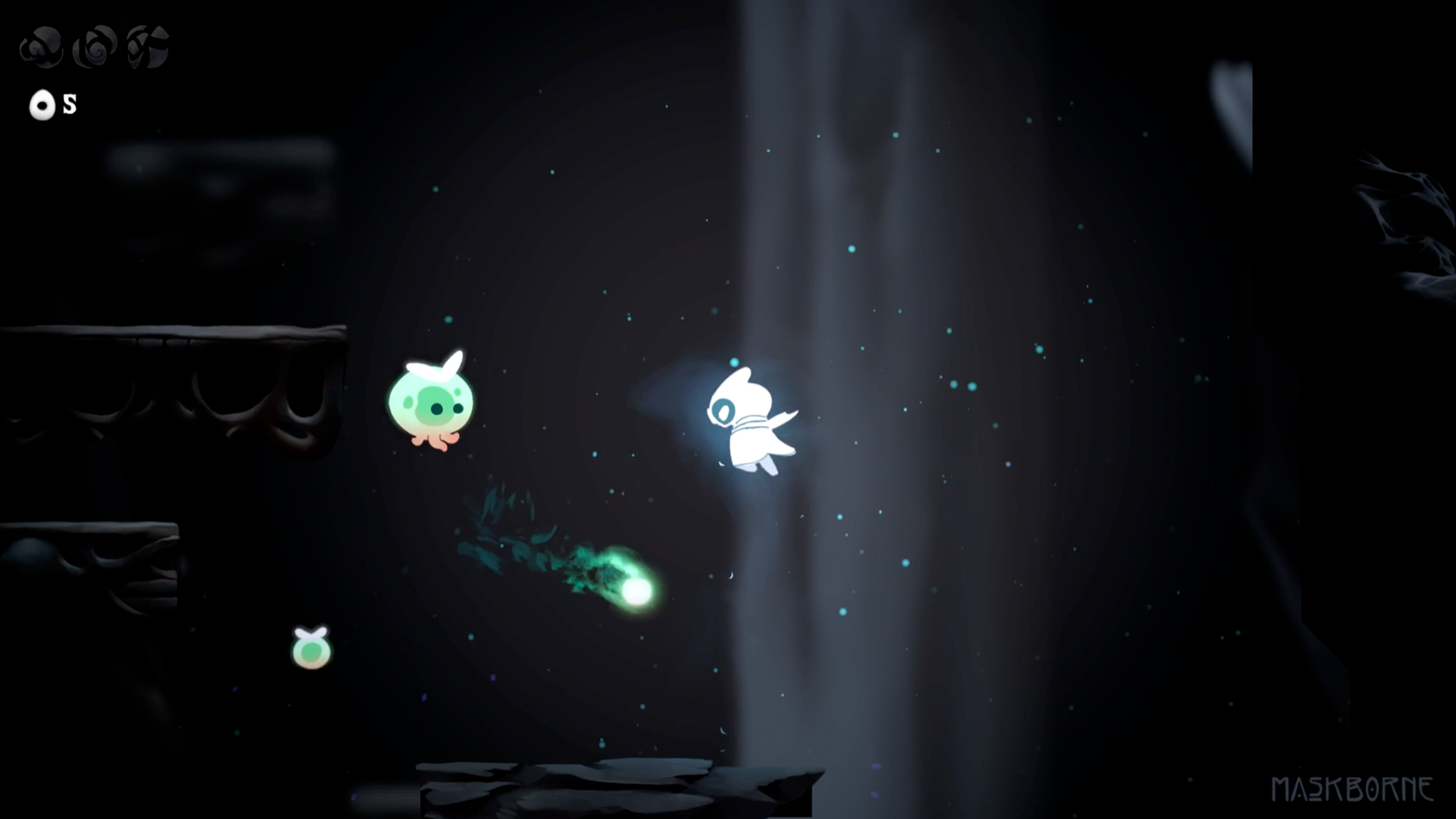
A look at the old cave level. While there are still elements of this I like, I'm excited about the direciton we're headed as of now.
A similar attack frame from the current test level. The projectile and enemy is mostly the same. Though some updates have been done to pathfinding. We've since added our reactive foliage to the ground below the player that sways in the wind and reactions to explosions and movement.
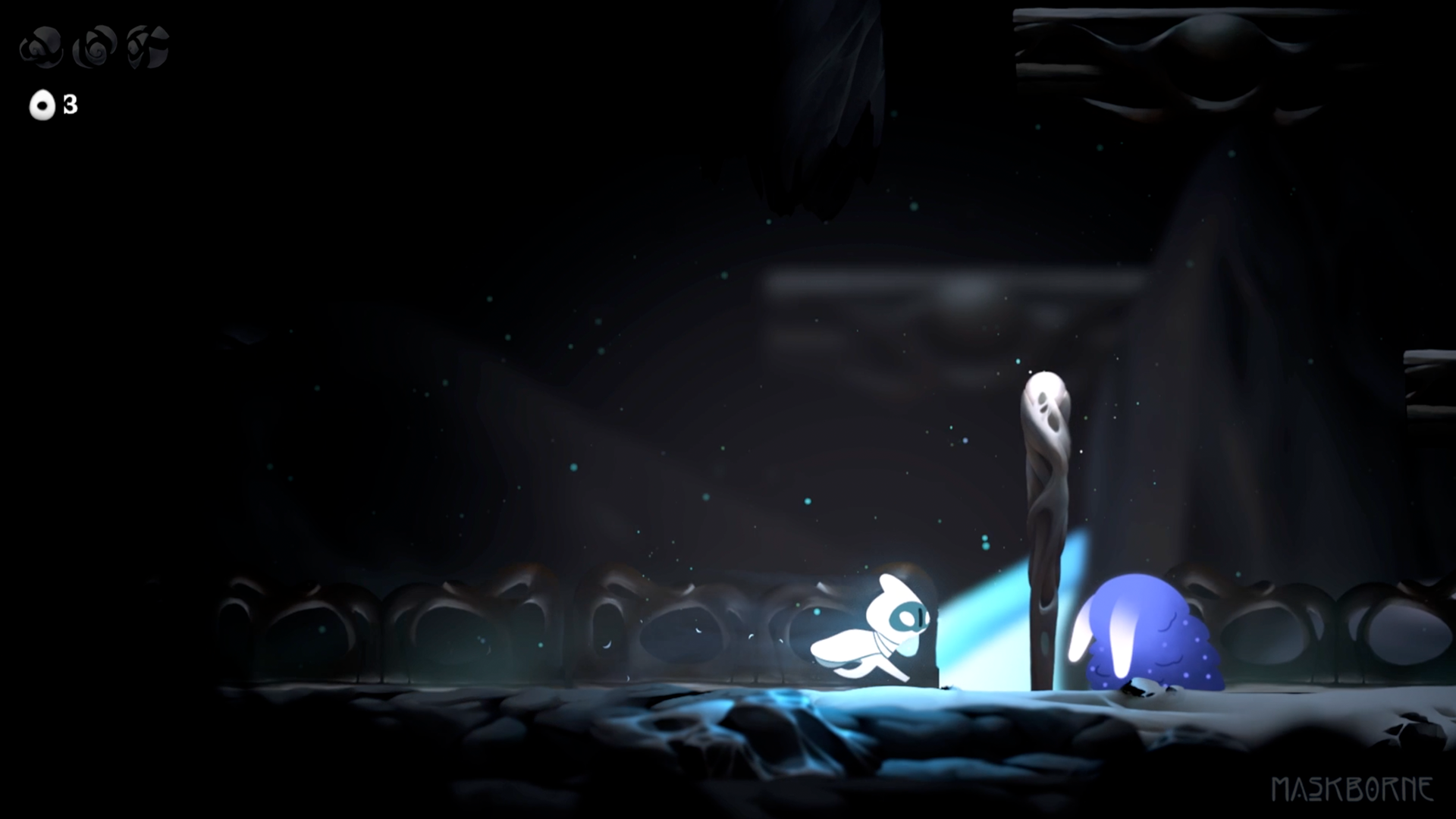
Just a frame where the player sprints. Nothing much exciting going on here. Maybe except for the 2d bump light on the foreground assets. That's something we're still tweaking but I think it adds a lot of life to the game.
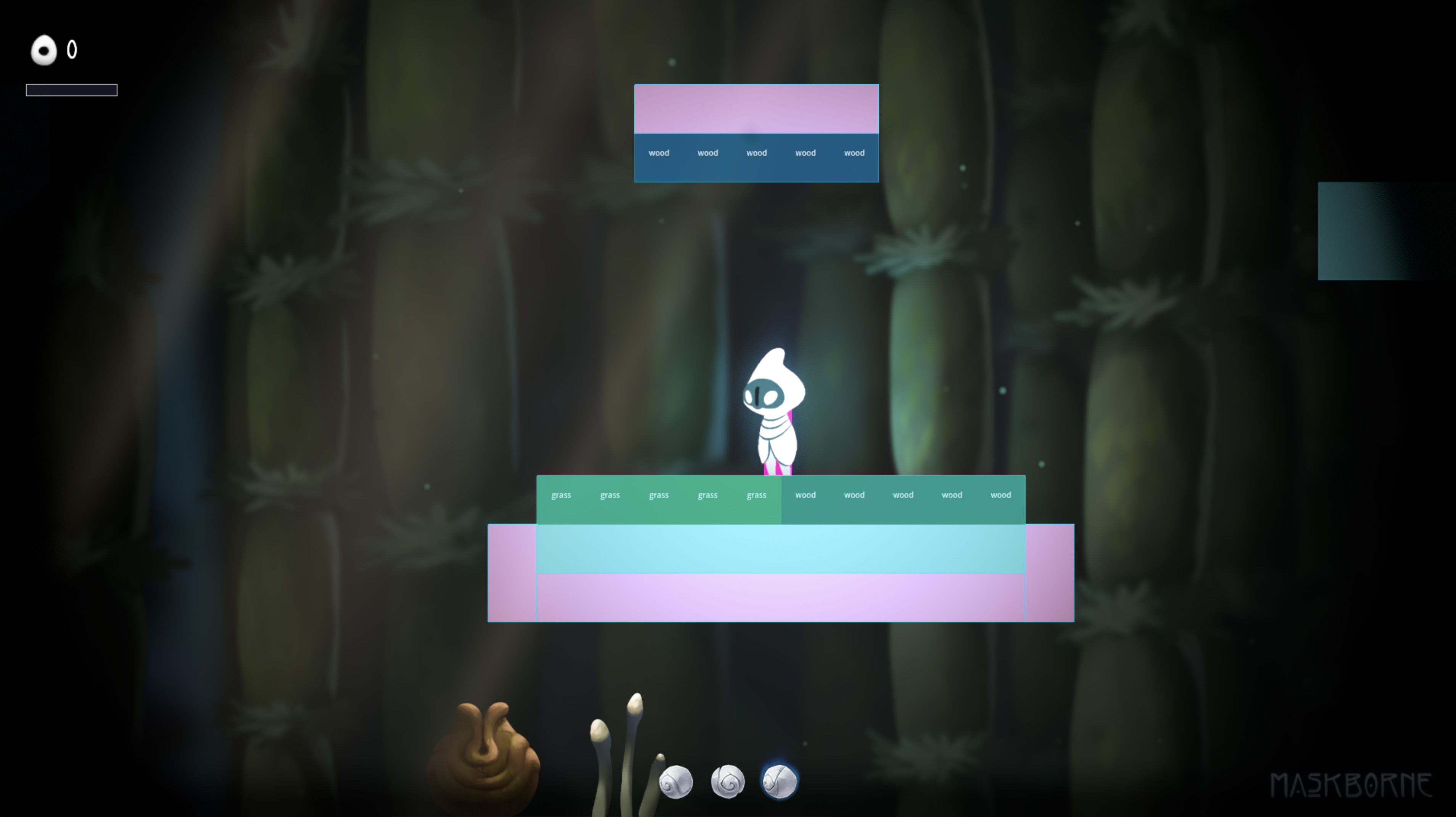
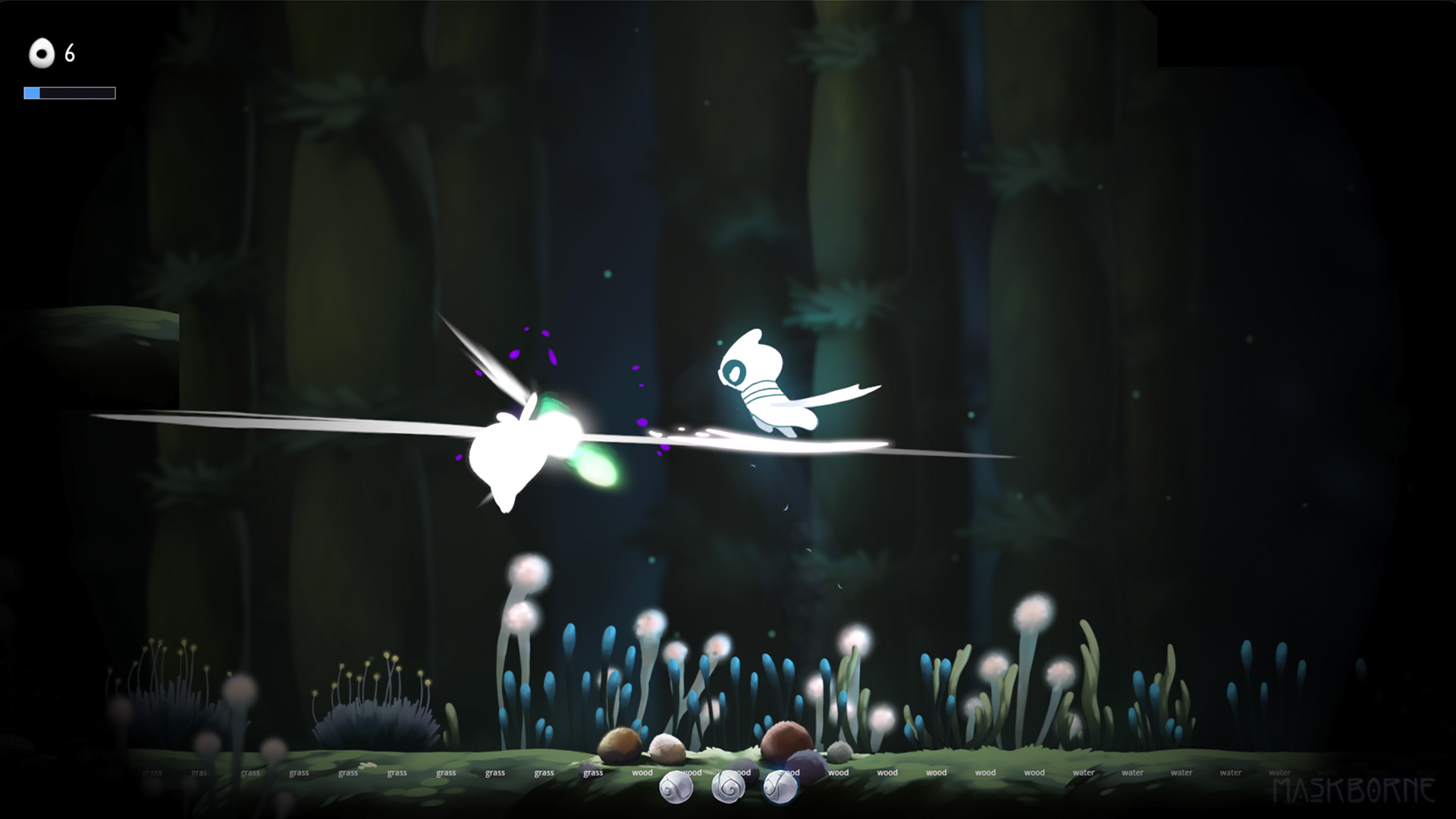
And finally a frame similar to that but from the new level. You might be able to spot the text on the ground here. That's our surface aware TileMapLayer letting us know which surface sound to play when the player runs over them.
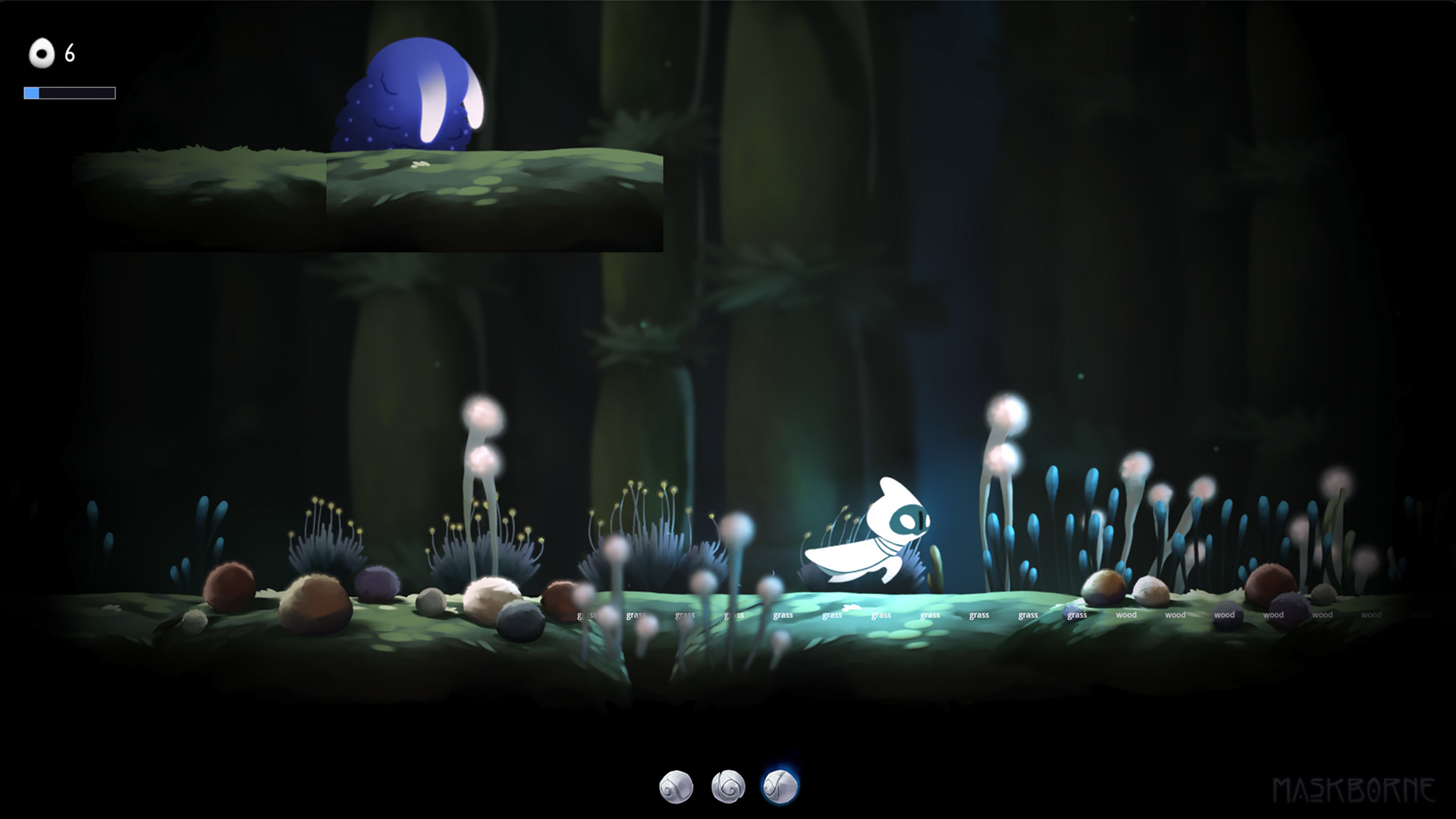

Just a little visual comparison update :)
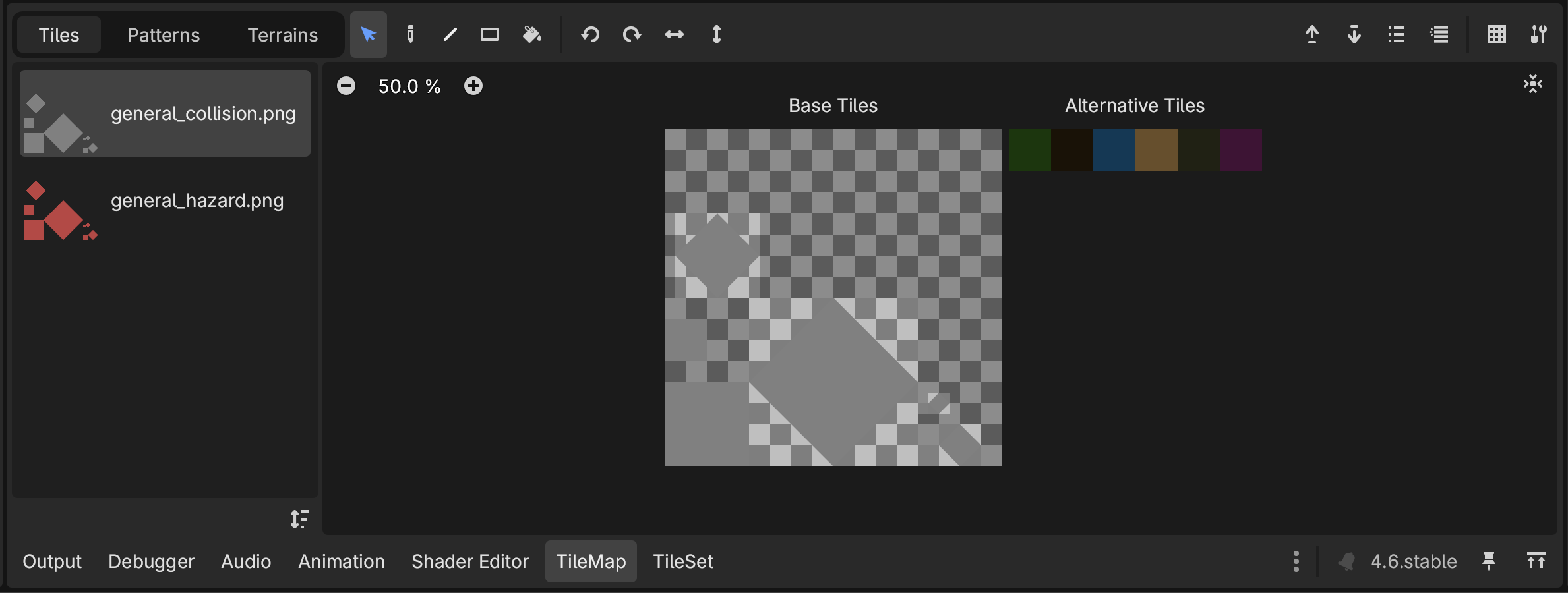
I'm really chuffed about the level building system we've landed on, so figured I'd write it up. Short version: hazards live as a second atlas inside the same TileSet as our regular collision tiles, sharing the same layout. That one tiny decision unlocks a surprising amount of flexibility down the line.

The setup

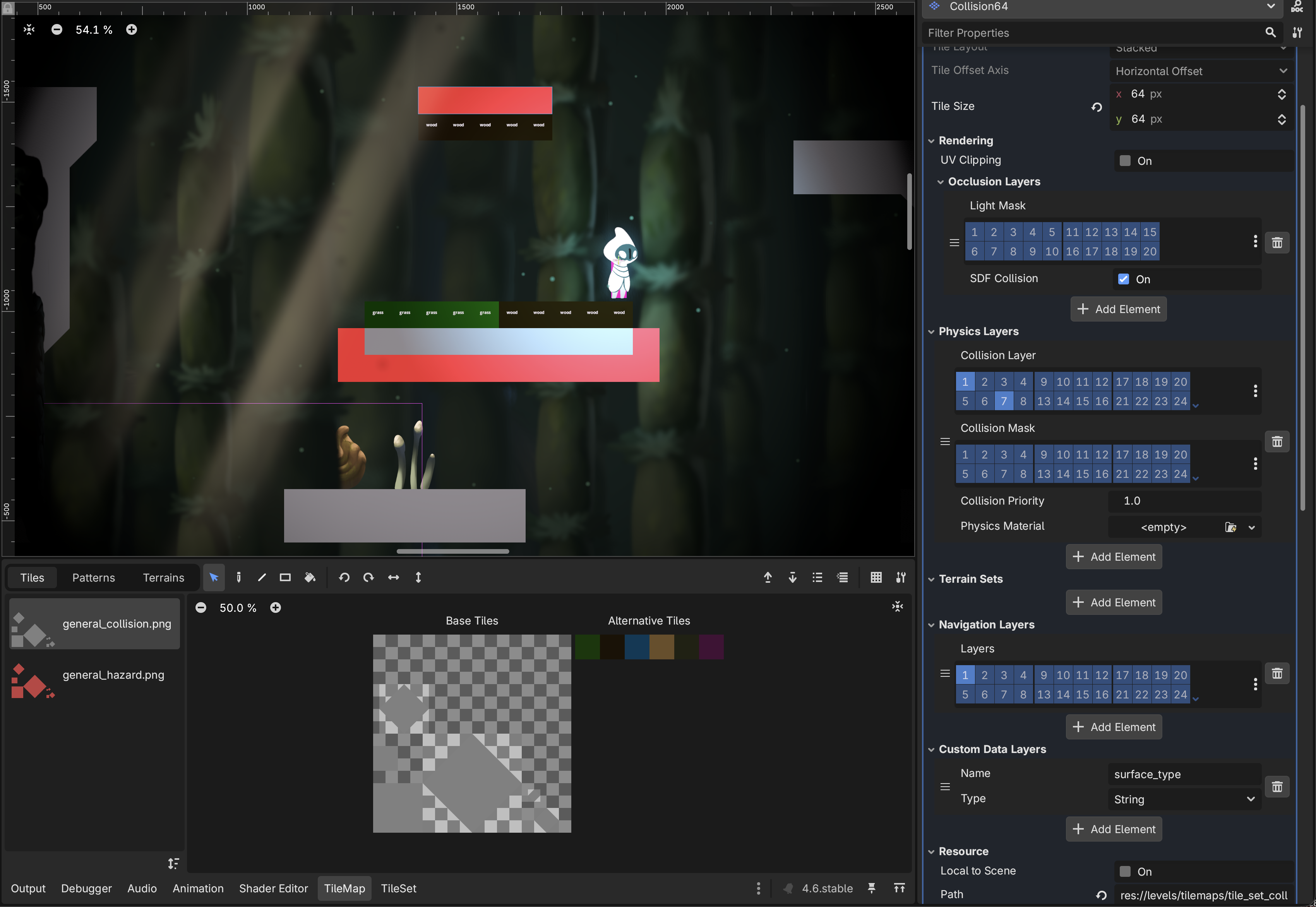
We have two atlases on a single TileMapLayer:

  • Atlas 1, collision tiles. The standard ground/walls atlas. Each tile has alternative tiles defined for surface type (water, grass, stone, dirt), so the same visual cell can carry different surface metadata without duplicating geometry.
  • Atlas 2, hazards. Same coordinate layout as Atlas 1. Where Atlas 1 says "this is a stone tile", Atlas 2 says "this is a hazard tile". Because the layouts mirror each other, swapping a regular tile for a hazard tile is a single click in the editor.

Hazards are generic right now, but they can later be expanded with alternative-tile variants the same way collision tiles already are. So "lava" / "acid" / "poison gas" becomes a property toggle on a single tile rather than a new system every time.


Why share the atlas

This is the part that keeps paying off. Because hazards are tiles in the same TileSet, they inherit everything a regular tile gets, basically for free:

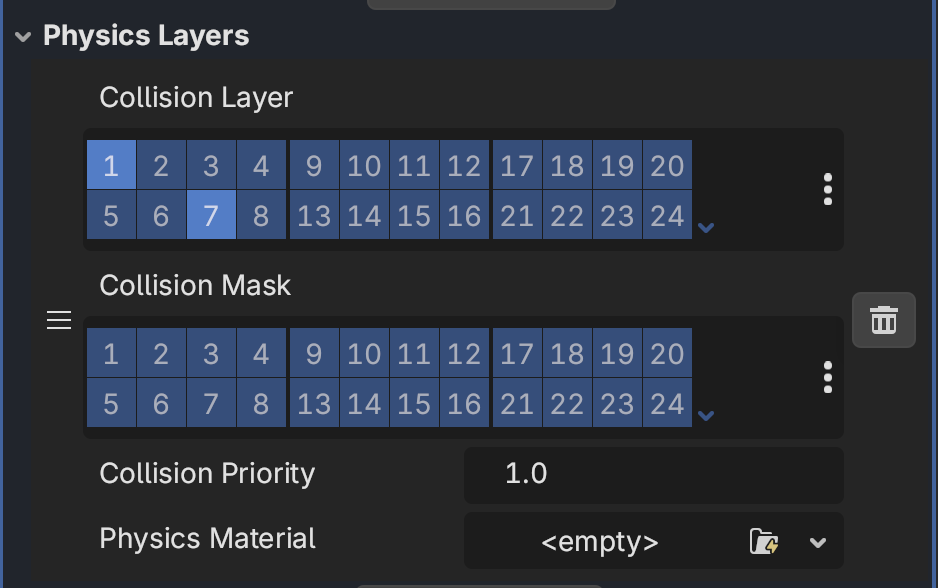
  • Physics layer. Hazards collide with the world the same way solid ground does, if we want them to. A hazard tile can be a floor you stand on briefly before it kills you, no special-case code.
  • Navigation layer. Enemy pathfinding sees hazards as part of the navmesh, so agents can be told to avoid hazard regions just by tagging the navigation layer.
  • SDF collision. Particles already react to our regular tile geometry through the SDF. Adding the same SDF setup to the hazard atlas means sparks, dust, smoke, all of it bounces off hazards the same way it bounces off a wall. Zero extra plumbing.

You also get free-form editing. Hazards aren't a separate "hazard layer" you have to keep in sync. They live in the regular tilemap, so you can paint, erase, copy regions, and shift things around with the normal tilemap tools. Replacing a stone tile with a hazard tile is exactly the same gesture as replacing a stone tile with a grass tile.

Runtime - Tiles to rectangles

At level load, the hazard manager scans every TileMapLayer in the tilemap group, grabs the cells whose source ID matches the hazard atlas, and turns them into collision shapes. The conversion runs once on load, so per-tick cost is just standard Area2D overlap.

Two passes do the work:

1. Flood fill into regions. A 4 connected flood fill, groups touching hazard cells into regions. Two hazards in different parts of the room become two separate regions.

2. Greedy rectangle decomposition. The algorithm picks the top-left cell of what's remaining, extends right as far as it can, then extends down as long as every row stays fully filled. Repeat until the region is empty. An L-shape becomes two rectangles, a square becomes one, a long strip becomes one. It's not the minimum number of rectangles in every case, but it's fast and the rectangles are big, which is what matters for collision perf.


Each rectangle becomes a RectangleShape2D inside a single Area2D per layer, named _HazardArea and added as a child of the TileMapLayer. So one Area2D per layer, with N rectangle shapes inside. Way fewer shapes than one-per-tile.

Detecting hits

The Area2D watches for hurtbox components entering and exiting via area_entered / area_exited. On entry, damage applies immediately. While anything is still overlapping, _physics_process ticks a retrigger timer (default 0.2s) and reapplies damage to everyone still inside. So standing in a hazard hits you on contact, then keeps hitting you on a steady cadence until you leave. iframes from the health component are respected, so the retrigger doesn't double-dip during invuln.

Knockback direction is computed from the hazard region's center, not the specific tile you touched, so you get knocked away from the pool as a whole. Small detail but feels much better than getting flicked sideways because you happened to clip the wrong tile.

What's next

The natural extension is the hazard alternative-tiles work, where the same hazard cell carries a different damage profile based on which alternative is selected. After that, surface-aware behaviour (footstep audio, particle reactions, slip physics) reading the alternative-tile metadata on the regular collision atlas. The plumbing is already there, it's just wiring the consumers.

Mostly I just like that the editor experience is normal. No special hazard mode, no separate scene, no parallel layer to keep in sync. You paint the level, and a hazard is just one of the brushes.