Indie game storeFree gamesFun gamesHorror games
Game developmentAssetsComics
SalesBundles
Jobs
TagsGame Engines

m1lkteaJ

7
Posts
7
Topics
A member registered Oct 26, 2025 · View creator page →

Creator of
Recent community posts

I love how your first-person perspective makes the coin-collecting game feel so immersive! The dock setting is so fun and fits the casual vibe perfectly. The controls are super intuitive too—using WASD to move and turn feels natural, and the jump mechanic works great for exploring the whole map. It’s such a polished, engaging part of our project!

Coin-eating game community · Created a new topic Good game

As the art and effects lead, the 3D models, materials, lighting and UI design are well matched with the beach theme. The first-person control is smooth, and the overall visual and interactive feedback meets the requirements of casual game UX design.

This game has really polished visuals, and controlling the chicken feels responsive and fun. The snowy background with houses, snowmen and trees creates a nice immersive game world. To make it even better, you could add a little speed variation to make movement feel more dynamic.

Coin-eating Game community · Created a new topic Good Game

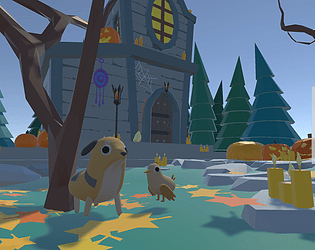
This charming low-poly coin-collecting game, built in Unity and playable directly in the browser via WebGL, offers simple, accessible gameplay centered on controlling a dog through a forest environment. As an introductory project, it’s solidly made, though it could be elevated by adding more engaging mechanics, audio feedback, and environmental interactivity to keep players invested longer.

The design has fully implemented the core operational functions of the lamb, with technical specifications and resource organization standards in place, and collaborative feedback being effectively implemented. It is recommended to add exclusive light sound effects for the lamb's zoom and rotation, making the interactive feedback more three-dimensional and distinguishing the auditory experience between button and model operations.

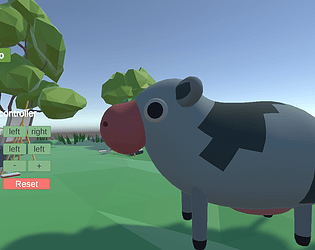
The art style is charming, and the UI is straightforward, making it easy to test different actions. The reset button is a nice touch. To enhance it further, adding keyboard shortcuts for controls would make interactions even faster.

This game has a clear main menu and easy-to-use control panel. The low-poly art style is consistent and comfortable. Button feedback is obvious, and scene transitions are smooth. It is very user-friendly for beginners. To improve, you could add a pause function and keyboard shortcuts to make control more flexible.