Thank you for the kind words and the suggestions! Making the next step clearer for new players and making the wait for animals feel more rewarding are both things we're looking at. If you have time to play more, we'd love to hear where you got stuck or where the pacing felt slow.
M-Labs
Creator of
Recent community posts
Hi Cineeeekk! As promised, we played Castle: Build & Defend through the first tutorial night. We loved how clear the How to play screen and the "The castle needs" checklist make the goals. The building preview turning green or red and telling you why ("Uneven ground", "Clear the trees first") is great, and the construction stages, walking workers and dusk-to-night shift look lovely.
A few small things we noticed:
- The keep was tricky to place. We hit "Occupied" and "Uneven ground" a lot, so maybe the tip could mention it needs a big, flat, clear spot.
- Night 1 held even though we hadn't built any defenses yet, so Lesson 1 might be a touch easy.
- The Graphics menu shows "Now: high, .. fps" with the number missing.
- The How to play window closed when we scrolled over it, before we got to the end of the controls.
Our test machine has no graphics card, so it ran slowly for us. That's on our side, but a low-spec hint or an FPS readout might help players on weaker laptops. Really nice work, and we're looking forward to the next build! 🌿
Thank you so much for playing and for such clear feedback! You're right about Esc: in fullscreen the browser uses the first press to leave fullscreen. v0.5.7 (out today) adds a ✕ Exit photo button, so it's now one click. The coin crunch is really useful to hear too, and we're looking at the early economy so you don't get stuck. We'll play Castle: Build & Defend and send you our notes! 🌿
Update: v0.5.6 is out, and we're looking for 5 playtesters!
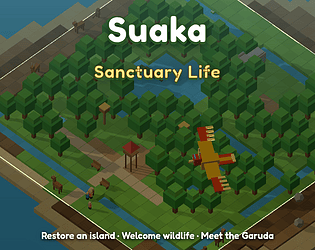
Hi! We're Mauju Labs from Indonesia, and we're looking for 5 people to playtest Suaka Sanctuary Life, a cozy builder where you restore an island and Indonesian wildlife moves in on its own. It's free in the browser, on desktop or phone: https://m-labs.itch.io/suaka-sanctuary-life-test
The ask (about 20 minutes):
- Start a new game from a fresh start.
- Play up to 20 minutes, or until you'd naturally stop.
- Tell us where you stopped and why: the mission you were on and what made you stop.
Where to send feedback: the 💬 button in the game (a two-minute form), a reply in this thread, or #suaka-feedback on our Discord: https://discord.gg/nrKvbk7n7H
Honest is best, including "I got bored at the trees". Thanks so much! 🌿
Hi! I'm Bram from MaujuLabs. Suaka Sanctuary Life is a free browser game where you restore a dry Indonesian island and native wildlife moves in on its own. It runs on desktop and phone, with no download or account.
▶ https://m-labs.itch.io/suaka-sanctuary-life-test
How it plays: dig channels from the lake so the water spreads, grow grass and trees on the damp soil, and add nests, feeders and ponds. You never place animals. When a habitat stays good for a while, species arrive by themselves, from birdwing butterflies and tree frogs to Sumatran elephants. Visitors pay entry fees, and later a Conservation panel lets you fund research projects, rescues and a long final goal called Living Legacy.
It's an early test build (v0.4). This version adds an in-game survey, so we're actively collecting feedback.
What I'd love feedback on:
- After your first channel and grass, did the mission card make the next step obvious? Where did you hesitate?
- Did waiting for each animal feel calm and rewarding, or just slow?
- When the Conservation Center unlocked (after 3 species), was it clear what to fund first?
- On a phone, is anything hard to tap or cut off?
- Any bugs? Please include your browser and device.
The easiest way to answer is the 💬 survey in the game (top bar, or "Feedback" on the title screen). It also pops up once after about 15 minutes. Replies here are very welcome too, and I'm happy to play your game in return. Just link it below.
Thanks! 🌱