thank u for the help and for the game itself aa !! as dark as the game is its comforting to remember its still being updated ,, a great way to spend my college free time heheh ♡
lovergore
Recent community posts
Hey! I'm the one who said macOS couldn't run this game a few days back in February. I've finally found a fix for it, and I'm not sure where to contact you, so I hope you'll see this comment and are able to put the macOS version back for fellow Mac users.
I tested this on your other game, "Pretend it's not there", and it worked.
My steps for this:
(Please let me know if you need an image step-by-step, or any further explanation. I'd like to help get this game playable for all platforms to expand it's popularity.)
1. Download the macOS version of the game in the downloads section and extract the .zip file as usual.
2. Open the folder created and right-click on the application, clicking Show Package Contents.
3. Go to Contents > macOS. Once you're there, there should be a document with the same name of the game; this needs to be a Unix Executable File, which is what helps run the game on macOS!
4. Right-click the document and click "get info". A new info window of the document should pop up on the left side of your screen, it usually does. Find the "where" section and right-click > Copy as path name. (When done successfully it should come out as something like "Mac/users/username/downloads/appfolder/appname/contents/macOS"
5. In the Launchpad, search for Terminal, and open a new one.
10. Type in..
cd "paste pathname here"
With quotes and click enter. This should change your directory.
11. Repeat the 4th step, but instead of copying the Pathname, copy the "name and extension" part, type in..
chmod -R 777 "paste name of document here"
12. It should work fine, and the document should now be turned into a Unix Executable File. Go back to the application in the main folder and run it. It should say that it's from an unidentified developer; No worries! Right click on the file and click open, then open again when the warning appears. The game should run.
In the end, the instructions you put were right, however, there were actually more complicated things to do beforehand. I had to do a bit of digging to be able to figure it out; thankfully, I did, because now, I'm able to play this game. Thanks Dreadloom, I hope you notice this!
Hi! The install instructions you put for macOS is what would usually work when downloading games from itch.io, but when I use it, the application can't be opened. I tried to chmod -x it from the terminal because that also usually fixes that, but it still didn't work.
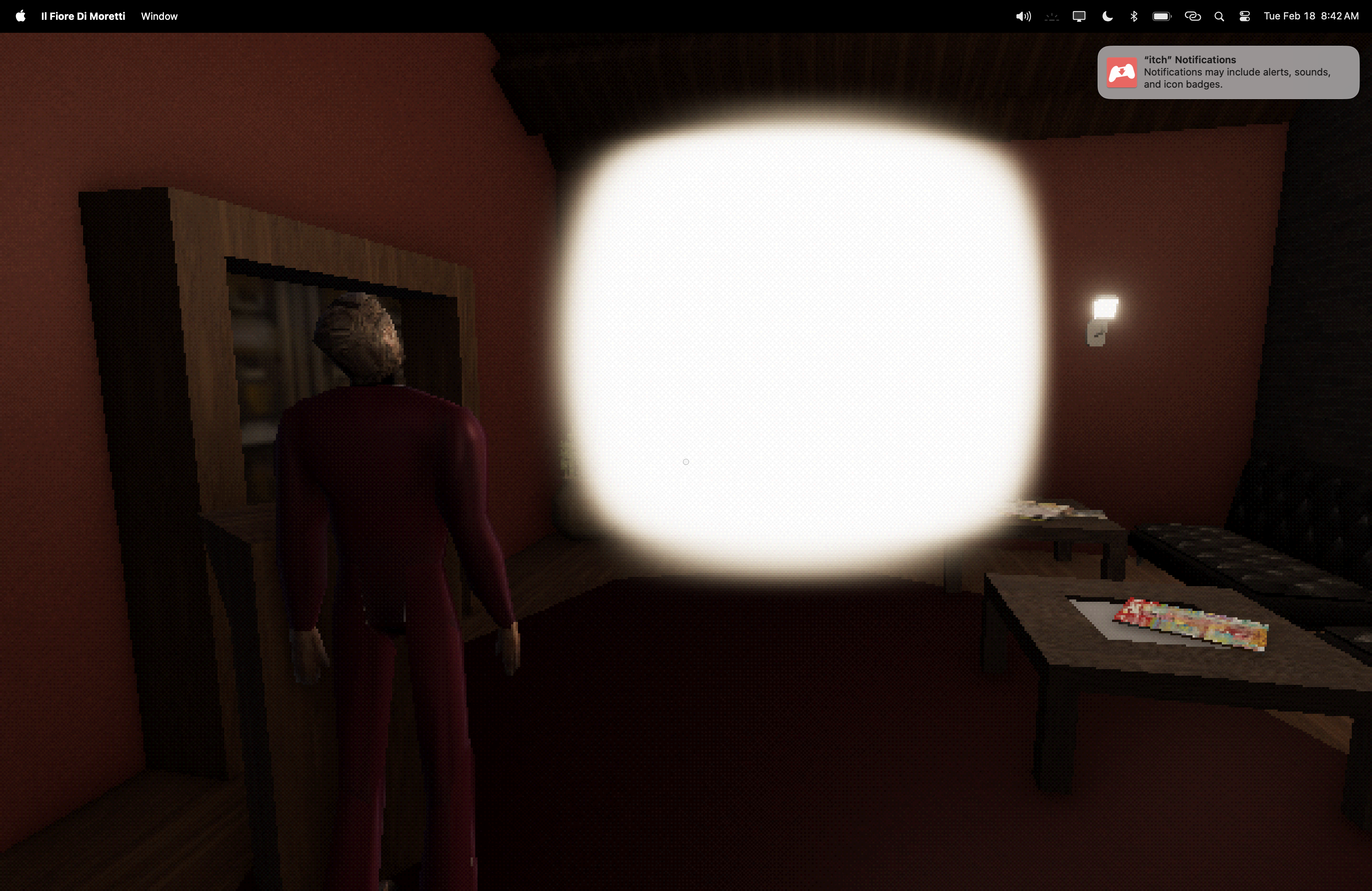
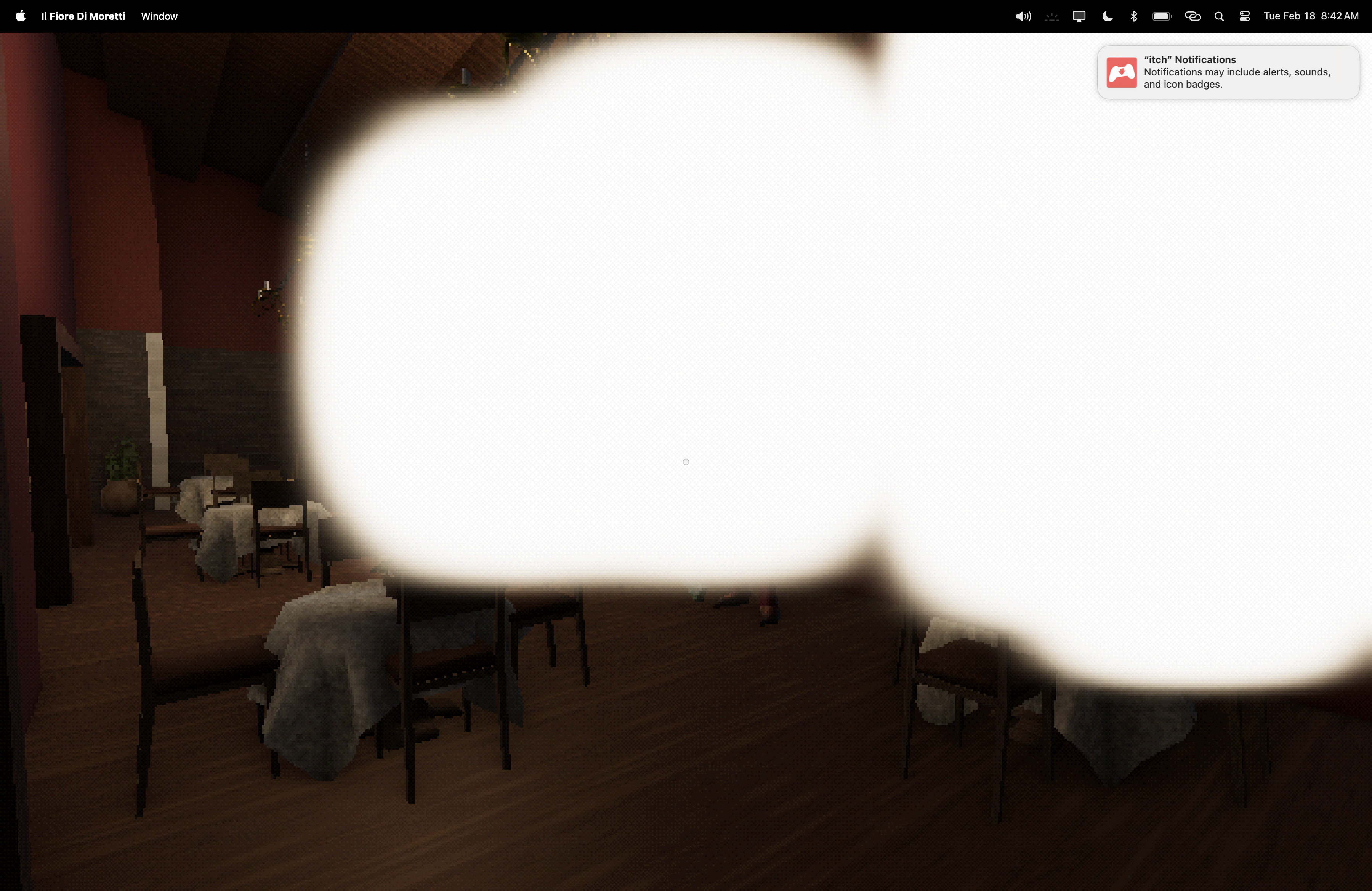
Last resort - itch.io app. Downloaded that, logged in, it worked! However. When I loaded in the game, the starting conversation with the guy that leads you into the kitchen, I noticed something. There was a square piece of light that covered his face. I thought it was like an ominous game feature, but as I wandered around the game, I noticed that there were multiple of these lights, assumingly the windows? I'm not sure, but this game doesn't seem to like macOS that well.