Indie game storeFree gamesFun gamesHorror games
Game developmentAssetsComics
SalesBundles
Jobs
TagsGame Engines

levolden

11
Posts
6
Following
A member registered Jun 10, 2019

Recent community posts

I see! I only got into RPG maker with Ace, and was not aware that RM2K was in reference to the older version! People use so many strange names for their graphics pack. That is of course entirely my mistake!

This also explains the discrepancy in pricing between this pack and the steam version I saw. Sadly I do not at present think the content is quite up to the Steam asking price, given for example the absence of battler sprites (as far as I know) and the limited selection. However, the artwork is quite lovely, and I will be keeping at eye out for how it develops and grows. Once the combination between my financial situation and the size of content reaches a happy medium I will certainly give these assets a new try.

Thank you so much for your patience in this matter, and your thorough explanation. I hope you find great success with your work going forwards. Looking forwards to bigger and better things for all of us.

- Lars
(2 edits)

Hello!

I have now tried the updated graphic pack for Series 1 in RPG Maker MZ. There are multiple issues.

1: At no scale does the tileset work properly MZ lets you choose the tile size (System 2). At none of these do the tiles work properly.

2: There is still no transparency layer for the character graphics, they still have mis-colored backgrounds.

3: The direction of characters are completely wrong from the RPG maker standard. The RPG maker standard features directions in this order: Facing Down, Facing Left, Facing Right, Facing Down. If you want your graphics to be usable in this program, they must conform to this. Your characters (for example Hero1) uses Facing Up, Facing Right, Facing Down, Facing Left.

What was fixed: The software instantly found the files when importing them this time, as they are all now .png rather than .PNG. 

In conclusion: This is still not usable.

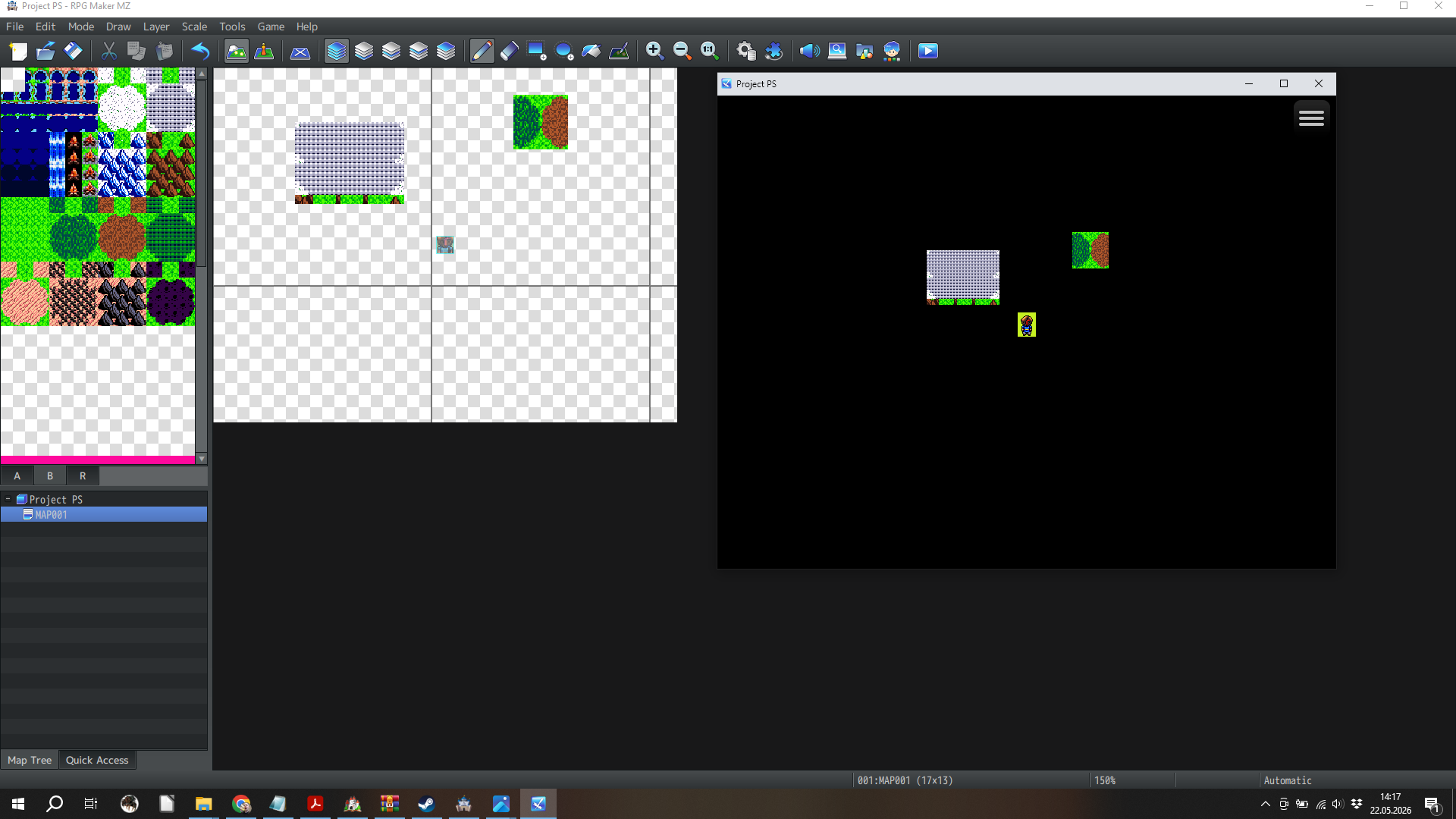
Here's an image of running a game project in MZ using your new tileset and character art.


Hello!

Thank you for your feedback, I'm sorry for the late reply, it's been a bit of a thing. But now it's all good.
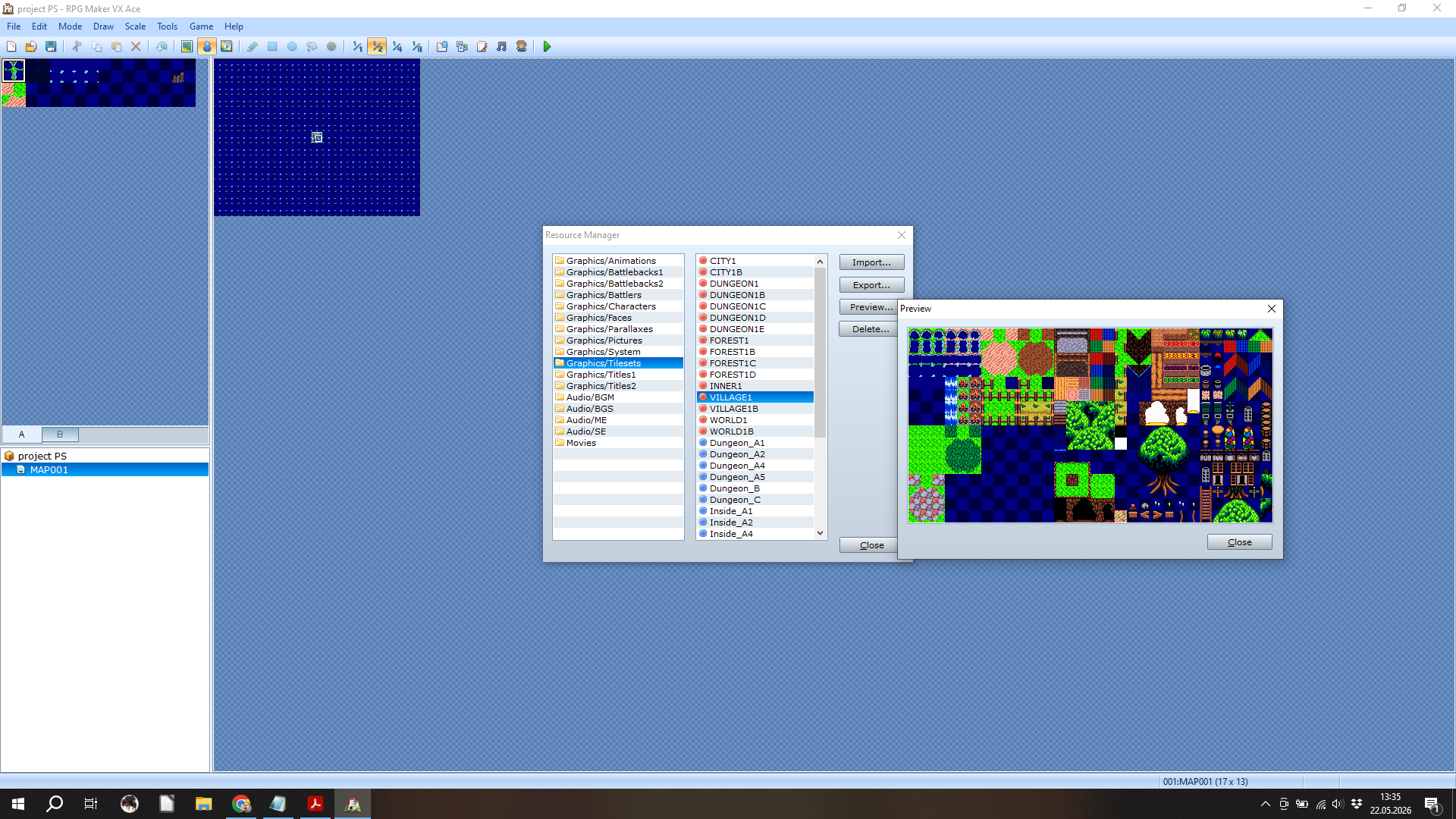
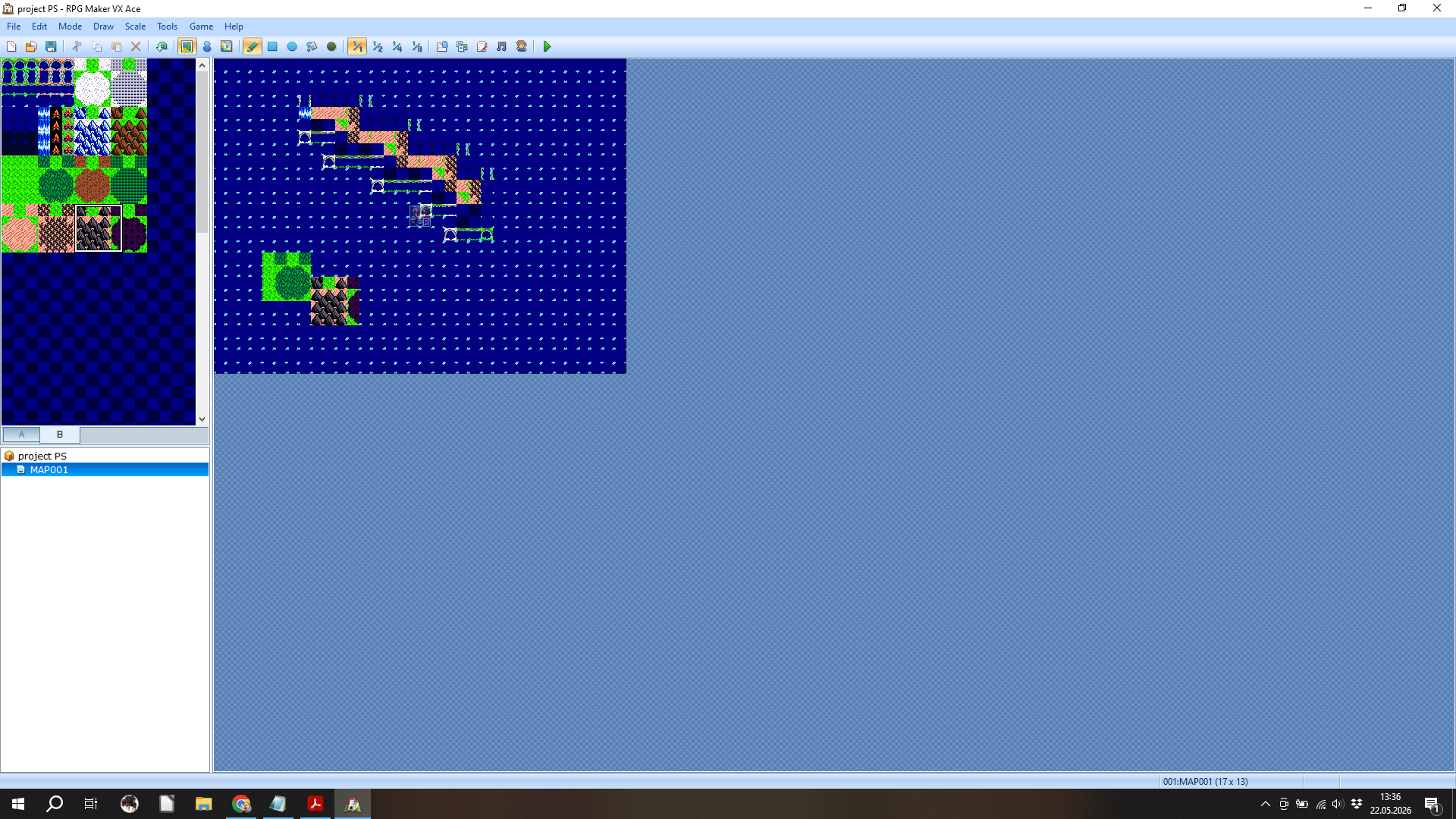
Happy to hear you've updated the files, here's a screenshot from the issue I've been having with Ace. I did use the import resource option rather than pasting them in directly. This is of course not that important, if I can run it in MZ which has really good quality of life options.

Very happy to hear from you, and looking forwards to seeing how the update works.

- Lars


This does not work in the slightest. I tried importing it into MZ, but the program wouldn't display the images because they are .PNG. I changed the format manually to .png, and it solved the problem.

New problem, these images don't have a transparency channel, so the background color shows up. They need to be manually edited. No problem, I have VX Ace, I'll just use them there.

New problem, the images are not properly scaled for VX Ace.

I am very disappointed with this. I hope I'm doing something wrong, and that you can help. Otherwise I must ask for a refund as these are unusable.

That's fair enough. Your stuff is good, appreciate the feedback!

Do these have facial images? Even just for the Champions?

I've done that. I found the three boxes for her, none of them was in the Abandoned House.

I'm stuck near the end. I have solved the element puzzle for Elizabeth, but no item was added into my inventory. Now when I talk to Elizabeth she just asks for more time. I also don't have the Abandoned house unlocked. I'm not sure what to do.

This is strangely fun and relaxing. Nicely done!

I came here from Haelian on youtube.


This is a nice little adventure! I especially loved the moving font when speaking with the ghost. I didn't get any achievements, sadly. But that's how it is. My raging dwarven barbarian had a great time though.

Loved your games, and this tutorial. Thanks!