Apologies for the confusion! If you load SDM.bnk and MERGE it - you can then save it as a .bas file if you prefer.
Leeorg
Creator of
Recent community posts
It’s meant to be just bank files.
The sprite manager bank file and database files are meant to be loaded by your program.
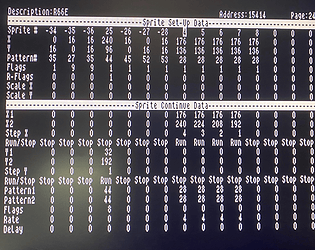
From your program you can execute the sprite manager by having a command in your code already or just by typing BANK 45 PROC SDM()
Populate the data, save it and exit the sprite manager. You’ll return to the basic editor and your program will remain untouched.
Load your program and see the changes you’ve made.
I did try to explain all this in the description for this so please let me know if anything doesn’t make sense. I appreciate it will make sense to me as I wrote it and use it.
Lastly - the code you’ll need to embed into your program to use the data is also on a bank file. You should be able to merge this fine - just check the numbering first.
Hope this helps.
Thank you TJ. Hopefully you’ll download it soon and enjoy it! I’d recommend starting off with a D&G type game. You can start off with the map pieces quite easily and use them straight away for your maps. I find seeing the map being built gives me inspiration to code. Maybe it will do the same for you?