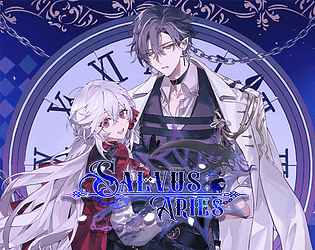
Ahhh thank you! Our visual team is fantastic and worked hard :D We’ll have more news on pricing as we draw nearer to release in the near future.
kohimug
Creator of
Recent community posts
Helloooo~ Thank you for taking interest in our game <3
We plan on having more language support after release, in order to make it accessible for our neighbors around the world. Additional content in the form of DLCs are already in the plans to cover the extra stories of other characters in the game!
There will also be updates afterwards to improve gameplay experience. We may even consider additional assets that we feel the game can benefit from post-launch, something we even think of now before the game has released. But as a self-published game, we need to secure funding first 😅
Hope this answers your questions!
I’m sorry this Otoge game didn’t meet your expectations, however I highly suggest looking through Itch’s various indie VNs to find games catered to your liking that give you gender options. Salvus: Aries is mainly catered towards a female identifying audience, although surprisingly we do have a male audience who do enjoy the plot as well as shared on our Discord community!
Furthermore, this game design choice is not aiming to marginalize other communities who don’t fully identify as female, but rather, bring forward a game for those girlies who grew up playing video games that did not give them the option to play as a strong female identifying character. This game is our omage to those from that upbringing.
I’m glad to hear you find the game nice regardless, and I hope that the indie game dev community here on Itch is able to provide you with a little more of what you like!
Hey hey, happy to hear you love the game so far! I'd love to help you fix this bug if it's still a bother. If you happen to have Discord and don't mind joining our server to report this bug, then I'll be able to get this sorted out for ya!
Hi! Depending on your system, I've included instructions below:
For PC -
1. Search for %AppData% using your Windows search key.
2. Once inside, look for Roaming.
3. Click on the Renpy folder to find "Salvus Aries".
4. Saves folder should be inside with your saves!
5. Another saves folder is inside the unzipped Salvus-1.0-PC folder.
6. Click on salvus-1.0-pc once unzipped.
7. Head to the game folder. 8. Inside is another folder called "saves".
For Mac -
1. Click out and above your taskbar you'll see the button "Go". Hit "Go to Folder" next.
2. Enter ~/Library
3. Look for the Renpy folder and double click to access Salvus Aries
4. There should be a saves directory inside with your game saves.