
Indie game storeFree gamesFun gamesHorror games
Game developmentAssetsComics
SalesBundles
Jobs
TagsGame Engines

kittz.gamez

2
Posts
2
Topics
1
Followers
A member registered 18 days ago · View creator page →

Recent community posts

Author: Chelsea Adams
Posted: 07/24/2026


PART 1: THE PROBLEM:
When I first was implementing the graphics options, I thought it would be really cool to implement quality settings as well. It would be a good way to keep the stress off of the GPU of certain computers that couldn't handle it. However, when I first implemented it and tested it, the quality wouldn't change even when I changed it in the Settings Menu.

PART 2: THE SOLUTION:
I had to do further research on the quality settings... totaling about 3 hours or more on me just researching how to get quality settings to change on Unreal. I discovered I was using the wrong function, both for getting what the quality settings were set to in the GameUserSettings (how I made sure that the options in the menu were reflecting what the actual settings are), but also that I was pushing changes into the wrong function. So, I changed those two settings and tested it once more.
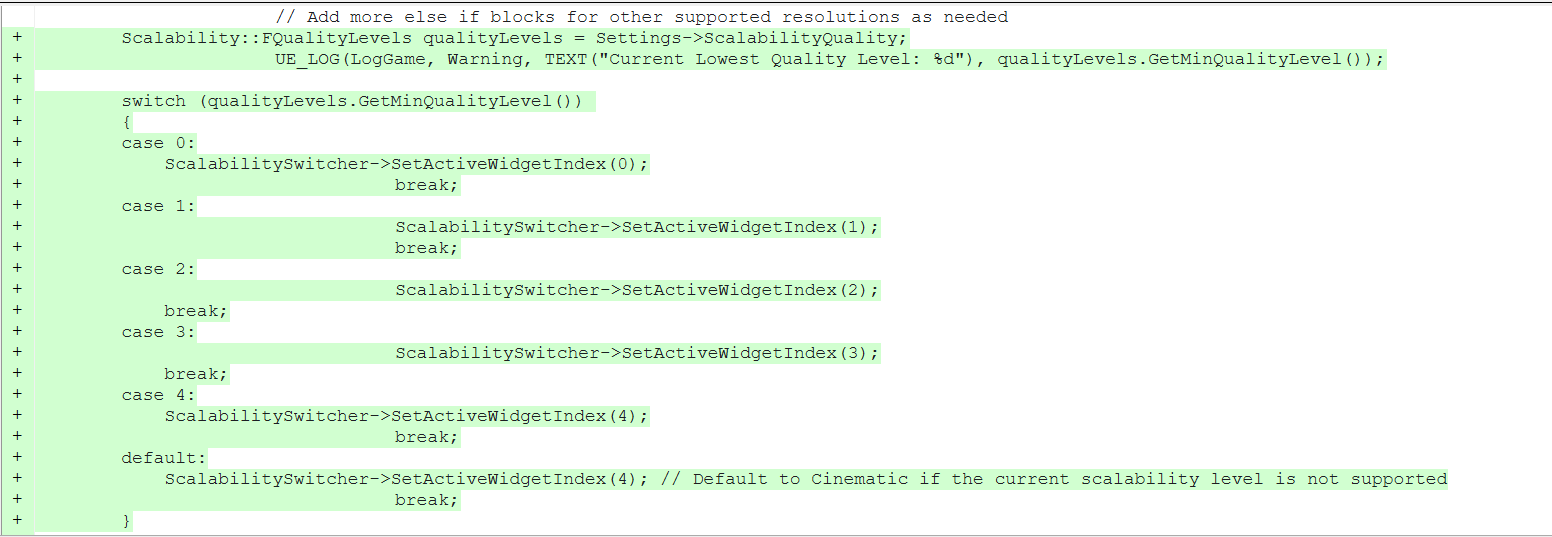


After doing this, the quality settings reflected what was shown in the Settings Menu. Huzzah! I had finally figured it out, and now the end users would be able to adjust their quality settings to their needs. The additional research also made me much more confident for the future if I were to try and implement more specific quality settings, letting the user change each one individually or the overall settings, giving even more customizability for the settings.
(1 edit)

Author: Chelsea Adams

Posted On: 07/17/2026

PART 1: THE PROBLEM

I had just created the Controls Menu and saw that there was a bug where you were able to open multiple at the same time because you were able to click the button from the Main / Pause menu while the Controls Menu was open in the viewport. No problem, I thought, and coded in what I thought was a simple solution: simply check if it was in the viewport and remove it when the button from the Main / Pause menu was clicked again. However, after implementing this, I discovered another bug. For some reason, when you opened the Controls Menu and closed it, then opened it up again and clicked the button to close it, the sound got louder. It got progressively louder each time as well.

Warning for headphone users! Audio can get really loud in this video!


PART 2: THE SOLUTION

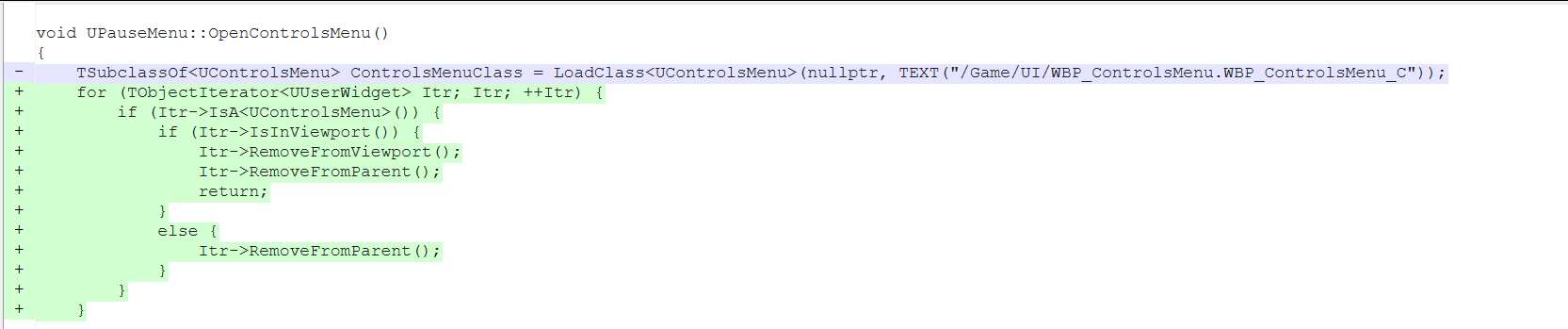
So, after a little bit of experimenting, I discovered I wasn't removing the menu from the parent. It was creating multiple control menus but not showing them, and I suppose that was why it was making the sound progressively get louder. So, this is what I put into the MainMenu.cpp when the Card Button would be clicked:

I also added a line in the ControlsMenu.cpp where I made sure to remove it from the parent after clicking the Close button.
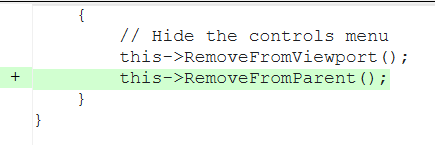
                                                                                                                                                       

In the end I did end up changing the fact that you could click the buttons from the Main / Pause menu while the Settings or Controls Menus were up but disabling the buttons altogether, but this worked for the time being and fixed the sound bug! The end user would no longer have to suffer the very loud sound if they had to refer to the Controls multiple times during a playthrough, and I think that makes the experience much better haha.