Indie game storeFree gamesFun gamesHorror games
Game developmentAssetsComics
SalesBundles
Jobs
TagsGame Engines

KingOfDranovis

7
Posts
1
Topics
A member registered May 09, 2021

Creator of

Recent community posts
Yeah, you have to install all the installers, it's really weird but I guess they just weren't able to put it all into one apk file. 

Holy crap, that intro song was way better than I expected it to be! 

I've been fascinated by adult games and how they differ from developer to developer, and yours has to have one of the best first impressions solely due to the opening cinematic.

I don't even know how to feel about this game, and I've barely even started! 

First it was the most convoluted installation process I've ever seen from a mobile game, then a surprisingly emotional backstory. 

Then, out of nowhere, CHAD THUNDERCOCK

This is insane lmao

Yes, but not everyone has installed the Itch.io app.


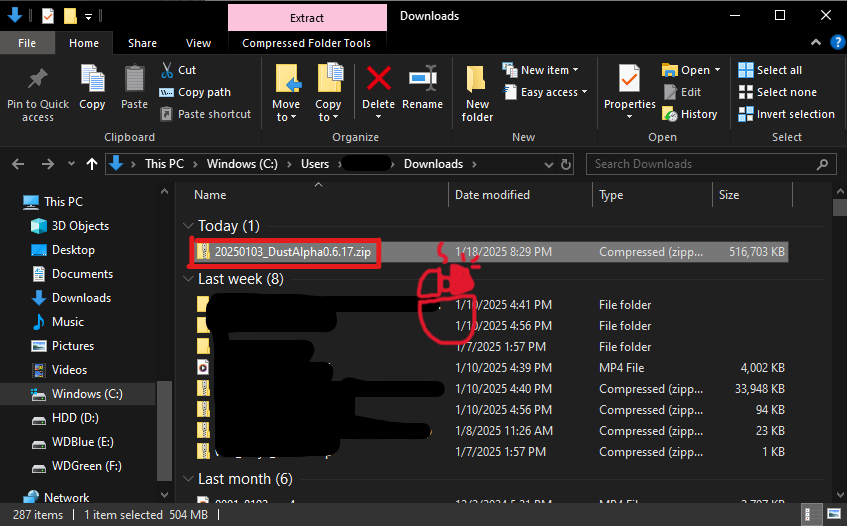
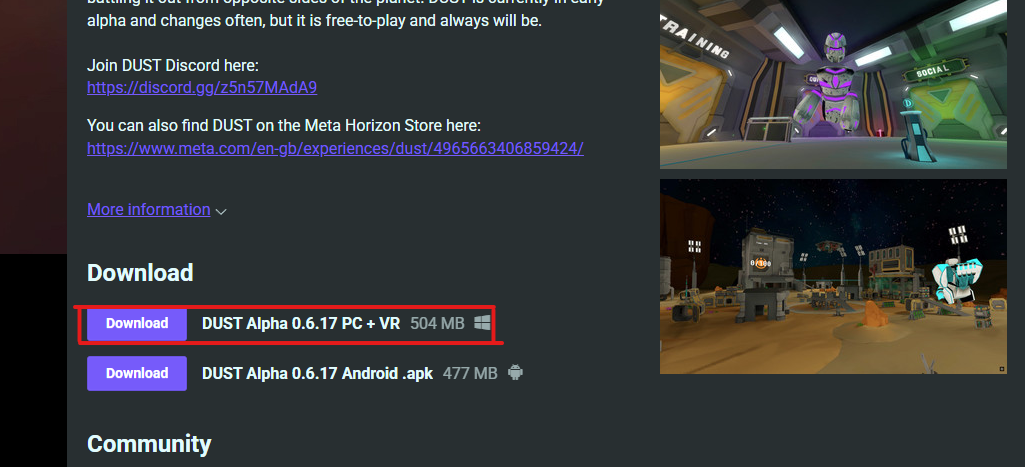
1) Click "Download" PC+VR


2) Right click the zipped folder
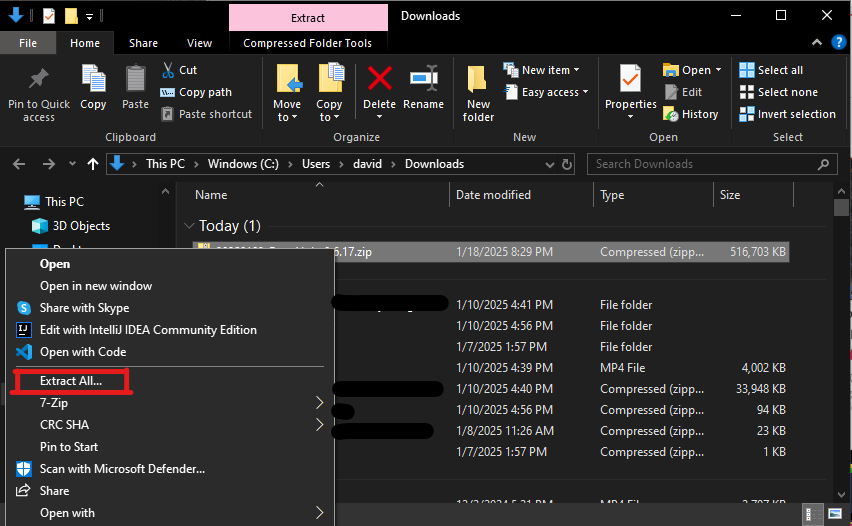

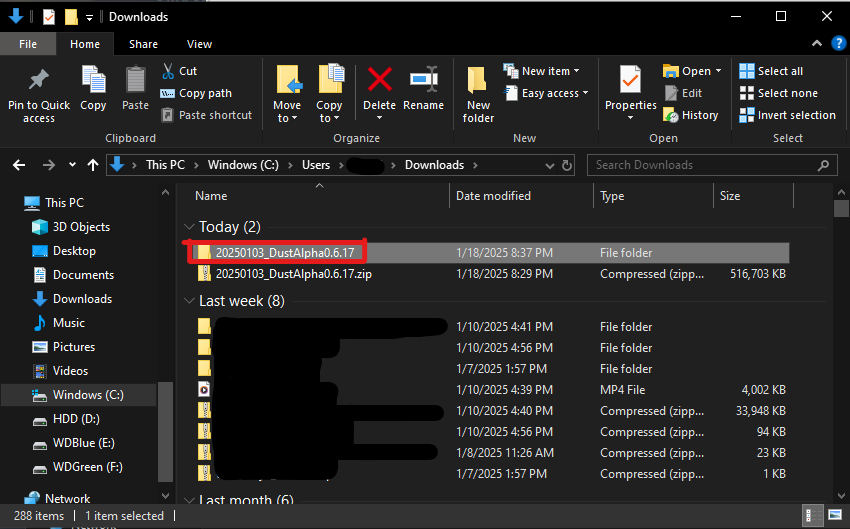
3) In the options, click "Extract All"
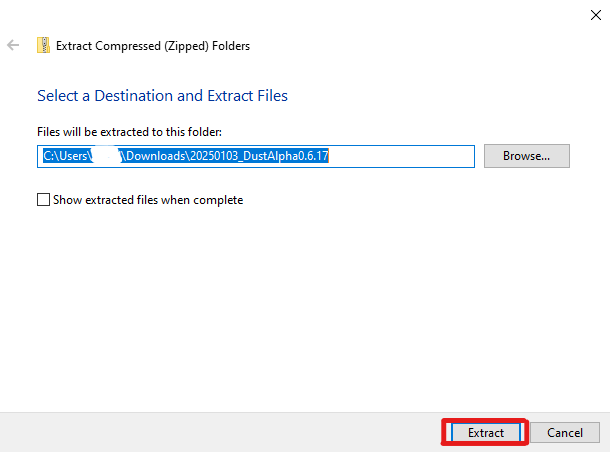

4) Select where you want to extract to, or leave the default location, and hit "Extract"

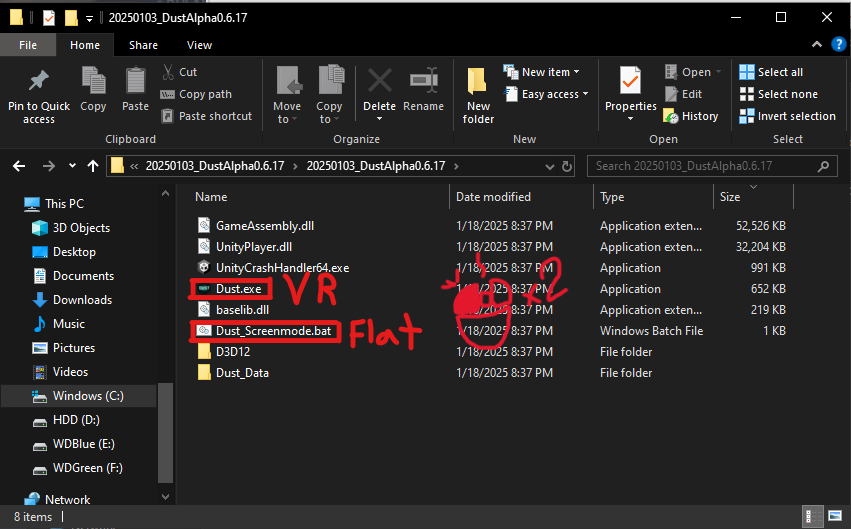
5) In the folder it was extracted to, enter the newly extracted folder

6) Going into the folders, you should see "Dust" and "Dust_Screenmode", double click one of them to start the game

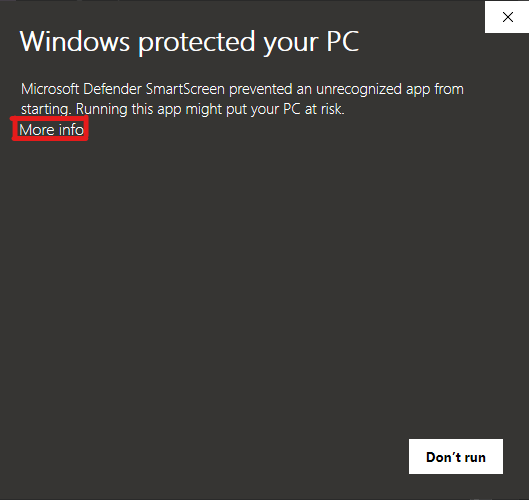
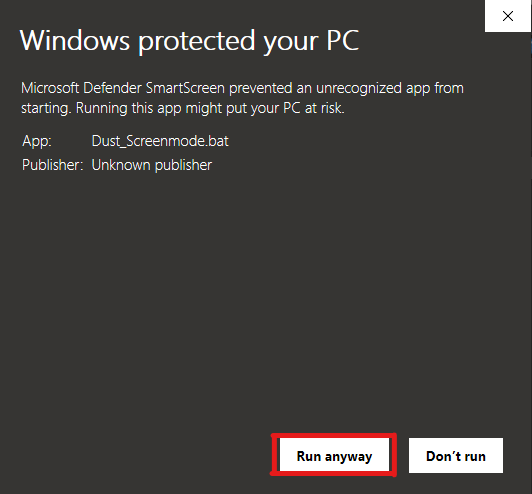
7) If/When Windows Defender pops up, click "More Info", this should only happen the first time for each version of the game

8) Hit "Run Anyway" and your game should then begin running! Enjoy!

I was running it on Quest 2, but I think the main thing was the direction I was moving my controller before pressing the menu button. I was moving my controller down so it probably tried to continue that movement or something

(1 edit)

I found an interesting bug! Like the SteamVR overlay thing, when you press the home button on Quest, it launches you upwards. Though, it's hard to use to find unintended ways to beat the levels because you can't close the menu quick enough.