Indie game storeFree gamesFun gamesHorror games
Game developmentAssetsComics
SalesBundles
Jobs
TagsGame Engines

jimbo

83
Posts
298
Followers
2
Following
A member registered Apr 27, 2014 · View creator page →

Creator of
Recent community posts

Cool - thanks for playing!

load the game. List basic. Email is there. 

The ENTER / RETURN key

ok got it. I think the issue is that it took me a year to write it and I guess I got good. Perhaps in next release I will update Campaign A to have level 00 introduction / tutorial. I am 62 so keep going my friend ..!

It's in the instructions when you first load. ENTER or "mouse right" changes weapons. P is game pause, and FIRE (space bar or "left mouse") resumes.

(1 edit)

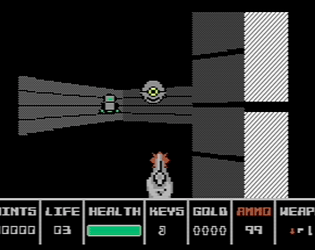
When you hit the enemy they turn yellow. The most damage is when they are straight in front of you. When you see an enemy, fire at them directly in the center. And back up if you can to keep them away from you otherwise they move quite quickly. I posted a Campaign A Level 1 Playthrough here: 

Let me know how it goes ..!

Thx!

You are welcome!

Great to hear you are enjoying it! Your earlier comments on the demo's really helped push me, get the Mouse working, etc.

NP - glad you like it!

Cool!

Not in the current plans no.

(1 edit)

Thank you for the "wows"! Re a cartridge - no plans. There is quite a bit of self-modifying code so might not be the right path...

? It’s there for download yes.

Thank you!

Great to see it live!

Awesome!

Thanks!

Thanks for the coverage!

(1 edit)

Ooops good catch - that's a typo and I have updated the game to fix it.

(2 edits)

All the keys are in the level, and in some cases behind hidden walls. In level 1 for the brownish / orangeish key you should have found it when you very close to the green key.

On the white doors that you can't open - those are either white marker walls (ie NOT doors) or maybe walls that you have already pushed open. As long as you are facing a door and hear it and you hit fire it will always open.

And thanks - it has been a lot of fun getting it going.

It is in the documentation above. Under “Enemy” - Std means Stand (the enemy just stands there), Rgt and Dwn means the enemy will either march right and left, or down and up (between walls), and Sk means the enemy will seek out the player right away. Init means the level initializes with the enemy right away, whereas Spawn means the enemy will spawn only when the player walks over a Trigger. And Shift-X means X can be any key - if you are in the middle of nowhere, Shift-S will immediately bring you to the Start (if there is one) and Shift-E will immediately bring you to each enemy in succession. I will try to improve the documentation. 

(1 edit)

Yes. Campaigns consist of different levels chained one after another. p.s. added mouse controls too just for you!

Thanks. I have spent the last 5 years making new games for the PET.

It has sound. I just didnt know how to record it. All my later games have the sound recorded. 

Oh great .. thanks for including it with those amazing games!

Mouse control just isn't going to happen. I made a map editor for myself - it is a google spreadsheets. So I might clean that up sometime and simply put it out there. Probably depends on whether people actually play this.

Yes the enemies hear if you fire a bullet near them and come looking for you. eg near the beginning that second robot heard the gunfire and opens the door coming after me (I knew he was coming from there so waited.) Instead if you get closer to one and knife it instead it doesnt alert anyone nearby. 

I am kinda done so wont add a hazard like you said, but if you watched the video there are things like rooms you can enter but cant exit until you find a key. And enemies that wait in cubbyholes until you walk by. Etc

Weird. What computer are you using? Does it have 32K?

Thanks for your interest .. will give it some thought. Right now it is keyboard only .. but have the 'hooks' for one-button joystick (augmented by keyboard for things like strafing and running...)

Hi. Sorry you feel my game is crap. I like it. 

Right now it is keyboard. If I use the C64 simple joystick it makes it difficult because you need to strafe left/right, versus turn left/right...

It's not so obvious. Eg if baddie is half behind a door then masking may become too taxing on the CPU. I am trying both characters and sprites...

Game not finished yet ... need to add the bad guys...

Tx!

Thanks for the coverage!

The port to C64 doesn't work with joysticks (the original game for the PET didn't have joystick control because the PET didn't have standard joysticks).  It only works coincidentally because some of the electronics on joystick 1 on C64 are connected to the keyboard...

Thanks! Good playing.

Working on it yup!