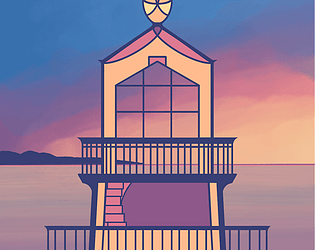
Thanks so much for the feedback! I'm glad you like the art, and it's good to know you felt confused and frustrated at first. I'll keep that in mind when developing my next game.
Thanks for the feedback! Really good to know the sound effects were too much for you - I can look to adjusting that or adding options to adjust that for my next game. Sorry you didn't get to the top, but I hope you enjoyed your visit to the lighthouse otherwise!
Thanks so much for the comments and feedback! I'm glad you like the concept, and there are d definitely a lot of ways I can improve on it for next time.
I'm definitely keeping all of this feedback in mind before my next game to find a better balance and control scheme with more clear visuals. I'm glad you liked the music and art - thanks again so much for playing!
Thanks so much for playing and for the feedback! I'm glad you like the art, and I hear you on the limitations with how short it is. While I had considered other playstyles, as I was running short on time, I decided I'd rather spend more time polishing what I had and cutting out anything that wasn't working well.
I'll keep this feedback in mind for my next game though - thanks again so much for playing and commenting!
I'm not sure if you mean you used W/S to move the camera beyond the drawing. I didn't have time to code a scroll lock, but I tried to add enough artwork to cover immediate edge cases (or people could soar forever if they really wanted to lol). But if something else happened that moved the camera or gameplay out of bounds, I'd be curious to know more about that bug so I could try to replicate it.
Either way, I'll definitely keep all of the feedback and advice in mind for my next game. Thanks again so much for playing!
Thanks so much for the feedback! Sorry to hear it strained your fingers - I'll keep this all in mind if I continue tinkering with it after the jam to see if I can get a more balanced feel.
Really good to know about the spacebar - I'll take a look at that in debugging. The only real requirement to get to the top is to have enough cards, so if you can do that before the cat steals them, then it's intended for you to get to the top. The arrows just keep the cat from attempting to steal during each "phase" of the arrow shifting as you make progress.
Yeah, that's a good point about trying to know what floor you're on. I added the stacking cards on the right-side of the screen to try to help with that, and while the lighthouse floors are all uniquely hand drawn, I ran out of time for decorations. I also found during playtesting that most people were covering up the background, so adding more elements behind a full card table wasn't as helpful, which is why I went with the filling card stack over on the right.
Really good feedback on the confusion of the table and the reward at the end. I ran out of time there, but yeah, would have made for a better game feel if I could have updated those visuals and added more for the finale. Oh, and the levels drop based on collisions, so if you had a really tall stack where the paw hits, then you'll lose a lot, but if you only have one card there, you'd only lose one.
Again, super appreciate all of the feedback - this is really helpful as I continue to think about ways to improve this game and the next one! Thanks so much for playing and commenting!
Haha, thanks so much for the comments! Yeah, I've gotten a lot of feedback on those symbols being confusing, so it's definitely on my radar if I continue tweaking the game. I'm so glad you enjoyed it - and more cats are on my list now too! <3
Yeah, I don't have scroll limits either direction - I just tried to draw enough to "suggest" that you're away from the lighthouse and there's really nothing more to see here, but here's a bit for those who want to scroll. I actually did have some text at the ends to warn people, but it was getting pixelated in the original artwork (canvas size for the background is 2,800 x 10,000 pixels), so by the time I cropped and separated all of those sprites back together, I realized I'd forgotten about those text layers and just didn't wind up re-cropping and fitting everything once the sprite positions were all set.
Thanks so much for your comments and feedback! I'm really glad you like the cozy vibes and art, and I'm glad you figured out how to go up.
I've gotten a lot of feedback on the table decorations being a bit confusing, so it's definitely on my list of things to tinker with if I continue with this game after the jam!
Thanks so much for the details comments and ratings! That really helps me to understand what works and what I could improve.
I really appreciate all of the feedback on the instructions, especially. I have updated the main game page, but if I continue to tinker with the game itself after the jam, I'll be sure to better-clarify those instructions in-game.
I can also put a cap on the scroll limits, but hopefully that didn't disrupt your enjoyment too much and you enjoyed the sky along the way. <3
Fun concept, but it was such a grind to get to the end. Maybe the energy power-ups weren't working as expected, because that bar wouldn't fill forever, but then it did - maybe I misunderstood how it worked? My computer struggled to keep up with it too though, so when I would try to hover over things to read the text, it didn't always want to pop up, so I had to guess about how some of it worked....
Man, I just cannot figure out how to control this character. I'm trying to turn the arrow and drag my mouse, and it just feels like it's moving all over the place in ways I can't predict. Apologies if I overlooked more detailed instructions on your page, but I could really use a video guide to see how someone else plays it!
Aww, thank you! I'm so glad you like the cat <3 and thanks so much for the feedback!
I really appreciate the suggestion for clarity in the instructions and where your confusion it - thanks so much for that detailed feedback! I did update the game page instructions after getting some similar confusion feedback, so hopefully that helps for others who scroll down to see that.
I had an earlier iteration where I was trying to match cards to the spot on the table, but I scrapped the code and kept the visuals because some players said it was hard to know the table was spinning without anything on it. I understand it's been a bit confusing for some, but I'm glad people are able to figure out how to get past that to get through the game. And yes, total number of cards is what helps you climb to the top - I tried to add a visual indicator of that to the right side that "builds" a card tower as you go, but it sounds like I could improve that visualization to not confuse it with trying to stack cards on top of one another in a perfect way or perfect place.
I'll definitely look to update the visuals and instructions if I continue to tinker with the game after the jam. Thanks again for the detailed feedback!
Cute idea, but I couldn't figure out the elevators! Apologies if I overlooked more tips on the game page. I was clicking all over and couldn't figure out how to open them.
Unique, but I struggled once it got to the race. It's hard for me to spin with my mouse like that, so I was just physically struggling to play this one. But really cute concept! Just wish I had alternative control options.
Fun idea, great art, but sometimes that RNG is killing my progress when I have no chance to make it to the circle before it's gone. :( Unless I missed instructions to change the rotation besides just hitting the given targets. Some rounds are great, but others feel so punishing.
Neat little game! I didn't really understand what was happening at first, so I had to read the page to figure out that left bar was a list of combos and I wasn't supposed to eventually click things over there.
If you continue tinkering with it, I'm not sure that bottom-left card section needs to scroll. It felt a little distracting since I didn't need to interact with that during the spins. I think I'd rather just see an arrow gently lit up on the right telling me there's more to look through. That way I can visually focus on the spinning and stuff in the game and I can read through all of the text without having my attention pulled back to that scroll bar.
Neat concept though, and love the combos when I get them!
I keep going bankrupt! The upgrades in the shop are so expensive, and it seems really likely to just land on 1x, so I can't seem to make any progress. I wish I could buy upgrades sooner or have a better change to win early on. I just keep running out of spins every time I play.
Also, it took a minute for me to understand what that bar on the right was for. If you continue to tinker with it, it would be nice if the slider dial itself had the text next to it showing the real impact of each part (instead of having to look to the numbers at the top of the slider, then the top of the wheel, then looking back to the slider to move it again). And it would be nice to have some really really cheap upgrades that you can get even if you want to bet low and only earn a double on your first spin. That could help keep the player making some progress early on even if RNG isn't very kind.
I know there was a tutorial, but it felt like so much and I didn't really understand it. I put the dancers down and they all blew up! I feel like I need an "easier" first level that shows the tutorial more than explains it - like two dancers so I can see how they interact before I pile them all up.
Neat concept, but I struggled to get the other balls knocked off without rolling myself off.
If you keep tinkering with it, it would have helped me to start on a smaller board so I could get a better feel for how quickly I was moving and turning. Or even just some more texture on the current board so it would be easier to judge my speed, especially as I approach the edges. I ended up just trying to play at the corners since that was the easiest place for me to "read" the table and movements.
Man, RNG really got me on this one. Neat concept, but I just felt like I couldn't win some of them, and when I got surrounded, there was nothing I could do. But really interesting concept!
If you continue tinkering with it, it might help if the sprites were closer to circles/squares instead of being so tall. If I was surrounded on the sides (which is more likely to happen since I play on a wide monitor instead of a tall one), it means I have less room to see to run past enemies compared to running up and down. But if the sprites were a more uniform size, I feel like I'd have more mobility options during gameplay to keep going!