Thanks, I'll check it out.
A member registered Mar 14, 2019 · View creator page →
Creator of


send sprites over the network




Recent community posts
Glare Engine - 2D Lighting for GameMaker Studio community · Replied to Tiz in Depth Mask Compatibility upon Android?
After much trialing and a weird bug that fixed itself, I have a workaround I built using SIMPLE_LIGHT = glr_lightsimple_create( PLAYER_SPRITE_DEPTHMASK, 0, x, y, c_white,1,1);
..and Cus i move my player, i update the light's scaling once per step so it can equal the facing direction. (Image_xscale)
I also update position (for movement) and subimage (Cus idle animation in PLAYER_SPRITE_DEPTHMASK ).
AND IT WORKS UPON ANDROID!!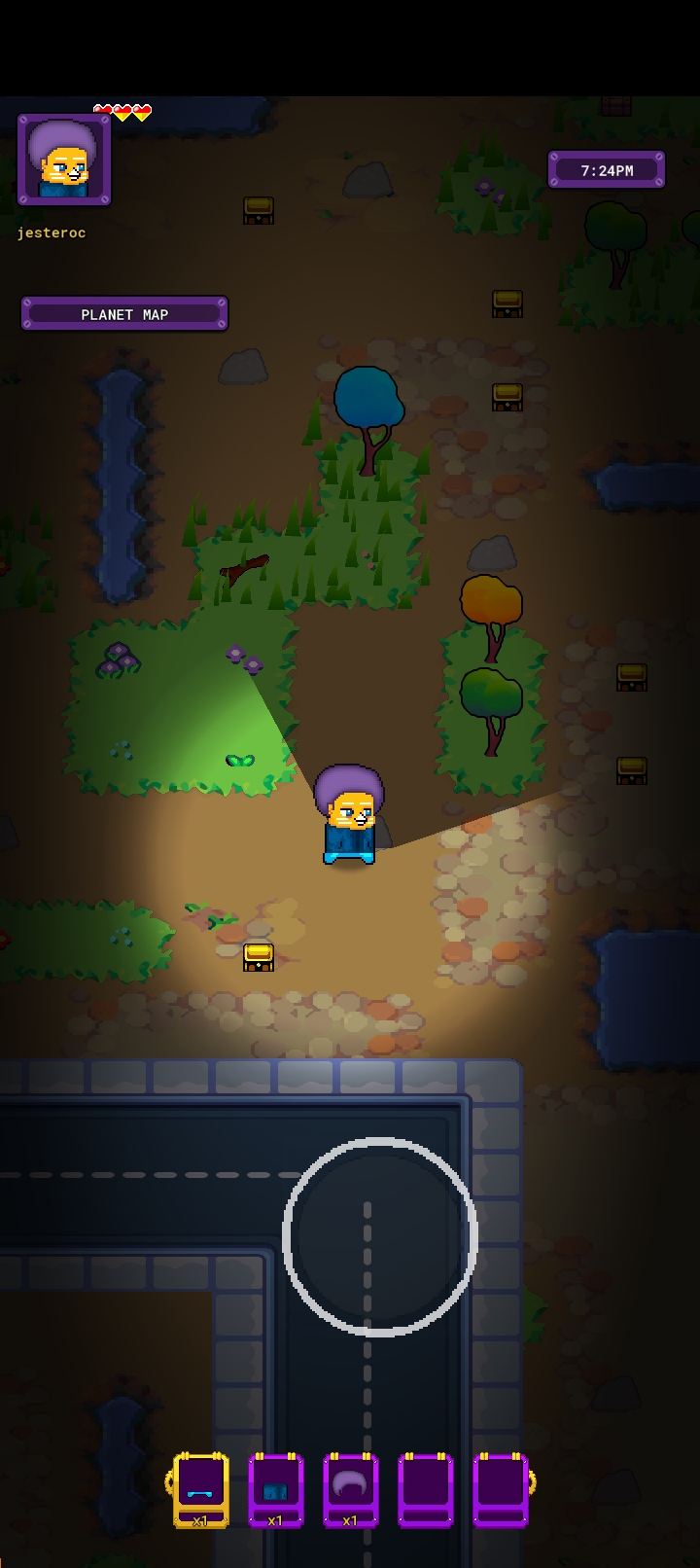
Thanks for Glare Engine Tiz!
This is a stoked moment (I'm stoked I got the workaround working with PC and Android).
I STILL HAVE TO ADD SIMPLE LIGHT "DEPTHMASKS" FOR MY ROCKS AND WALLS, (I ONLY DID THE PLAYER, JUST TO SEE IF IT WORKED) BUT THE ROCKS AND WALLS ARE EASY DONE NOW I HAVE ANDROID COMPATIBILITY SORTED...
OR SO I THOUGHT..
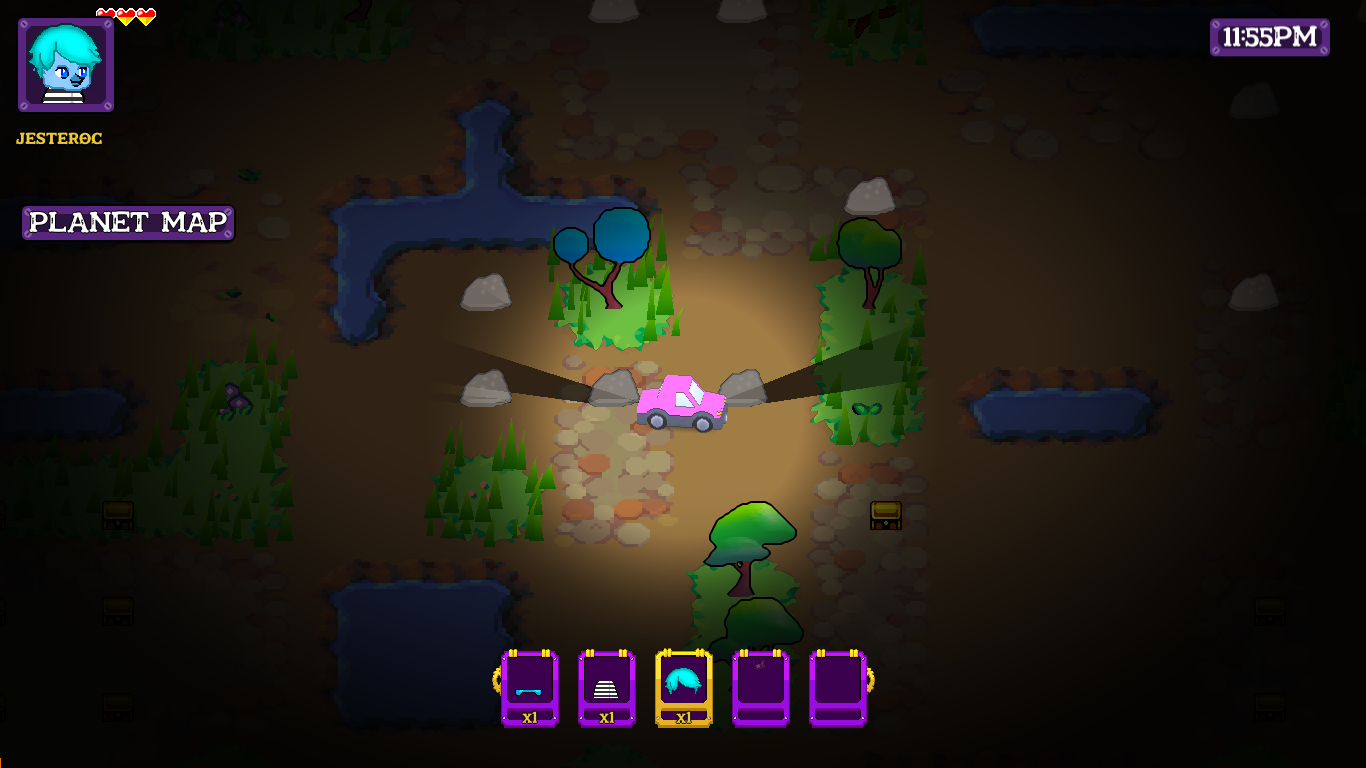
WHEN LIGHTING AMBIENCE BECOMES DARK (NIGHT) THE SHADOWS GET CAST OVER THE SIMPLE LIGHT "DEPTHMASKS"
(THE GLITCH OCCURS ROUGHLY BETWEEN 10PM AND 3AM IN-GAME TIME ) I MIGHT JUST MAKE NIGHT BRIGHTER, AHA
PC SCREENSHOT OF SHADOWS GETTING CAST OVER THE SIMPLE LIGHT "DEPTHMASKS"
PS, THIS IS AFTER I ADDED SIMPLE LIGHTS "DEPTHMASKS" FOR ROCKS...
Glare Engine - 2D Lighting for GameMaker Studio community · Created a new topic Depth Mask Compatibility upon Android?
👋 Hiya! 👋
I see you added a new version a couple of weeks ago, is there any significant updates i should be using?
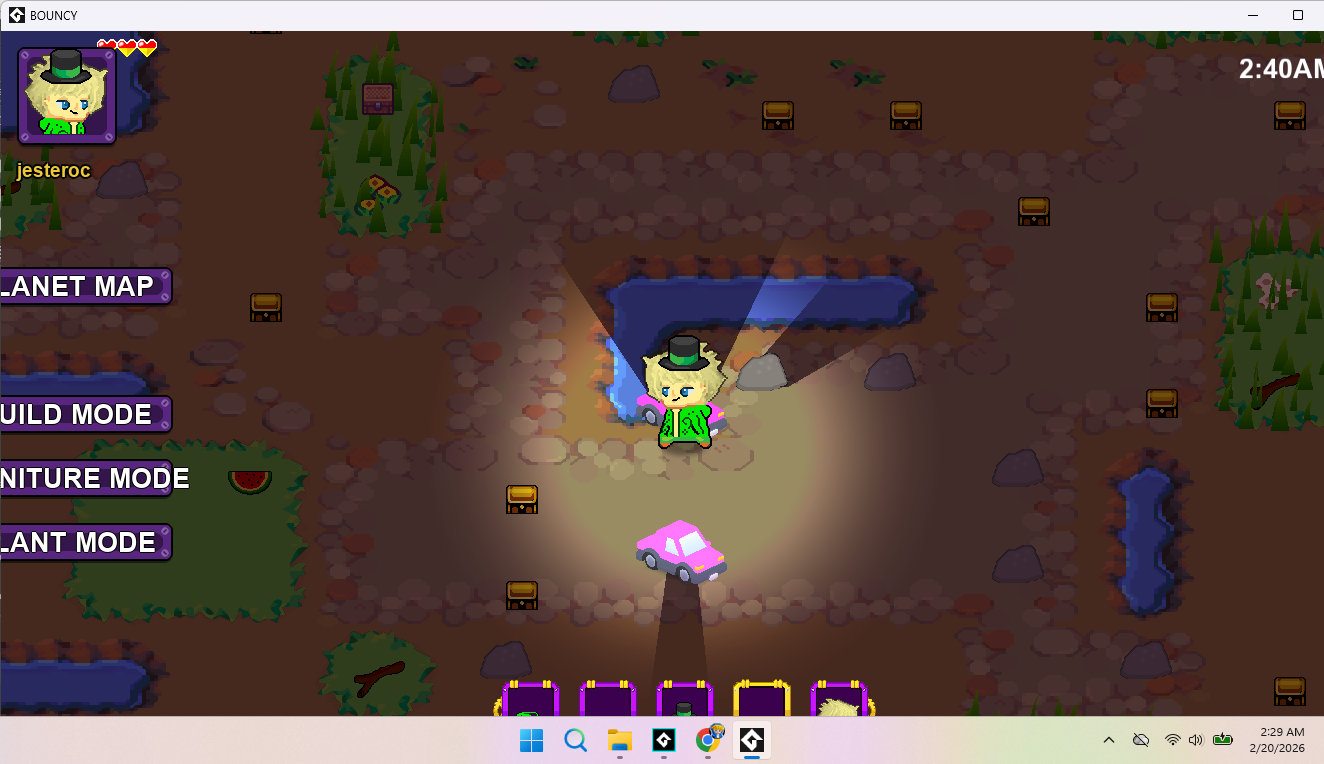
I have a problem with android depth mask Compatibility upon Android, the depth masks aren't keeping the mask area lit.. they just don't function and im left with shadows cast upon parts that should be lit.
Here's how it should look from a PC screenshot with working depth masks.
And here's an Android screenshot showing the issue.
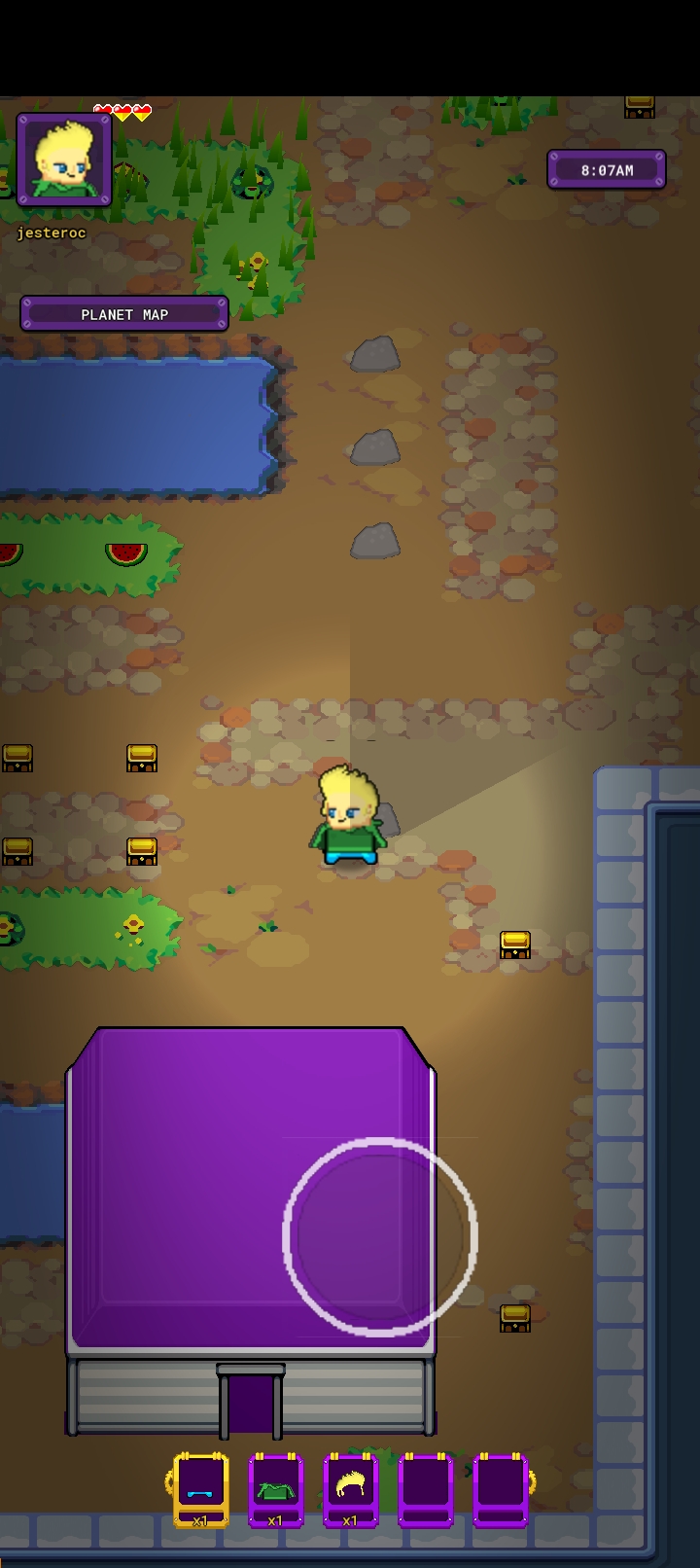
Any ideas why this is happening only upon android? Or how to solve it? I thought I had it solved but android version turned out glitched up..
Any idea why shadowcasting doesn't work with gpu_set_ztestenable(true); even if i set gpu_set_ztestenable(false); before drawing lighting?
i was able to get lights working by setting it to false and then back to true after.. but the shadowcaster side of the lighting system doesn't like that and refuses to cast shadows.
I might have to do without shadowcasters 😭
At least I was able to get lights working with the shader grass I'm using
If you are able to update the asset to include shadowcasters that work when gpu_set_ztestenable(true) is set, that'd be great.
I tried getting the shader grass I'm using (TouchGrass) to work without gpu_set_ztestenable(true); but it was always invisible, everything i tried.
I think I'm gonna have to give up trying and settle for what I was able to get working, lights + grass.
EDIT: I GOT SHADOWCASTERS WORKING WITH THE SHADER BASED GRASS..
BUT NOW I HAVE A DEPTHMASK ISSUE... I TRIED FIXING IT BY SETTING A DEPTHMASK FOR THE PLAYER'S MESH TO BE MASKED WITH THE SPRITE, BUT NO DEPTHMASK (AS FAR AS I CAN TELL, CUS SHADOWS STILL OVERLAP MY PLAYER)
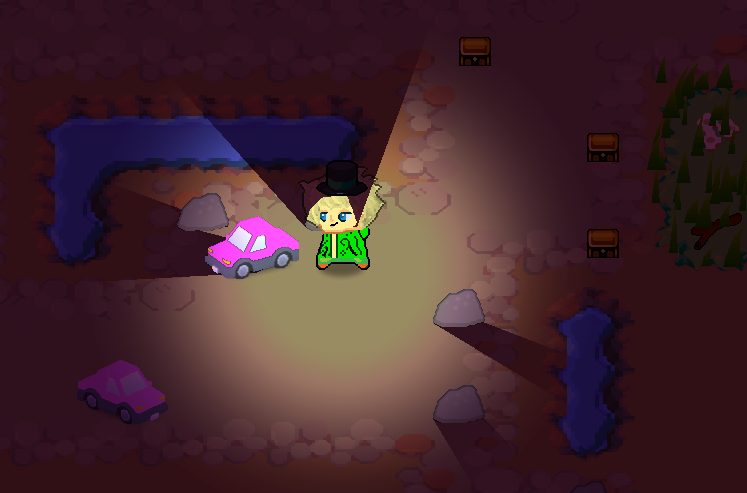
ANY IDEAS HOW TO FIX IT?
I DON'T KNOW WHY THE PLAYER DEPTHMASK I SET ISN'T WORKING,
I REALLY THOUGHT THAT WOULD SOLVE IT :/
EDIT 2: Got it working (Had to set depth of player mesh, i was setting layer without setting depth before) but now i have an issue with depthmasks, cus my players bounce around with zheight minused from player y position and theres no offsetting parameter for glr_mesh_set_depth_mask()... i might try to add it.. (i hope it's not too much work cus I had to redraw playersprites to a seperate surface and use those for depthmasks, left and right cus there's no xscale parameter for depth masks either.)
here's the depthmask working (standing still, jumping leaves the depthmask at ground height :/ )
EDIT 3 Got image_xscale working, though had to edit the depth mask shader and add a uniform int for jumping with fake z. done and tested now it's working :)
Glare Engine - 2D Lighting for GameMaker Studio community · Replied to Tiz in Sprite-based shadow casting?
This is what I'm doing but multiple roofs at the caveat of losing some outdoor lighting when inside enough..
But i have another problem 😔
Android shadowcasters meshes are hollow..
I set it up fer PC and expected mobile to be mostly same.. but it's not working at all..
It looks like the system is interpreting the mesh coordinates inside out (clockwise or anticlockwise) and getting the wrong look.. cus the same thing happens upon pc with rotated masks when turned.
Here's a picture u can see it looks wonk fer the walls. And the roof segments im using as floor have shadows cast upon each other instead of just outside.
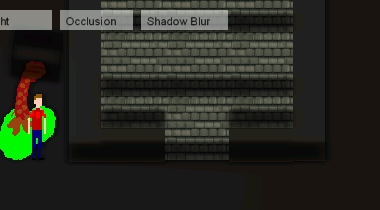
And Pc looks more like this
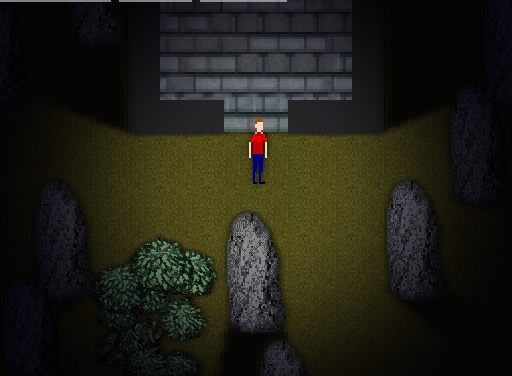
Have you had this kind of behaviour with it before? I need a cross-platform mobile/PC solution and can't util this if android isn't gonna work the same or similar.
I tried following the documentation at
https://tizsoft.altervista.org/glare/docs/grouping_meshes
to try to group the floor meshes as one..
they turned out even more disconnected. and still has the same issue with door lighting spill if i step off the initial floor onto another floor.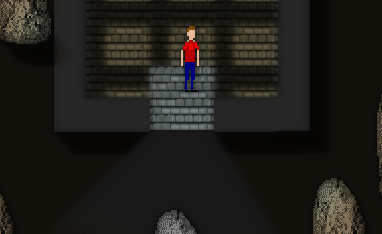
Glare Engine - 2D Lighting for GameMaker Studio community · Replied to Tiz in Sprite-based shadow casting?
i was using floors to not cast shadows upon the floor area... so i do need floor to have a mesh_set_height value greater than the walls.. can't use a standard object cus that just lets in unrealistic inside shadows from directional light.
see the wall shadow above the floor if i'm not using glare setup code in "floor" obj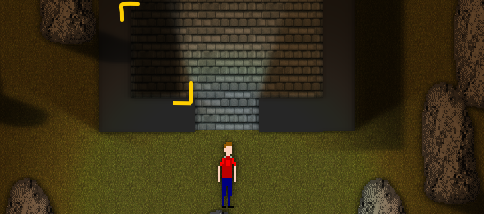
is there a way you could make a simple workaround that works with multiple floor segments?
I can't use just one obj for floor cus the player houses in my game are editable and modules...
also, is there a way to turn off/on a shadowcaster? I implemented a non-shader lighting system that was able to and have finished code that requires the shadowcaster(s) to be enabled/disabled based upon the house shape (so the player can walk from module to module in the house
Glare Engine - 2D Lighting for GameMaker Studio community · Replied to Tiz in Sprite-based shadow casting?
Yeah kewl I bought it and had only 1 problem... indoor wall shadows... i found a solution with obj_glr_wall and obj_glr_roof where I set the roof to a height just below the walls and use it as a floor... but it only works fully with 1 object for the roof/"floor" segment. otherwise it cuts the shining outside once i've left the first indoor floor "segment" and my game has modular building segments, so i can't just use 1 object.
Any ideas how to get the shining to work through the door with multiple "floor" segments?
heres some pics to explain better,
here's how it shines if i use 1 big floor obj, or if i stand upon the obj near the door.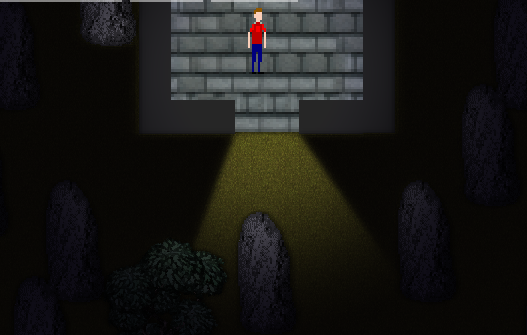
outside always worked scaled 1 obj or segments.. shines like this
but here's whats wrong if i walked inside and off the first obj, it loses the shining out through the 1st objects edge. i marked the corners of the first object to show where it is..
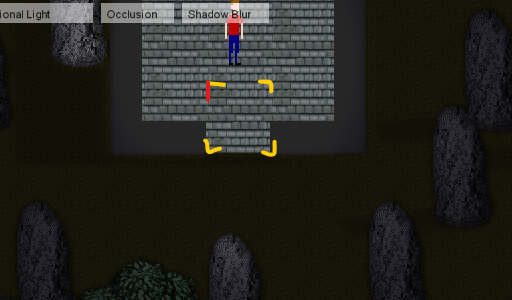
i don't know what else to do,
so would you have any ideas how to get the shining to work through the door with multiple "floor" segments?
the only code i changed was these
glr_mesh_set_scaling(mesh_id, image_xscale, image_yscale);//scaling fix oc
glr_mesh_set_height(mesh_id, 10);
(in obj_glr_roof)
glr_mesh_set_height(mesh_id, 8);
(in obj_glr_wall)
Glare Engine - 2D Lighting for GameMaker Studio community · Created a new topic Sprite-based shadow casting?