

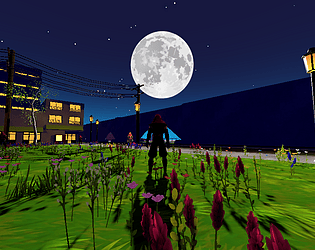
The main layout of the level was a "world.blend" file which I kept in res://assets/, so it would automatically update every time I made any changes to it. I kept all of my textures in "res://assets/textures/" and used Node Wrangler to quickly create PBR materials out of them in Blender. When importing the blend file, Godot would automatically detect that the textures were already in the project, and wouldn't make additional copies of them. I'd extract the materials from the blend file when importing in Godot, so that I could modify them. Mostly so that I could switch them to Toon shading. Godot also doesn't automatically detect height maps from blender materials, so I had to re-connect those. For a handful of materials, I ended up converting them to shader materials so I could add some custom code. Notably the fence and the plants.
I created a separate "props.blend" file, where I defined my materials and created props, building pieces, and geometry node trees. I added the blend file to my User Asset Library in Blender as "Linked", and anything I wanted to bring into my world.blend file I would mark as an asset. From there, you just drag it from the User Asset Library into the world.blend project. For individual objects, you'd have to create a Library Override to modify them within your world. If you mark an entire collection as an asset, then you can just drag it into your world and move/rotate/scale it freely.
Unfortunately, I never figured out a streamlined way to handle collision shapes with this workflow. I would probably just create a separate collection within my world.blend to hold collision shapes, and export it as a separate glb file. Unfortunately, I don't know of a way to automatically turn each mesh in a glb into a physics object in Godot, so you'd either have to mark them all individually, or write a script that does it.
That's basically my entire workflow. It lets you work on individual props/building pieces within their own environment, and any time you make a change to one, that change would automatically update in the game. All you would need to do is save your blender project, then tab back to Godot, and it would automatically re-import.