Indie game storeFree gamesFun gamesHorror games
Game developmentAssetsComics
SalesBundles
Jobs
TagsGame Engines

iMayiVT

7
Posts
2
Topics
1
Followers
A member registered Jan 13, 2025

Creator of

Recent community posts

(5 edits)

Devlog #5 | Magic and AI Updates

Game name Updates: The game name formerly known as Blasphemous is now officially titled Shadows and Sorcery. The new name encapsulates the magical, mysterious, and light-driven themes of the game.

Magic System

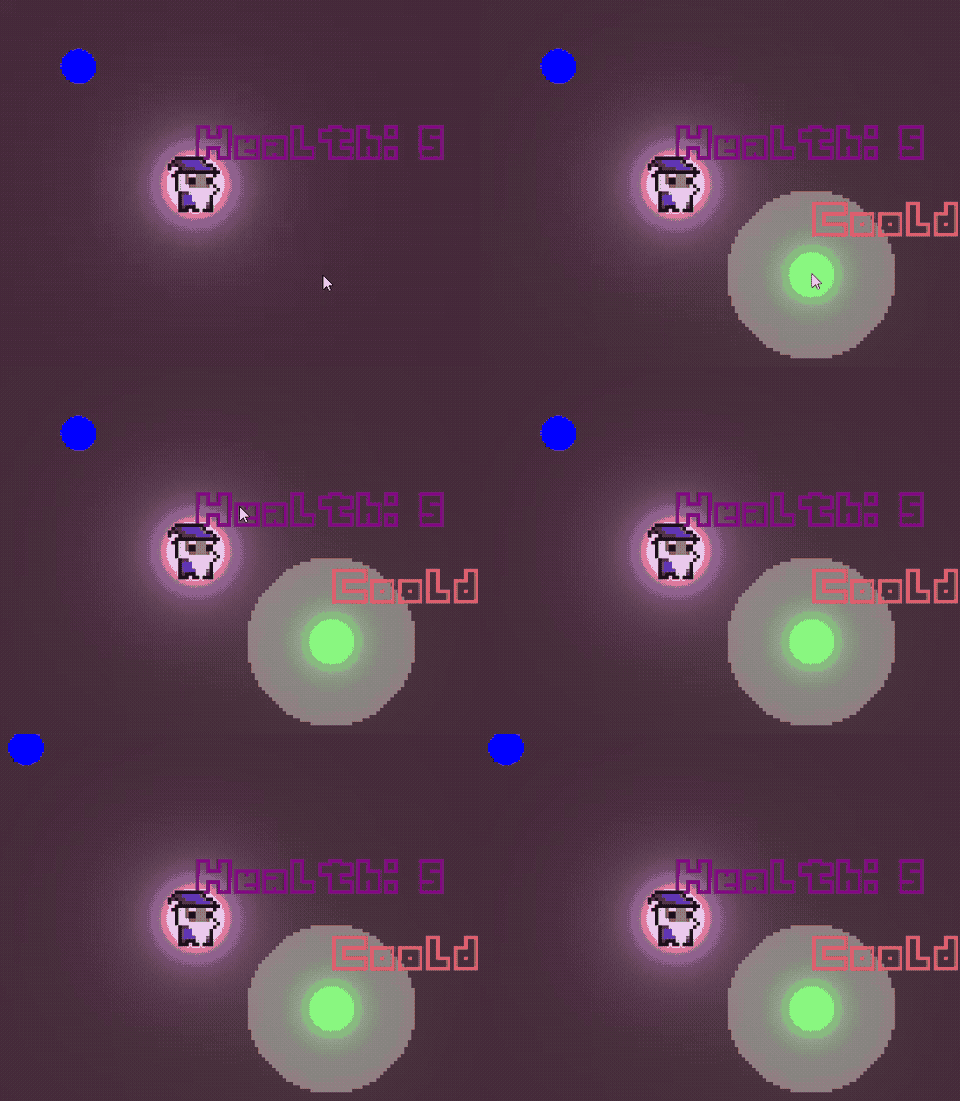
The magic system now features three unique abilities that are core to the gameplay:

1. LightsOff

  • Effect: Temporarily disables the player’s light for 8 seconds.
  • Cooldown: 30 seconds.
  • Special interaction: During this time, the Fire entity becomes unable to detect the player, though it can still deal damage if there’s direct contact.
  • Strategic use: Helps players stealthily navigate or reposition without being targeted.

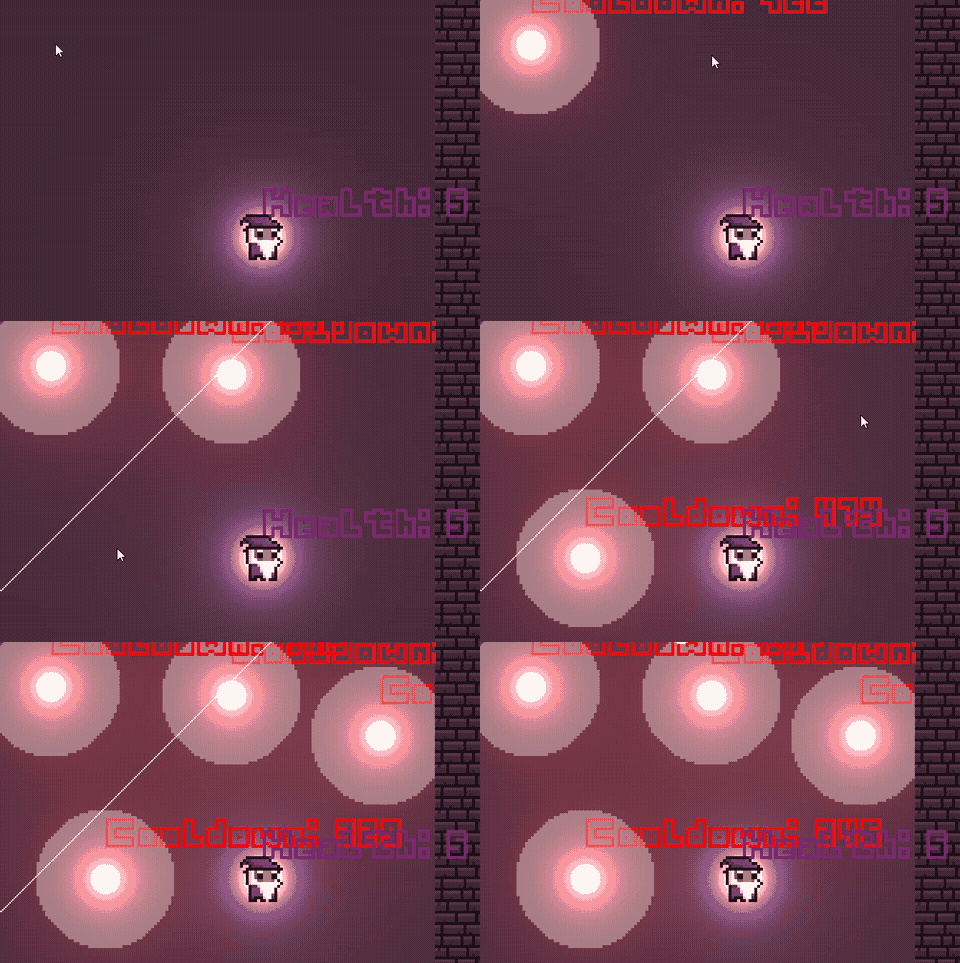
2. FireLight

  • Effect: The player can place up to 4 magical lights simultaneously. These lights immobilize the White entity for 8 seconds when in contact.
  • Usage limit: A new light can be placed when one of the active lights disappears.
  • Placement Restriction: Cannot be placed within a 30px radius of a White entity.
  • Cooldown: Lights are available as soon as an active one fades.
3. HealLight

  • Effect: Places a green light that slowly restores the player’s health while active.
  • Cooldown: Initially, 50 seconds cooldown from the start of the game. After the first use, the cooldown increases to 120 seconds to balance its powerful healing effect.
EnemyAI

Fire entity (Name TBD)

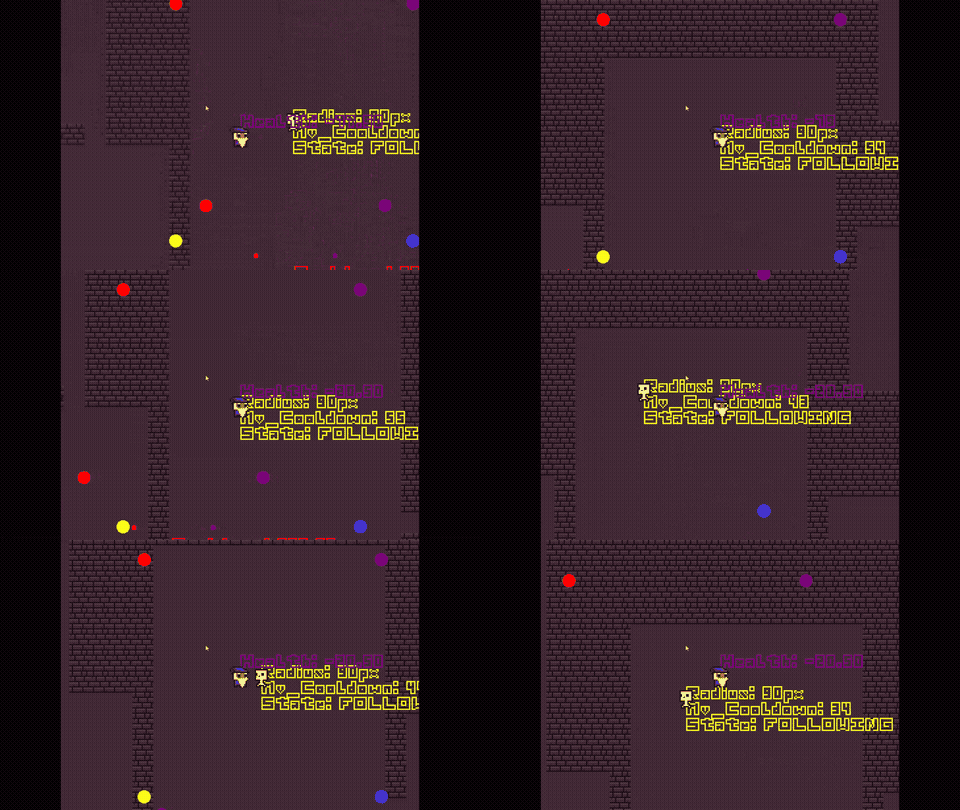
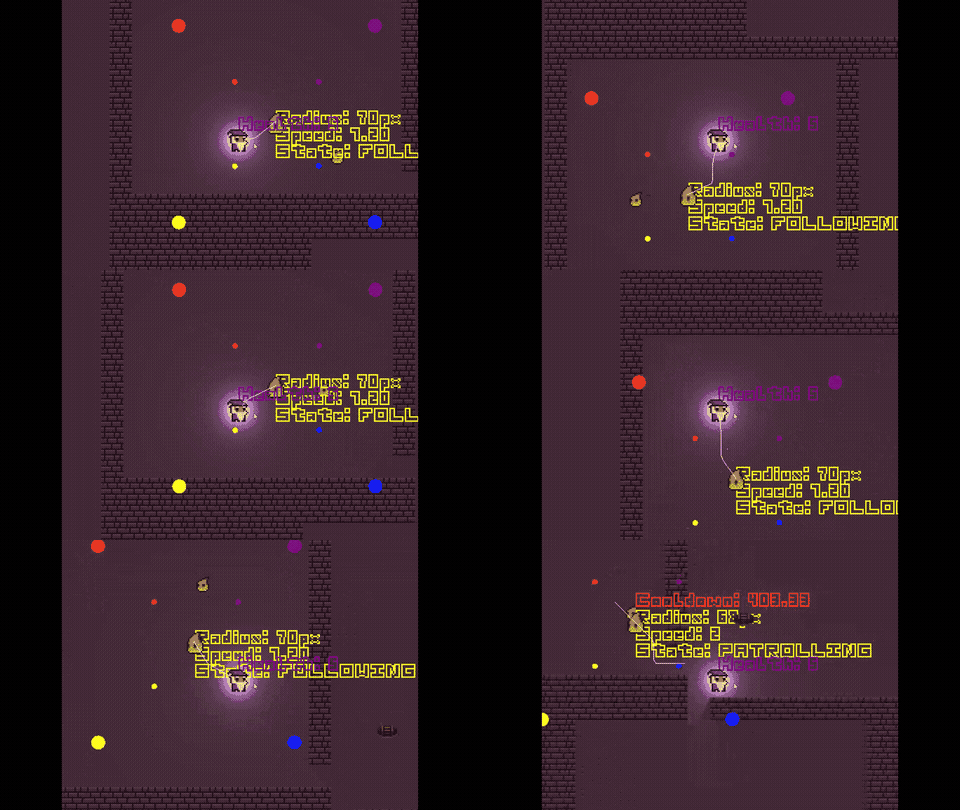
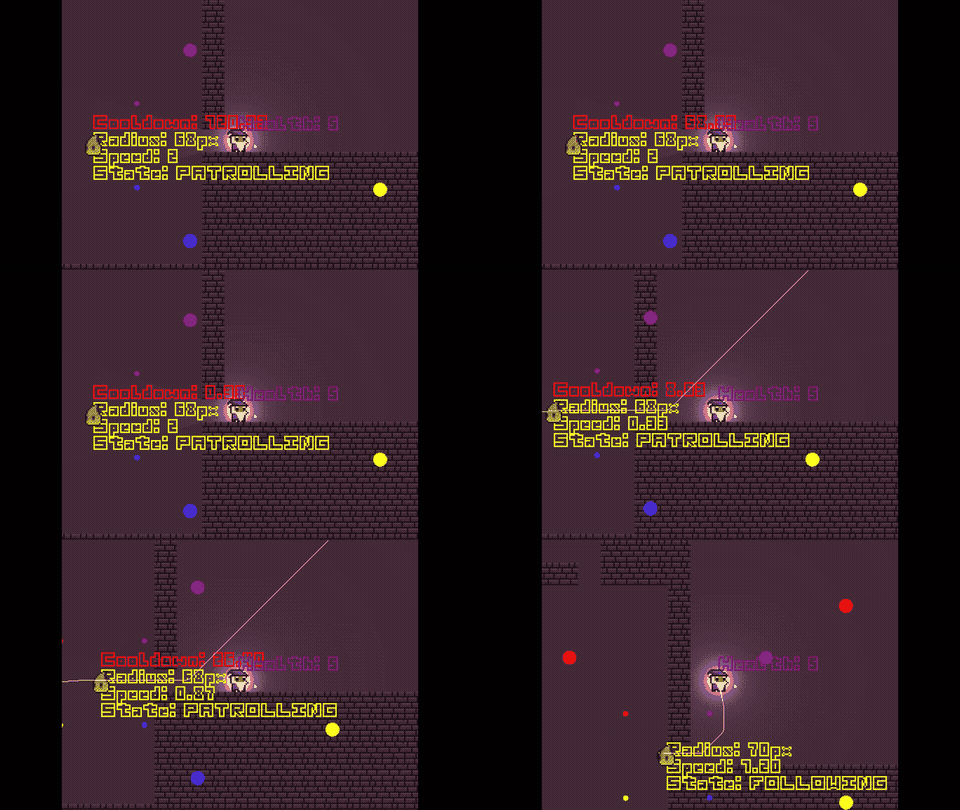
This enemy operates through five states and showcases dynamic behaviours based on player interaction:

  1. Following:
    • Tracks the player when visible and follows it.
  2. Following_Lost:
    • Move toward the player’s last known location, gradually expanding its search radius in an attempt to re-locate them.
  3. Idle:
    • Remains stationary, observing the environment or waiting triggers.
  4. Patrolling:
    • Moves randomly across the map, keeping the environment alive and dynamic.
  5. Attack:
    • Launches small fireballs toward the player when within range. These projectiles are hazard and can pressure players to stay on move.
White Entity (Name TBD)

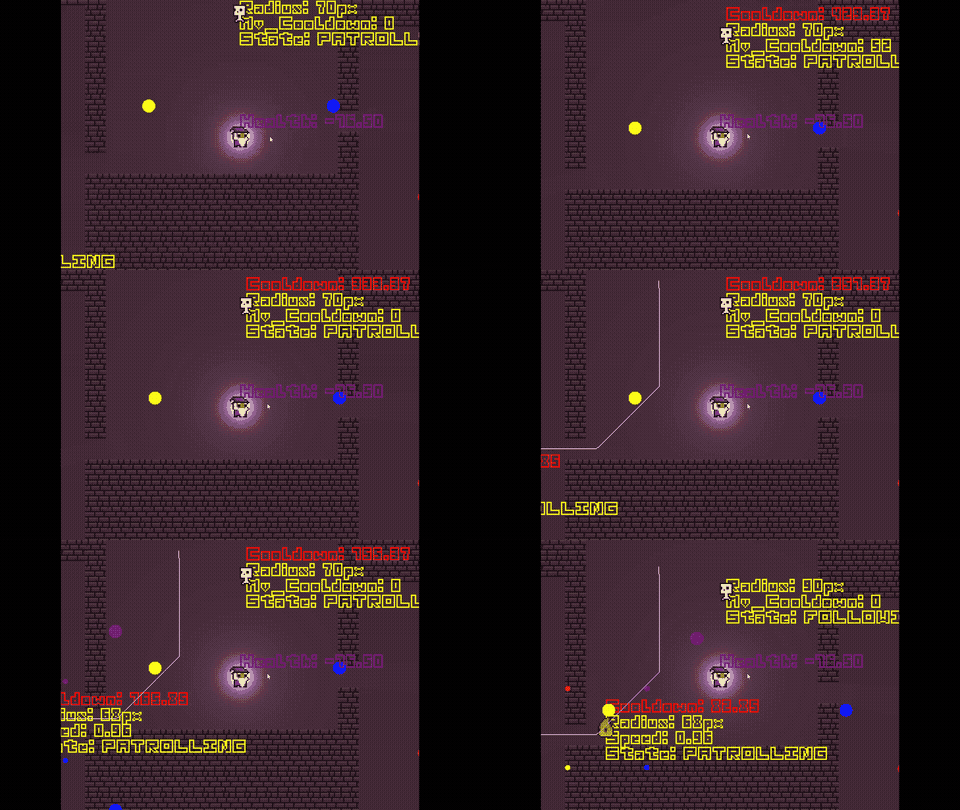
This mysterious being has a more restricted AI but still poses a significant threat:

  1. Following:

    • Pursues the player when visible, teleporting short distances to close the gap. (Can go and see through walls)
  2. Following_Lost:

    • Tracks to the last known location of the player and attempts to locate it by expanding its search radius.
  3. Idle:

    • Waits in place, creating a lurking presence.
  4. Patrolling:

    • Roams randomly, making exploration tense and unpredictable.
(1 edit)

Devlog #4 | Lights and Menus

Dynamic Menus

The menu system has been overhauled to be fully dynamic. It adapts to the available options and primarily server as a navigation tool for development rooms, where I test new mechanics and features. image.png

New Development Room: Lighting

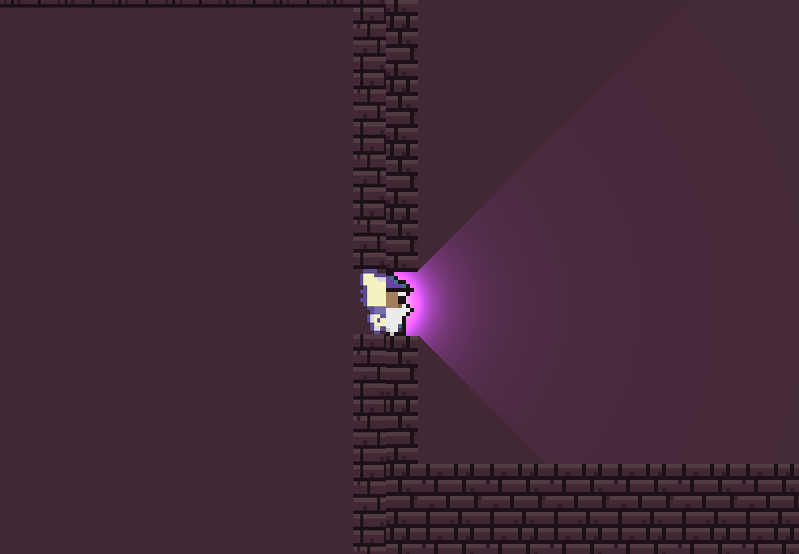
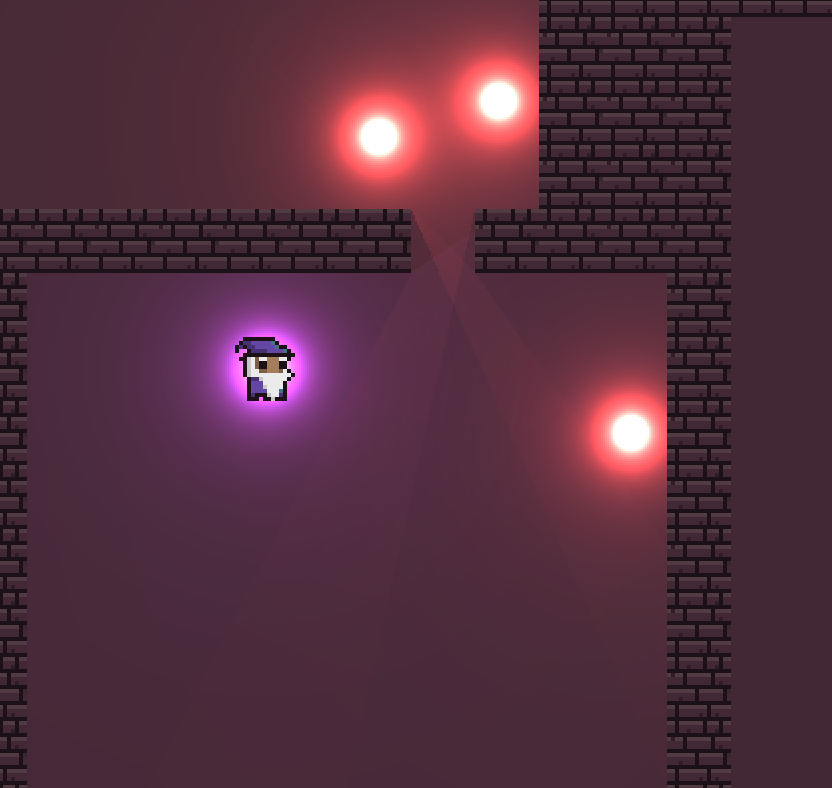
One of these new rooms focuses on lighting and is essentially a copy of the dungeon generator. However, it now includes a fully functional lighting system to test and refine interactions.

Lighting System Overview

The new lighting system allows for:

  1. A light on the player character, providing constant illumination.
  2. Magical lights (up to 4) that the player can place by clicking anywhere on the map.

Magical Light Mechanics:

  • Duration: Light remains active for 15 seconds (currently adjustable).
  • Enemy Repulsion: Enemies are repelled while the light is active.
  • Limits: Players can place up to 4 lights simultaneously. When max reached, user has to wait to a light disappearance until another can be placed. This mechanic adds a strategic layer to game-play, as players must decide where and when to place lights to maintain control over the environment.

Technical Implementation

The lighting system is inspired by GrizzliusMaximus’s 2020 post and shares similarities with Mike Daily’s Real-Time 2D Lighting but includes several optimizations for efficiency.

Shader-Based Lighting

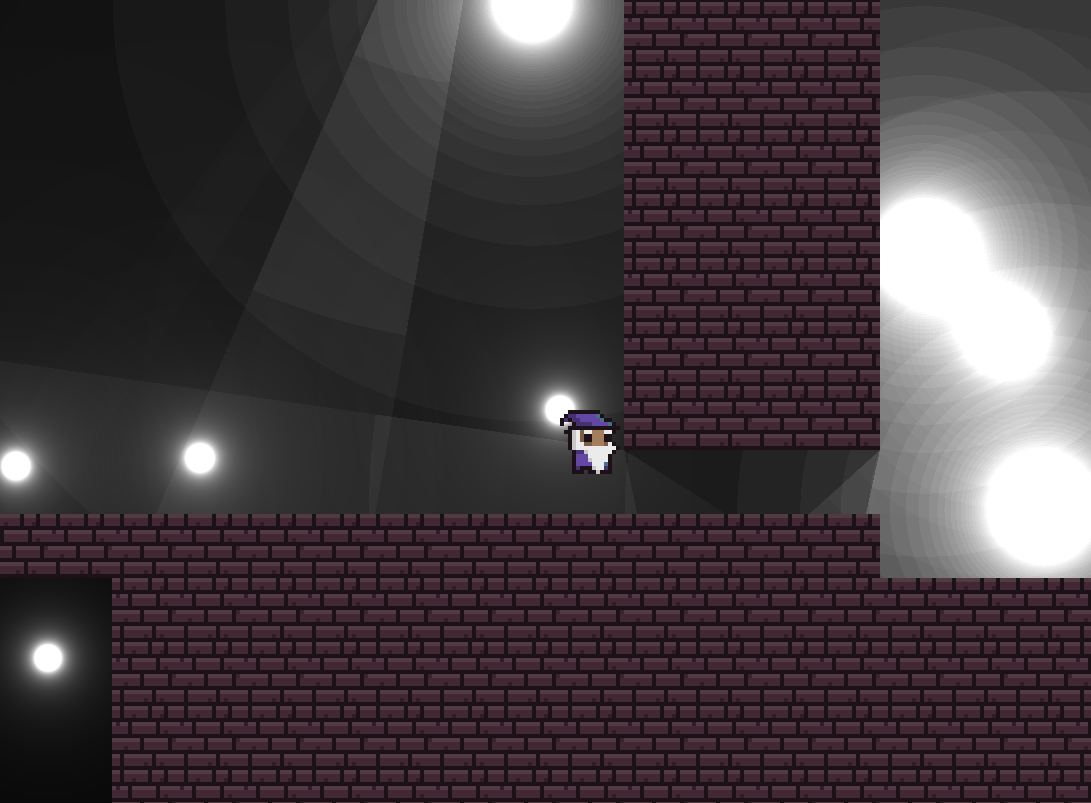
The system heavily relies on shaders to shift shadow calculations from the CPU to the GPU, improving performance and reducing lag. Here’s a breakdown of how it works:

  1. Vertex Shader:
  • Calculates light positioning and size.
  • Positions vertices dynamically for shadows.
  1. Fragment Shader:
  • Renders the light with intensity decreasing as distance increases.
  • Optimized for scalable light sizes.
  1. Z-Buffer Optimizations
  • Shadows are rendered on a different Z-plane than lights, ensuring accurate depth handling without texture swapping.

This approach allows all lights and shadows to be drawn on a single surface, significantly reducing texture swap overhead. image.png image.png

Devlog #3 | Reworking the Dungeon System

In this iteration, I decided to completely rewrite the dungeon system from scratch, once again using JavaScript as a development base. This allowed me to test ideas quickly before attempting to port the system to GameMaker. However, when I tried to implement it in GameMaker, I realized that it would be a massive resource drain and quite challenging to achieve due to GameMaker’s limitations and coding style.

What does the system do now?

The current system works as follos:

  1. Generates a terrain, where you can define its size and the number of rooms you want.
  2. Places the rroms accross the terrain.
  • Marks true for walls (impassable zones) and false for the floor (walkable zones).
  1. Places the player in the center of one of the rooms by setting the starting position (startPos).

Visual Example: Room and Wall Generation

Progress: Connecting the rooms

Once the rooms and terrain are generated, the system:

  • Detects wall centers to find potential pathways.
  • Creates paths to connect the rooms, ensuring all are accessible and no room is left isolated.

New Approach: Using an External Server

Given the inefficiency of directly porting this system to GameMaker, I decided to take a different approach:

  • The system now sends an HTTP request to a JavaScript server running on bun.sh.
  • This server generates the dungeon data, including terrain, pathways, the player’s starting position, and more.
  • Gamemaker only iterates over the response, placing blocks (objects) in their respective positions. This offloads all the heavy processing to the server, while GameMaker focuses purely on rendering and gameplay.

What’s Next?

In the next iteration, I plan to:

  • Implement the logic for placing keys and enemy spawners using the same approach as the player’s stating position.
  • Optimize communication between GameMaker and the server to minimize loading times.
  • Ensure dungeon generation and loading remain seamless during gameplay.
(3 edits)

Devlog #2 | Random Seeded Dungeon

The concept behind this is to allow the player to choose a seed from the main menu and play the game with that seed, or let the game generate a random seed.

The game will pass some data to the function, which will fully customize and generate the dungeon based on that data.

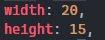
Starting with basic parameters like width and height, as not every dungeon has the same size.

image.png

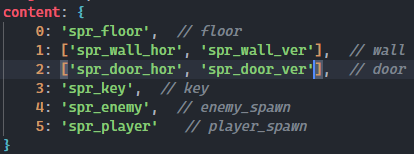
And the content of the dungeon:

image.png

Once the data is sent, the function will begin generating the dungeon.

Here’s the procedural method it follows:

  1. Generate a matrix of the specified size and fill it with floor tiles.
  2. Fill the map’s border with walls.
  3. Create a labyrinth-style layout using walls (wall positions are determined by the seed).
  4. Place a door on a wall.
  5. Check if the door has walls on top and bottom to place it vertically, or walls on the left and right to place it horizontally.
  6. Place the key on the floor.
  7. Place the player on the floor (ensure the player can move to the key and door via the floor).
  8. Place enemy spawners on the floor.

The result looks something like this:

[ 1,1,1,1,1,1,1,1,1,1,1,1,1,1,1,1,1,1,1,1 ]
[ 1,0,0,1,0,0,0,0,0,0,0,0,0,0,0,0,0,0,1,1 ]
[ 1,1,0,0,0,0,1,5,0,0,1,0,1,1,1,0,1,1,2,1 ]
[ 1,0,1,0,0,0,0,4,0,0,0,0,0,0,4,1,0,0,0,1 ]
[ 1,0,0,0,3,1,1,1,0,0,1,0,1,1,0,1,0,1,0,1 ]
[ 1,0,0,0,0,1,0,0,0,1,0,0,1,0,0,1,4,1,0,1 ]
[ 1,0,0,1,0,0,1,0,0,0,0,1,0,0,0,1,0,1,0,1 ]
[ 1,0,1,1,4,0,0,0,0,0,1,0,1,1,0,0,0,0,1,1 ]
[ 1,1,1,1,1,0,0,0,1,0,0,0,1,0,0,0,0,1,0,1 ]
[ 1,0,1,0,1,0,1,0,0,0,1,0,0,0,0,0,0,1,0,1 ]
[ 1,1,0,0,0,0,0,0,1,1,0,0,0,0,0,1,0,0,1,1 ]
[ 1,1,0,0,1,0,1,0,1,0,0,0,0,0,1,0,0,0,0,1 ]
[ 1,0,0,4,0,1,1,1,0,4,0,0,0,0,1,0,0,0,0,1 ]
[ 1,0,1,0,0,0,1,0,1,0,1,1,0,0,0,0,0,0,1,1 ]
[ 1,1,1,1,1,1,1,1,1,1,1,1,1,1,1,1,1,1,1,1 ]

Note: The wall placement is not perfect yet—currently, walls are placed randomly (using the seed) rather than following a pattern that reflects how a real wall would work.

(3 edits)

Devlog #1 | Discovering What I’m Able to Do with GMS2

I initially planned to use a 3D raycasting system with the d3d library, but due to its removal in GMS2, I’m no longer able to use it. Instead, I will experiment with perspectives to create a 3D-like view. In the future, raycasting will be used to hide parts of the dungeon that the player cannot see.

To discuss about game.

Shadows and Sorcery community · Created a new topic Devlog

This is a locked discussion. Devlog will be uploaded here.