Indie game storeFree gamesFun gamesHorror games
Game developmentAssetsComics
SalesBundles
Jobs
TagsGame Engines

IgnoranceIsBliss

12
Posts
8
Topics
2
Followers
2
Following
A member registered Jun 21, 2019 · View creator page →

Creator of

Recent community posts

The next build will have a menu that auto-centers - icon at the top of the page and buttons at the bottom.


Hmm...there must be something I can do in the 'scaling' options in Godot to help with this. I'll do some research.

Orbits community · Created a new topic How To Play
(2 edits)

Your goal is to send your ship (the yellow dot) through each of the checkpoints (red circles) before returning back to your home planet.

First, launch your ship by choosing a direction and a speed using the mouse and the left mouse button.

Once you are moving, use the left mouse button to 'boost' your ship in the direction of the mouse cursor. This will consume fuel.

You can hold the right-mouse button to speed up time by 10x.

Once you've collected each of the checkpoints (changing them from red to green), you can then return to Earth. 

Your score is based on the total amount of fuel and how close to the landing zone you were. The landing zone is shown as a pink glow on one side of the Earth. 

Challenge yourselves - and others - to get the highest score by using the least fuel and landing perfectly.

In easy mode you only have your checkpoints and the planet you need to land on. When you launch, you'll generally fall into an orbit unless you launch with too much or not enough power.

In challenge mode, an asteroid appears. It's stationary, but it gets in the way and influences your ship with its gravity, making your orbits degrade over time.

Hard mode introduces the moon. This spins rapidly around the planet and makes landing and close flybys of the planet a dangerous idea, as well as adding ever-changing influences to your orbits. You'll need to focus on timing for launches and landings.

Orbits community · Created a new topic Possible Inclusions
(5 edits)

Below are a few ideas for the future...

  • Pre-built Levels
  • Asteroids (static items with gravity)
  • Moons (dynamic/orbiting items with gravity)
  • Magnetic Fields/Antigravity (pushes items instead of pulling them)
  • Atmosphere around planets to create drag when close
  • Landing angles (ie. burn up if you land by falling straight down onto a planet).
  • Wormholes (teleport you from one part of the level to another)
  • Level Editor
  • Changing Backgrounds
Orbits community · Created a new topic Known Issues
(5 edits)

Some identified issues with the current build (other than general incompleteness)...

  • One-off sounds (launch, mission complete etc.) can re-play after the game is reset.
  • The 'last shot' indicator is often out-of-place if you reset after crashing your ship (ie. did not pass all checkpoints)
  • Holding the mouse down on the 'Next' and 'Reset' buttons cause odd movements/sounds from the ship.
  • Non-alpha characters (dashes, slashes, apostraphes etc) shouldn't appear in level codes
  • Objects may overlap when the level is being generated. 

Good catch. We'll re-start the whole scene after this, because it's a little complicated to re-set/destroy all of the actors from the 'ActOut'.

Fixed in 0.0.2

Sometimes the text exceeds the size of the thought bubble. Perhaps reducing the font size will help longer thoughts fit?

(1 edit)
  • When the camera returns to the start of the movie-making process, the thought bubble is supposed to vanish.
  • When you provide notes on the movie synopsis, the AI doesn't always give you a valid new title on the first line.
  • Need to remove the thought bubble when giving directors notes.

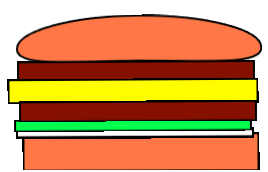
It would be easier if the objects you pick up would rotate so that they are flat.
This would let us correctly place layers of the burger, and help with the upside-down buns we get from time to time.

I'd be nice if I could delete objects that I don't want anymore (what if I don't like meat, or hate mayo!)

(6 edits)

The Burger