

Indie game storeFree gamesFun gamesHorror games
Game developmentAssetsComics
SalesBundles
Jobs
TagsGame Engines

IDGLab

11
Posts
3
Topics
20
Followers
A member registered May 18, 2024 · View creator page →

Creator of

Recent community posts

The "Button for transition" really has an unnecessary frame, I'll fix it with the next update. Or you can remove the frame yourself through the tyrano.css CSS file in your project by adding the following code to it :

button {
    border: none;
}

You're also right, you can't change the position of the buttons, they snap to the anchors. If you need buttons in different places, then use the "Branch Button" or "Graphic button".
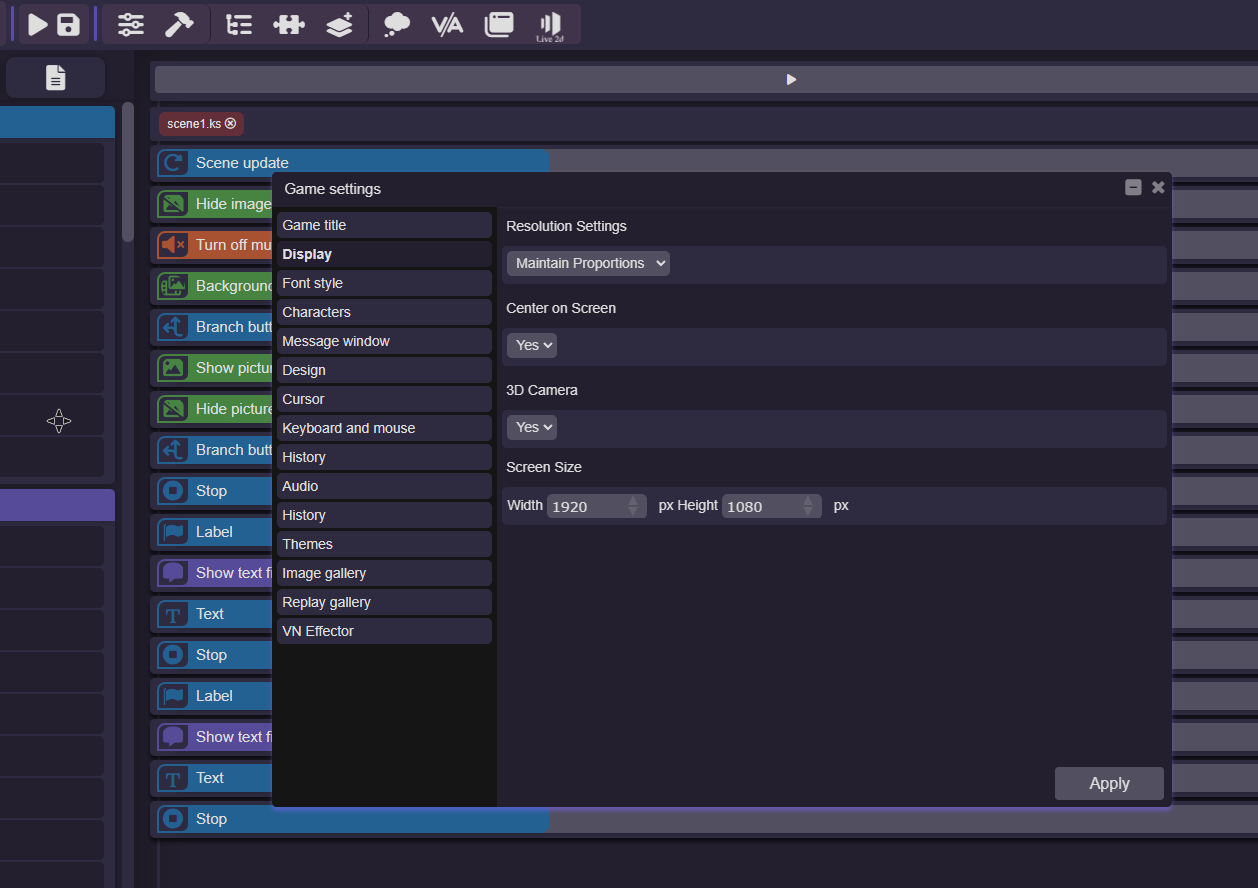
Hi, Fixed this issue in version 3.0.5.

This is a bug, I'm still looking for a way to fix it. However, it can be temporarily removed if you set "Maintain Proportions" in the display settings.

Launch the game from the console while this component is running. I've checked with myself, and the showing, animation, and disappearing all work as expected.
There are no lessons at the moment, but I am in the process of creating them.

No problem, if problems, write, I will help as much as possible.

As the description indicates, this modification is based on the original TyranoBuilder. Therefore, you need to own a TyranoBuilder on Steam. Installation is straightforward: open the TyranoBuilder folder and transfer the contents of the downloaded archive into it. Then, run it like any other TyranoBuilder.

Hello, MEGA may have some problems, so I uploaded it to Google Drive. https://drive.google.com/file/d/16uanUEWY-x9ew1RIo9FbgkKDHe7Lp45E/view?usp=shari...

AI Translate community · Created a new topic Ideas

Offer your ideas to improve the application in this topic.

AI Translate community · Created a new topic Bug report

Hello everyone!
Write the bugs you found here!

Hello everyone. Please submit any bugs you encounter here or on our Discord server.