Hi, I just wanted to thank you for this series. I started work on a point and click in GameMaker just a few months before finding your tutorials, and they were not only super helpful, but also super validating. I've always loved GameMaker, but it took me too long to realize how well-suited it could be for point and click games.
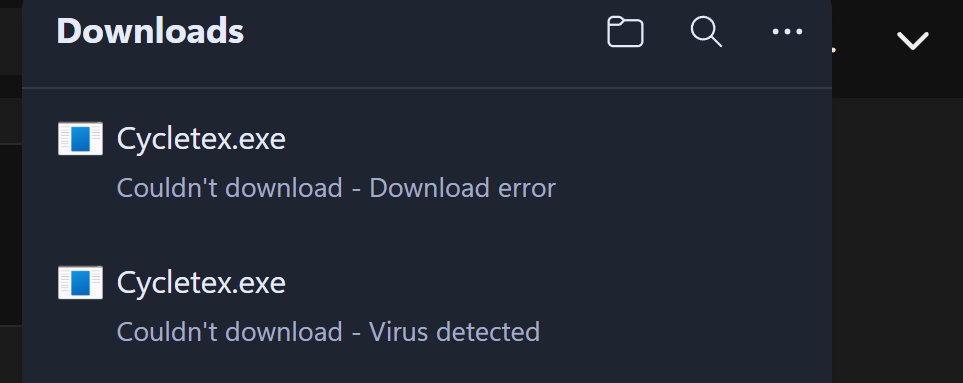
Weird! I tried for quite a while to get the download to work, but it wouldn't let me override whatever security warnings it was giving me. I just tried again on Edge (lol) and it worked! I was hoping to include your game in this deep dive into the microgames genre. Now I'll have to include it in the follow up!
Oh! I didn't realize gamepad was an option. The onscreen instructions just showed the keys and I never even considered anything else. I'll give gamepad a shot!
Hi! I really dig what is here so far, but the controls were very awkward for me. I see that I can move with WASD or the arrow keys, but J and Z are so far apart.
If I move with WASD, holding down Z is a little cramped, I wind up doing a weird claw thing with my hand. If I use the arrow keys, I have to completely lift my hand to hit J or Z, which is difficult when trying to be quick and stealthy.
Personally, I'd love a control scheme that utilized something like Shift or Control as secondary keys. Or maybe J and another key closer to J, like L or K.
Aside from that, the sprites look great, I love the facial expressions!
Also, after writing this out, I realized that controls can be customized, which is great! Maybe it's just me, but if anyone else struggles with the default controls maybe they could be switched?
I'm attempting to download this game and try it out, but Chrome is detecting a virus in the Windows .zip file and not letting the download complete. I've never run into this before with any itch.io games, has the file been compromised in some way?
Thank you, What’s confusing me more is when the symbols go vertical, but I get it now. I was also reading the equation backward at times, I thought it was supposed be read with the unknown number first every time for some reason.
The arrow hint token is confusing me. I had a 3, > on the left and < on the right. The left card wound up being a 7, the right was a 5. If both numbers were higher, what are the orientation of the arrows representing?