

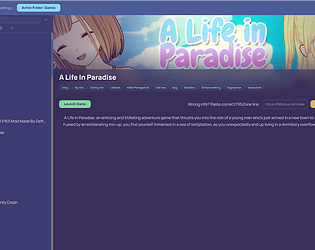
This update fixes several annoyances with the new game detection and confirmation flow. The notification is much faster now, folders with PascalCase names are recognized correctly, and the UI gives better feedback when you confirm a match.
"New games detected" notification is now instant
Previously, clicking the notification would re-sync ALL unrecognized games in your library, which could take minutes if you had many old folders. Now it only processes the freshly discovered games — much faster and no duplicate sync requests.
PascalCase folder names now work
Folders like "TheBigStepSeason2-0.1-pc" were not recognized as version candidates for "The Big Step" because the app didn't split PascalCase words. Fixed — folder name matching is now smarter.
Empty badge no longer appears after confirmations
After confirming a new game or version match, an empty label would briefly appear in the top-left corner of the game banner. Now it only shows when there's actually something to display (Completed, Abandoned, etc).
Confirmed games are now auto-selected and scrolled into view
When you confirm a game match or version match, the app now automatically selects that game and scrolls it into view — no need to search for it in the list.
Folder name variants are now saved to community DB
When you confirm a version match (e.g. a game installed under a different folder name), that folder name variant is now properly saved and contributed to the community database so future users benefit from it.
Full changelog on the releases page.