Still having this issue. I've updated the game multiple times since I made this topic, and it still takes forever to load in Firefox and doesn't load at all in Chrome.
Great Uncle Pixel
Creator of
Recent community posts
How odd. Because I just opened both of them to confirm, and Hectic Toys took 23 seconds to load, while Find The Flag took 117 seconds (nearly two full minutes!) to load. Hectic Toys also has a nice Godot splash screen while mine just shows a progress bar that freezes at the end (for nearly two full minutes).
And that's on Firefox. In Chrome, Hectic Toys takes 33 seconds to load, and Find the Flag loads for 8 seconds, freezes the entire browser for 47 seconds, and then crashes with an error message "WebGL context lost".
My project is a small Godot game, but it takes forever to load, lagging or even freezing the entire browser. On some browsers (Chrome, most notably) it freezes the browser entirely for a few minutes and then just spits out an error message and never loads at all. I've seen other people's Godot projects on here and they load quickly and smoothly, even when they're much larger and more complex games.
Compare load times: https://greatunclepixel.itch.io/findtheflag (my game) vs. https://hairic.itch.io/hectic-toys (from a streamer I've started watching). ... this is not an attempt to advertise my game. :D
I'm obviously doing something wrong, but I'm not sure what it is, or even whether the problem is in my Godot settings or my itch.io settings. I hope someone can help. If you need more details, let me know.
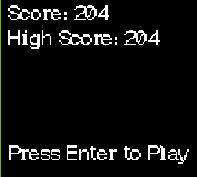
I've set my viewport dimensions, I've messed around with scaling and viewport size in Godot, and yet it still shows up wrong. The first image is how it shows up on itch.io, the second image is what it's supposed to look like.
(This is in Firefox, so "don't set it to open in a new window" is not an option. Edit: Tried it in Chrome, where I can set it to run on the main page rather than opening a new window, and it does the same thing)
Any ideas of how to fix this?