Indie game storeFree gamesFun gamesHorror games
Game developmentAssetsComics
SalesBundles
Jobs
TagsGame Engines

getabyte1432

3
Posts
1
Following
A member registered Mar 31, 2024

Recent community posts

(1 edit)

Hi Barb,

Thank you, it works!

Notes:

I've encountered 2 problems which seem to be on the Godot's side.

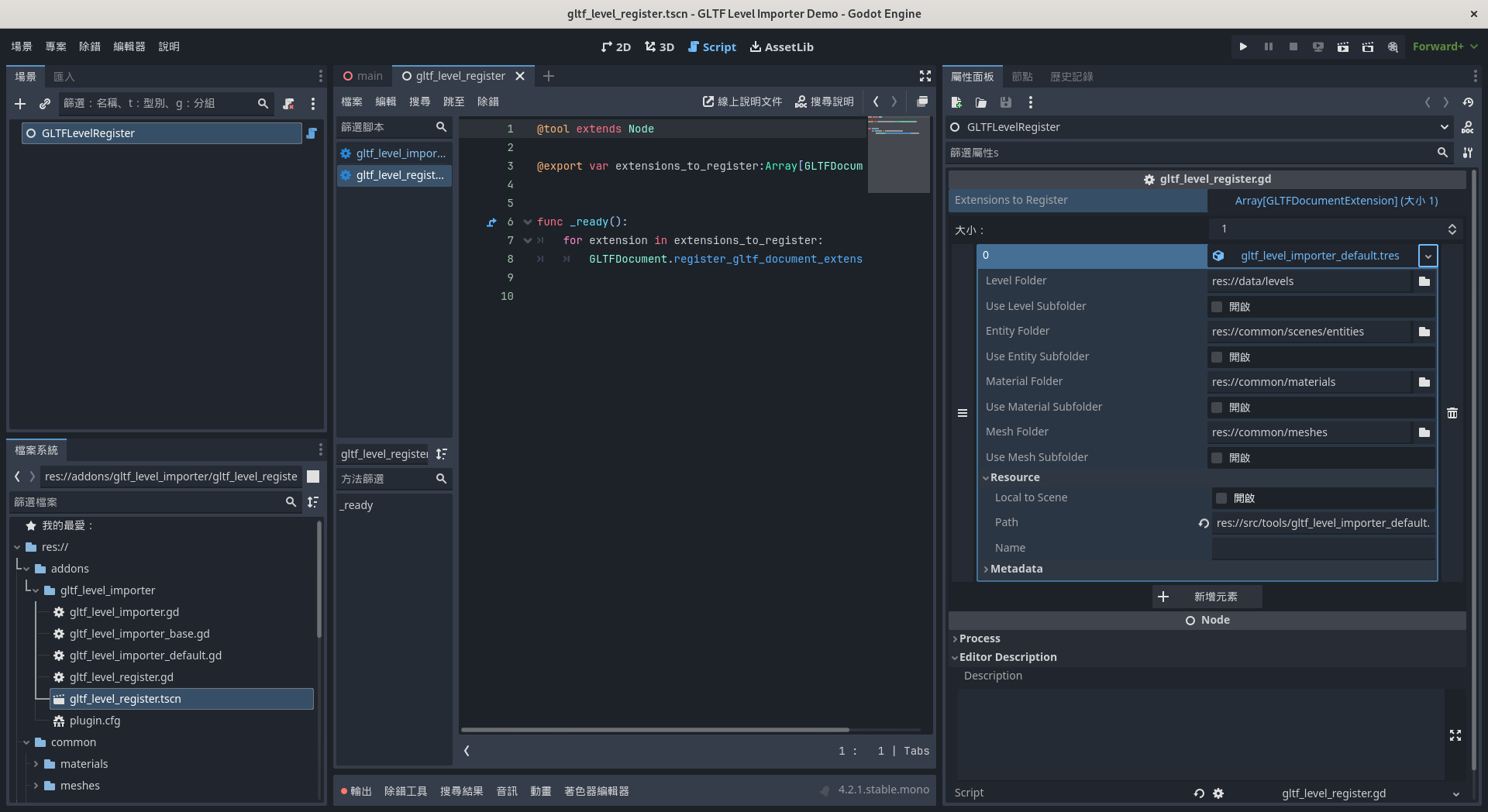
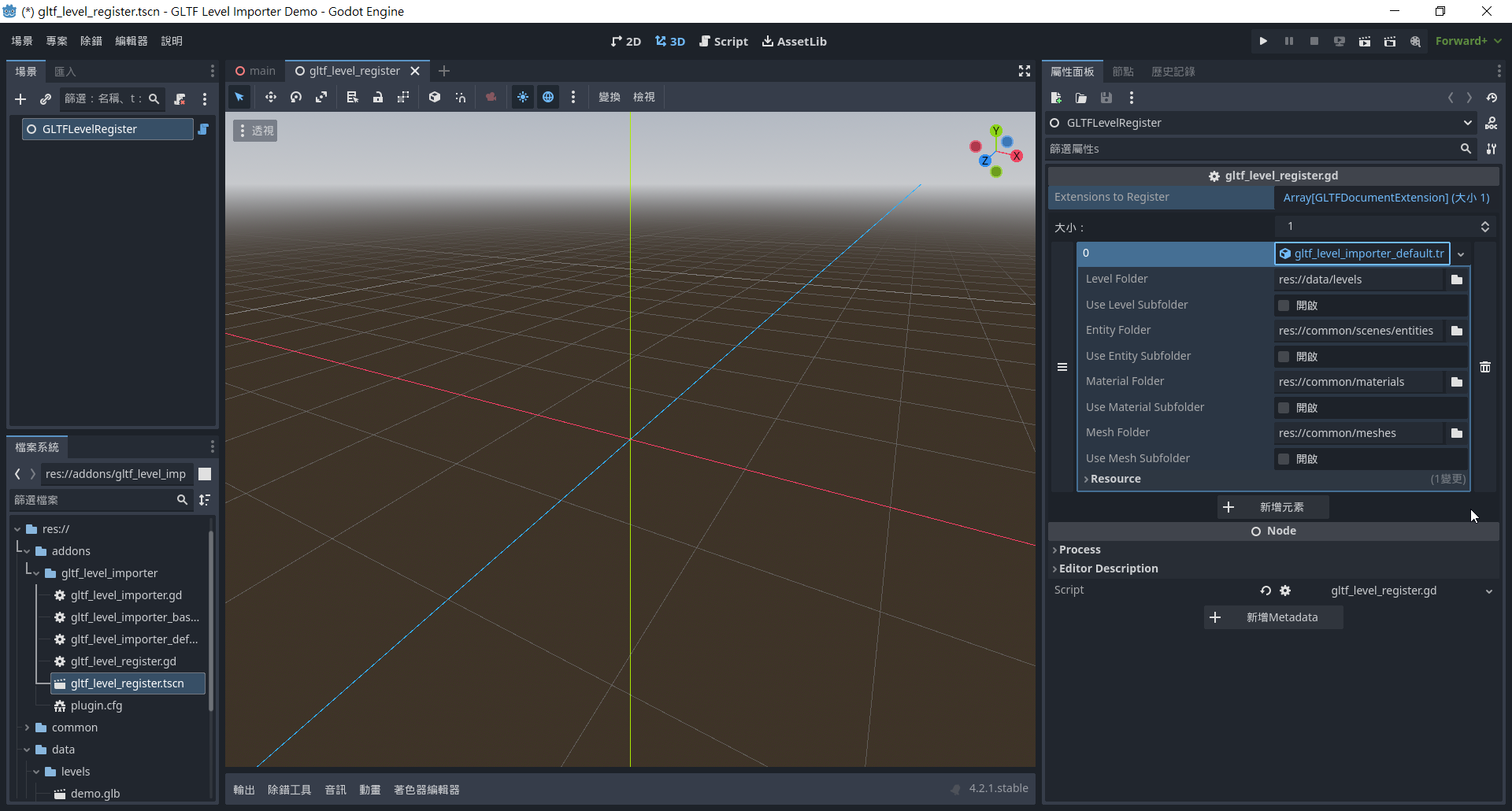
1: After exporting and opening the Godot editor, the addon doesn't have the option to choose the "level" folder.
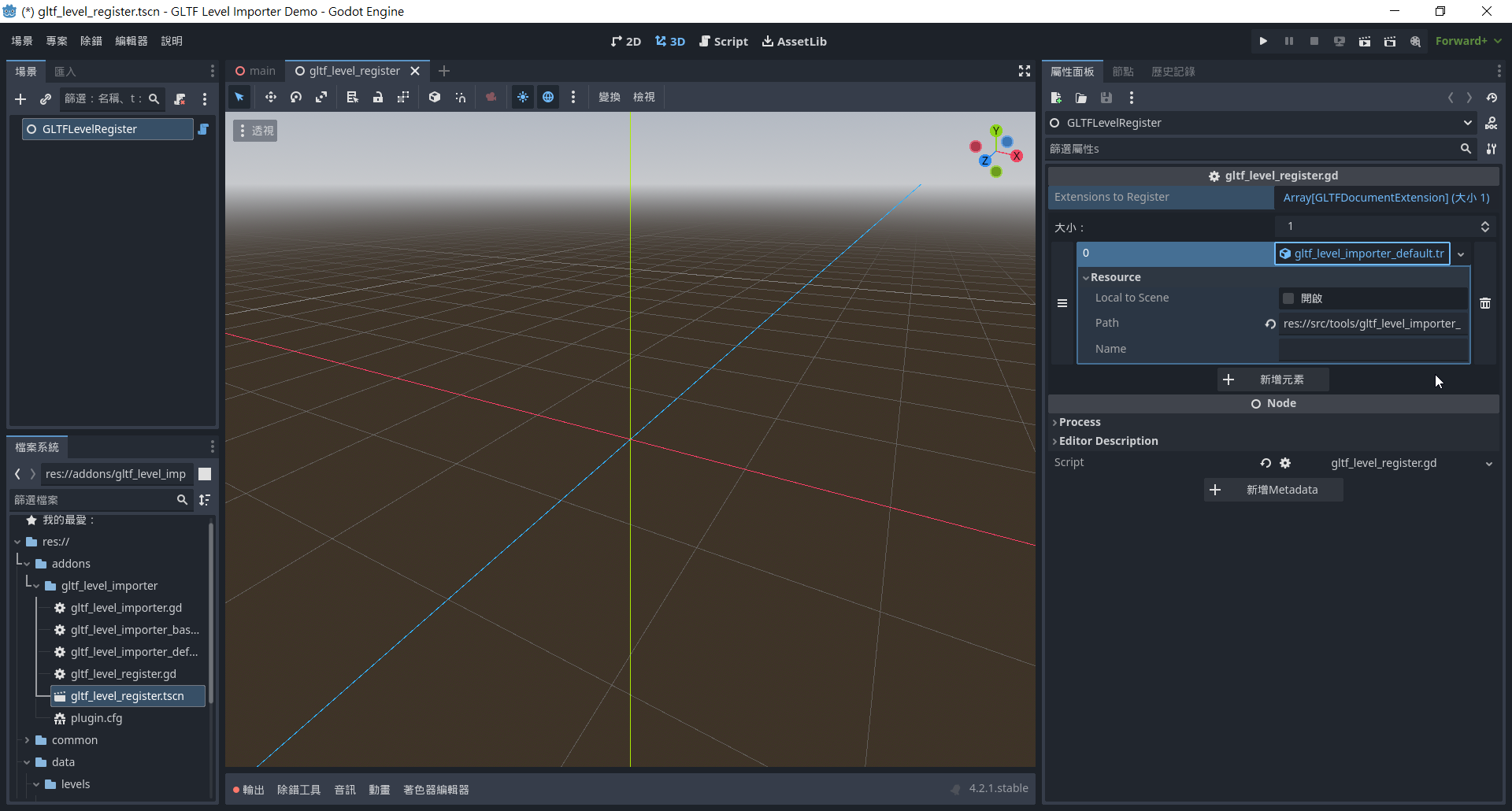
At this moment, just restart the editor, and the option will appear.
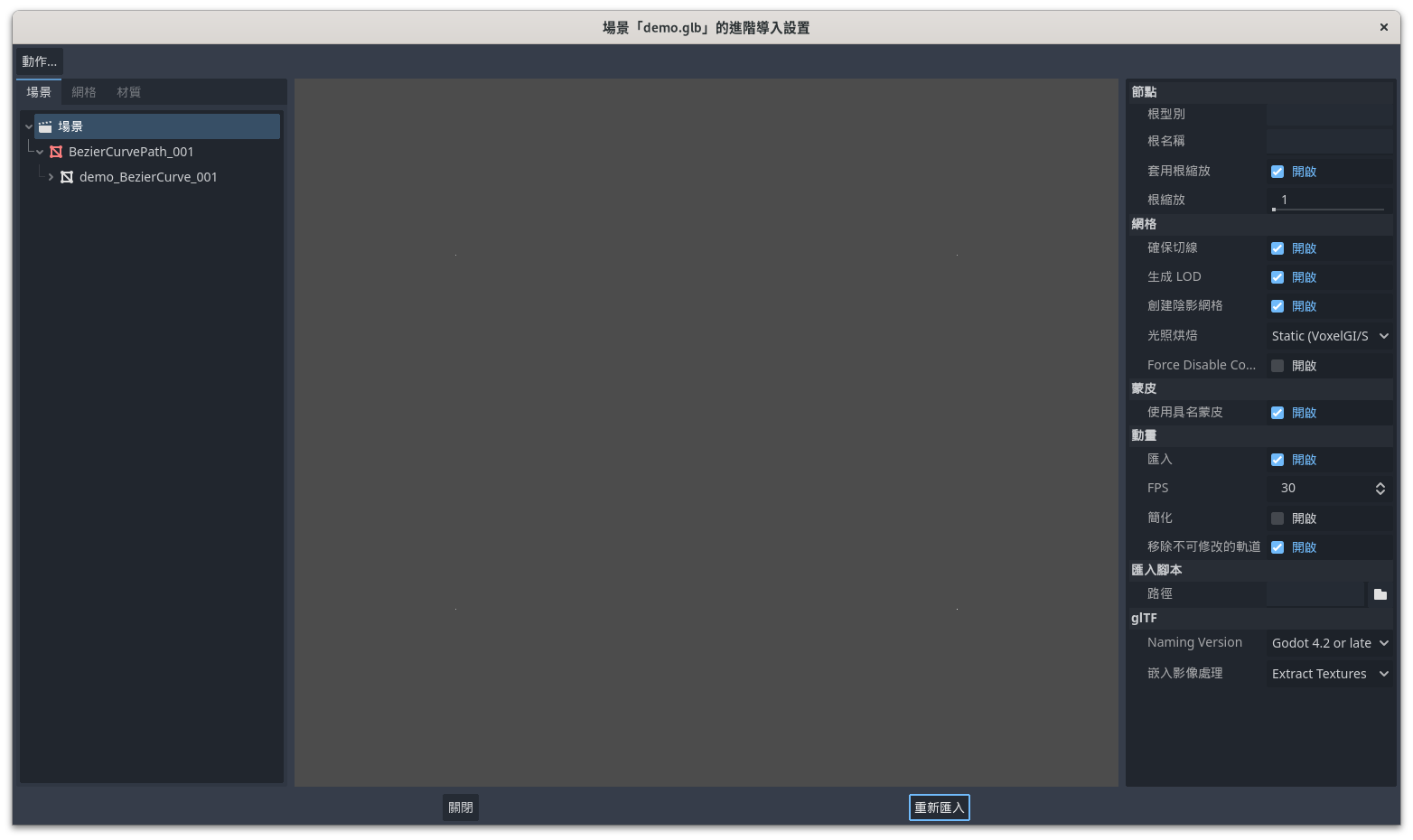
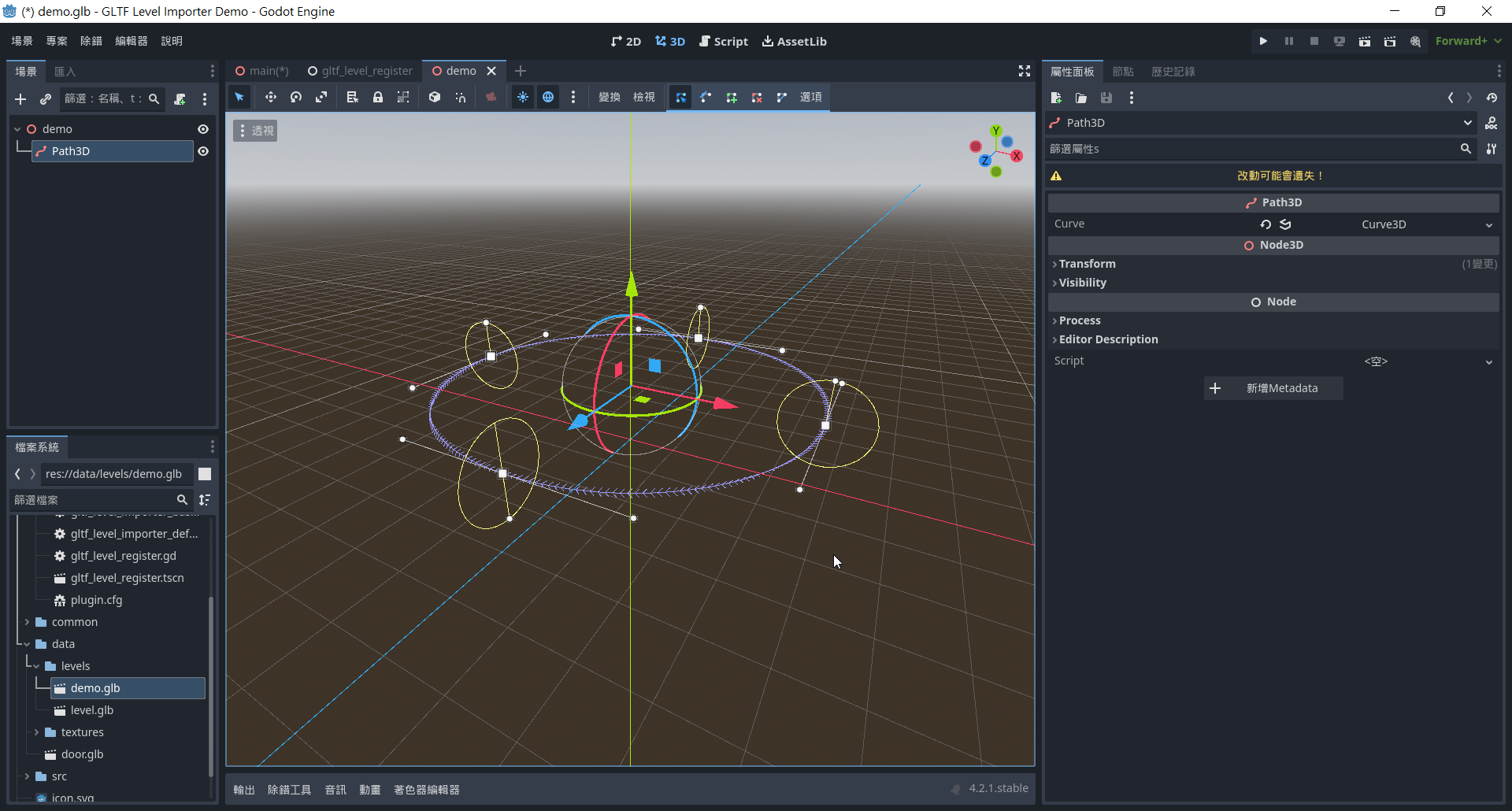
2: After that, the exported glb file that contains the Beizer curve object from Blender, needs to be re-imported. Otherwise, it will still appear as a mesh when it is opened in the scene.

(even if it shows as a Path3D object when one is viewing the glb file)
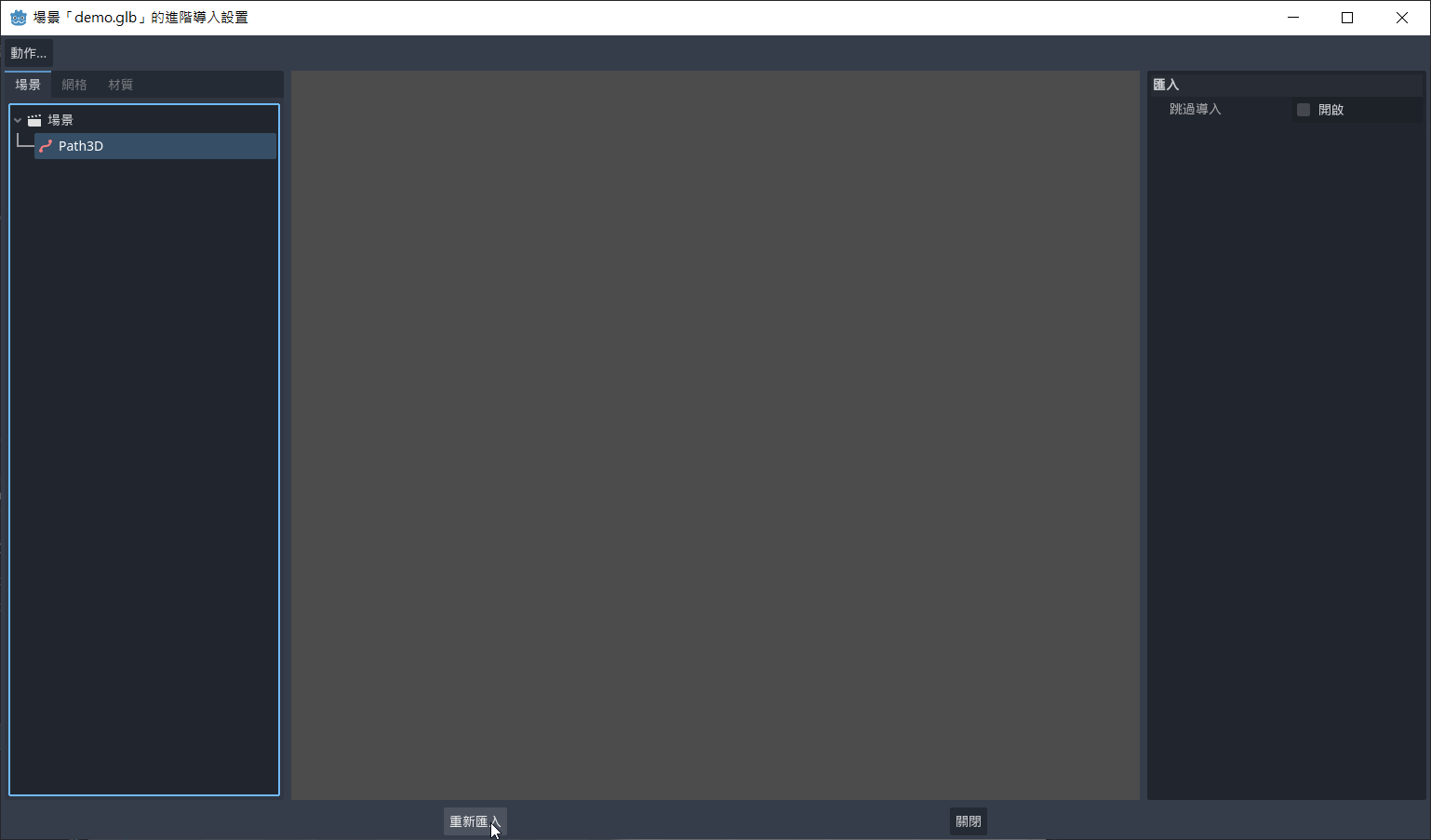

(I'm using Godot_v4.2.1-stable_win64, Blender 3.6.5)

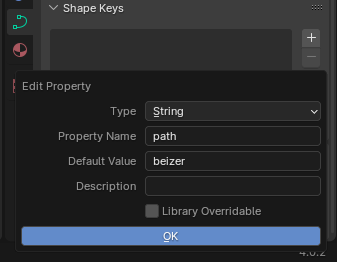
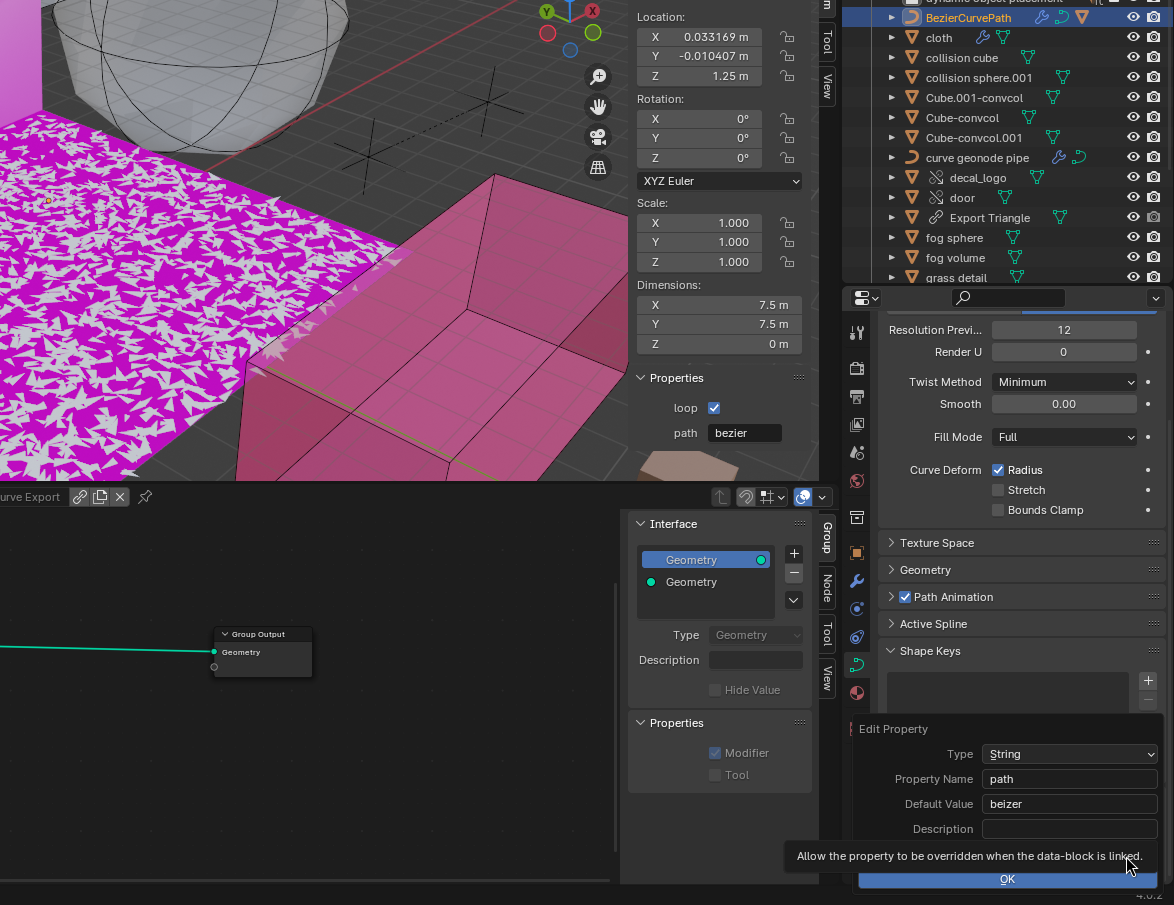
Also, note the spelling:
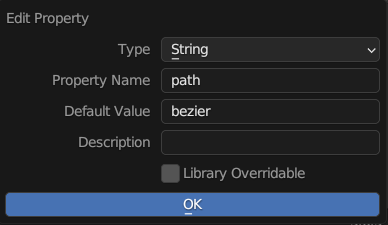
(1 edit)

Hi Barb,

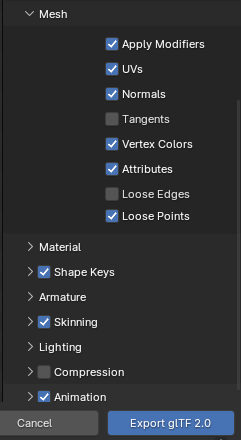
I've tried the above steps, but still got a mesh instead of a curve.

Could you kindly share a video about the steps? (or an even simpler example that can export a Beizer curve from the Blender to the Godot as a Curve3D object)

Also, how is "Extensions to Register" used?

Thank you!


(1 edit)

Hi Barb,

Could you elaborate on how to export the Beizer curve in Blender to the Path3D in Godot?

I've added the custom properties as specified in the description, but in Godot, it just shows it as mesh.

Thank you!