
On Sale: GamesAssetsToolsTabletopComics
Indie game storeFree gamesFun gamesHorror games
Game developmentAssetsComics
SalesBundles
Jobs
TagsGame Engines

Garbata team

11
Posts
54
Followers
A member registered Aug 26, 2022 · View creator page →

Creator of

Recent community posts

Hello! I actually didn’t, but you’re right, it makes sense to change BGM together with the graphics. So I've made this: https://рпг.укр/плагін/GRB_TitleMusicChanger.js

(I might combine them into one plugin later. Or maybe expand it to cover other types of default audio, like cursor/OK/cancel sounds? Not sure. I'll think about this later.)

I’ve updated the example project and added this BGM change there, too: https://рпг.укр/files/misc/2025/NewGamePlus_TitleChanger_example4.zip


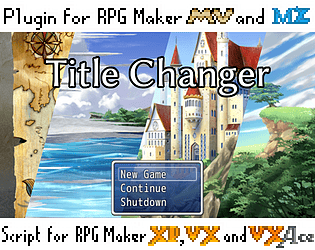
Also, I’ve fixed a small compatibility bug in GRB_TitleChanger (now it has an itch.io page, https://garbata.itch.io/title-changer), you might want to re-download it. Although it's a small bug and you probably will never encounter it.


If you find any problems or need something else, feel free to write

— Dmy

(1 edit)

Thanks!

By the way, I’ve updated the Title Changer plugin and fixed the compatilibility bug. The URL is the same, https://рпг.укр/плагін/GRB_TitleChanger.js, but this version says “This is version 1.1 of the plugin, published at 2025-11-23” in the help text (in the “Versions” section). If you don’t see this text after the following the URL, you might need to refresh the page to clear browser cache. I’ve also updated the example project above.

If you ended up using it, I strongly recommend to upgrade (the old version might introduce problems with loading Options, similar to the ones reported by Tarwix in this very plugin in the comment below).

— Dmy

(13 edits)
Edit: It's not working. I can't get MZ to recognize it in the plugin settings. 

Could you please describe the problem in more details?

I've listed some possible issues below, please check if anything is relevant.

Also, I’ve made an example project using these plugins, you might want to see an example usage: https://рпг.укр/files/misc/2025/NewGamePlus_TitleChanger_example3.zip

Possible issues

The plugin doesn’t appear in the Plugin Manager?

Keep in mind that plugins don’t get installed automatically. You need to double-click empty space in the Plugin Manager’s Plugin List to add a new plugin, and then in the Name field select the plugin to install.

The plugins don’t show for selection in the Name field?

Make sure you copy the plugin file into js/plugins folder subfolder of your game folder. (You can open your game folder by the Game → Open Folder menu item.)

The plugin settings such as menu item label are ignored?

Make sure you use the exact filenames (including capitalization). If you rename the plugin files, they won’t work.

The correct names are GRB_TitleChanger.js and GRB_NewGamePlus.js (or GRB_NewGamePlus_MultiItem.js, if you use the alternative version) respectively.

If your are using Windows with default settings, then Windows might be hiding the .js extension from you. If all the other files in the js/plugins subfolder don’t have .js extension, then my plugins also don’t need it. In this case, just use GRB_TitleChanger and GRB_NewGamePlus, without .js (.js will still be there, but Windows will hide it).

(The relevant option in Windows is “Hide extensions for known file types”, in Windows 11 it’s hidden in the File Explorer under the “…” menu → Options → View subfolder.)

New Game+ is not removed after updating this game

This is a bug I've just noticed.

A workaround for this is: put GRB_TitleChanger above GRB_NewGamePlus in the plugin list.

I'll make a proper fix later (to allow placing the plugins in any order). For now, you can re-order plugins by dragging them in the Plugin Manager.

Something else?

Please describe what’s the problem and I will try to help.

Please try to be specific. What exactly are you trying to do? At what point of the process is MZ behaving contrary to your expectations?

— Dmy

Edit: I've update the example because I've noticed the order of plugins is important (title changer should go above new game+ plugin). I'll fix this later.

(3 edits)

Hello! Thanks for your interest

New Game+ plugin itself does not provide a functionality to change the title. But I have a separate plugin to change the title graphics over the course of the game:
https://рпг.укр/плагін/GRB_TitleChanger.js

I haven’t made an itch.io page for the Title Changer plugin yet (there's only an Ukrainian wiki page for now), but the plugin is quite simple. Also, there’s in-editor English description (just make sure you read the section for MZ, because MV works a little differently).

You can combine the two plugins: just use 2 plugin commands in relevant moments (one to enable New Game+, another to change title), like this:

◆Plugin Command:GRB_NewGamePlus, NewGame+ ON
◆Plugin Command:GRB_TitleChanger, Set title images
:              :Title 1 = Town1
:              :Title 2 = Medieval

Hope that helps.

—Dmy from Garbata team

Thank you for your patience when I'm taking too long to respond! 😅

I'm glad it works, if you encounter any other problems, please tell me.

— Dmy of Garbata team

Nothing to apologise for! Sorry the plugin is not working.

Could you please check whether it's a conflict with some other plugin? For this,

  • either disable all other other plugins in the project, and try running the game with just this plugin installed,
  • or create a new clean-state project and try installing our plugin there to check if it works with a clean-room project.

This way, we'll know whether the problem is caused by presence of some other plugin. (Unfortunately, this is not uncommon. RPG Maker doesn't provide a good isolation of plugins from each other, and it's impossible to test all the combinations.)


If you've verified that it is indeed a conflict between plugins, there are some things you can do:

  • Try changing the order of the plugins. E.g. try putting this plugin first or last in the list of plugins, and see if it helps.
  • You can try to understand what other plugin is causing the conflict. Try disabling plugins one-by-one and check our plugin starts working. If you find the conflicting plugin, please tell me and I'll make my plugin compatible with it.
  • As a last resort, you can send me the files of the plugins in your project (basically the plugins folder) to d@garbata.net and I'll test it on my computer. Note that plugin settings might contain some proprietary data (e.g. quest log plugin settings may contain all quest text in the game), so please make sure you don't send anything secret.


If you've verified it's not a conflict between plugins, then something is wrong with the plugin settings. Maybe Test1 menu item was not set up properly. I can make an example project showing the settings.


Sorry, troubleshooting can be complicated! If there's something more I can help with, please tell me.

— Dmy

(2 edits)

Sorry for being late, I've fixed the plugin.

The problem happened because of a space after the command: "newgame+ Test1 on" was accepted, but "newgame+ Test1 on " was not.

I've uploaded an updated version of the plugin.

I hope there will be no further bugs, but if there will be, I'll fix them (and I'll be quicker in the future — sorry!)

— Dmy

(2 edits)

Please excuse my late answer, I didn't get the email notification for your comment for some reason.

newgame+ should be written without a space between newgame and +.

(Sorry it's confusing, but RPG Maker MV splits plugin commands by spaces. So newgame+ is a command newgame+.  But newgame + is a command newgame with an argument +.)

—Dmy

(1 edit)

Hello! I'm glad the plugin is useful to you.

All the things you want are doable, but I want to keep the plugin small and simple.

I have, however, implemented suggestions from Questions 2 and 3 as separate plugin, GRB_NewGamePlus_MultiItems — please check if it does what you want.

Below are answers to your questions related to both versions of the plugin.

About GRB_NewGamePlus.js, the standard version

Question 1: There is no user-friendly way to remove it during playtest, but a simple solution would be to press F12 to open Developer Tools and copy-paste the following into the Console:

delete ConfigManager.newGamePlusEnabled;
ConfigManager.save()

Press Enter, and the data will be reset.

(If you can't paste it to Developer Tools' Console, you might need to type “allow pasting” first, or something like that. There should be instructions in the console.)


Questions 2 and 3: Not in the main version of the plugin (GRB_NewGamePlus.js). But see below.


About GRB_NewGamePlus_MultiItems.js, the new more complex version

I’ve just made a more complex version of the plugin, GRB_NewGamePlus_MultiItem.js. It allows to create several “New Game+” items, as well as remove the standard “New Game” menu item.

Note that it’s a freshly-baked untested plugin! If you encounter bugs, please tell me, I’ll fix them.

These two plugins are not compatible. You either use one, or another. Don't install them both.

Question 1: If you use GRB_NewGamePlus_MultiItem.js, you can clear the data by pressing F12 and entering the following code:

ConfigManager.activeNewGamePlusMenuItemIds = [];
delete ConfigManager.defaultNewGameDisabled;
ConfigManager.save();


Question 2: In this version of the plugin, you can add many menu items in the plugin settings.

For each menu item, you choose a separate ID (like harold_path, theresa_path, etc.; you can't use spaces in IDs).

Then you enable or disable them with the Plugin Command event commads like this (in RPG Maker MV):

newgame+ theresa_path on
newgame+ theresa_path off

If you omit the ID, it will enable or disable all New Game+ items:

newgame+ on
newgame+ off

In RPG Maker MZ, you do the same, but instead of typing the command, you choose the command from the list. (You'll still need to type the ID.)


Question 3: In GRB_NewGamePlus_MultiItem, I've added the function to hide the default New Game item (in RPG Maker MV):

newgame on
newgame off

In RPG Maker MZ, you do the same, but you choose the command from the list (instead of typing it).

(But if all the menu items are disabled, the plugin still shows New Game, to make sure the players are not locked out.)


I hope that helps! If you have any problems and doubts, feel free to reach out.

—Dmy

Thanks! I’ve updated the plugin.

I’m not very active in the RPG Maker community, indeed, but I still plan to upload my other plugins here... eventually.

Once again, thank you very much for your help, and sorry for the bug!

— Dmy

(1 edit)

Thank you very much! It is indeed a bug in the plugin. Sorry!

I'll upload the version with the update soon.

Do you mind if I add an acknowledgement line in the plugin description? Does “Thanks to Tarwix <https://tarwix.itch.io/> for the help with a config bug.” sound OK to you?

—Dmy