On Sale: GamesAssetsToolsTabletopComics
Indie game storeFree gamesFun gamesHorror games
Game developmentAssetsComics
SalesBundles
Jobs
TagsGame Engines

Fray482

35
Posts
2
Topics
1
Following
A member registered 15 days ago

Recent community posts

Definitely not! I downloaded the itch.io desktop client, rolled back to version 0.9.9 through it, and everything went back to working exactly as before. The game is stable again, and I can turn the shadows back up to High. Both the GPU utilization and the dropped frames have returned to their previous, better metrics.

So, it really does look like a performance regression. It would make perfect sense if performance dropped in the new build because of settings higher than Default, but the performance hit happens even on the stock Default preset itself.
And yet, it is indeed a performance regression. I've played long enough for the shader cache to fully rebuild. While the situation did improve a bit, just as you said, I still can't get back to the performance level of the previous version.

I also noticed that the GPU utilization has significantly increased. Previously, with a locked 30 FPS, my GPU usage stayed around 70–80%, but now it hovers between 85–100%. And I want to clarify once again that I am talking specifically about the Default preset here!

v0.9.9 was fine.

In the latest Update 0.9.10, there seems to be a slight performance regression. It's noticeable even on the default graphics preset, which is surprising since I understand that only the High and Ultra presets were supposed to be modified.

Previously, the game easily maintained a locked 30 FPS at 1440p using default settings, but with shadows set to High and 16x anisotropic filtering. Back then, the frametime graph was perfectly flat, but now I'm getting drops down to 26 FPS even on the completely stock Default preset.

I read that post https://almost-there-games.itch.io/azimuth/devlog/1710657/why-performance-change... and will keep an eye on it. I'll let you know how it goes after a while...

It's actually very simple!

  1. Get the Azimuth launcher here: https://almost-there-games.itch.io/azimuth?download and unpack the files wherever you want.
  2. Gather your game files. You will need the decrypted disk dumps for all three packages: the Main Game, the Storm Island DLC, and the Fast & Furious standalone expansion.
  3. Configure the launcher. In the Azimuth launcher, simply set the correct file paths for all three packages, and you are good to go

P.S. Finding the decrypted disk dumps is the only real hurdle here, but seek and you shall find!

You can change resolution on your desktop to 4k (DSR on) and then start the game.

What exactly you doing?

(1 edit)

I see!
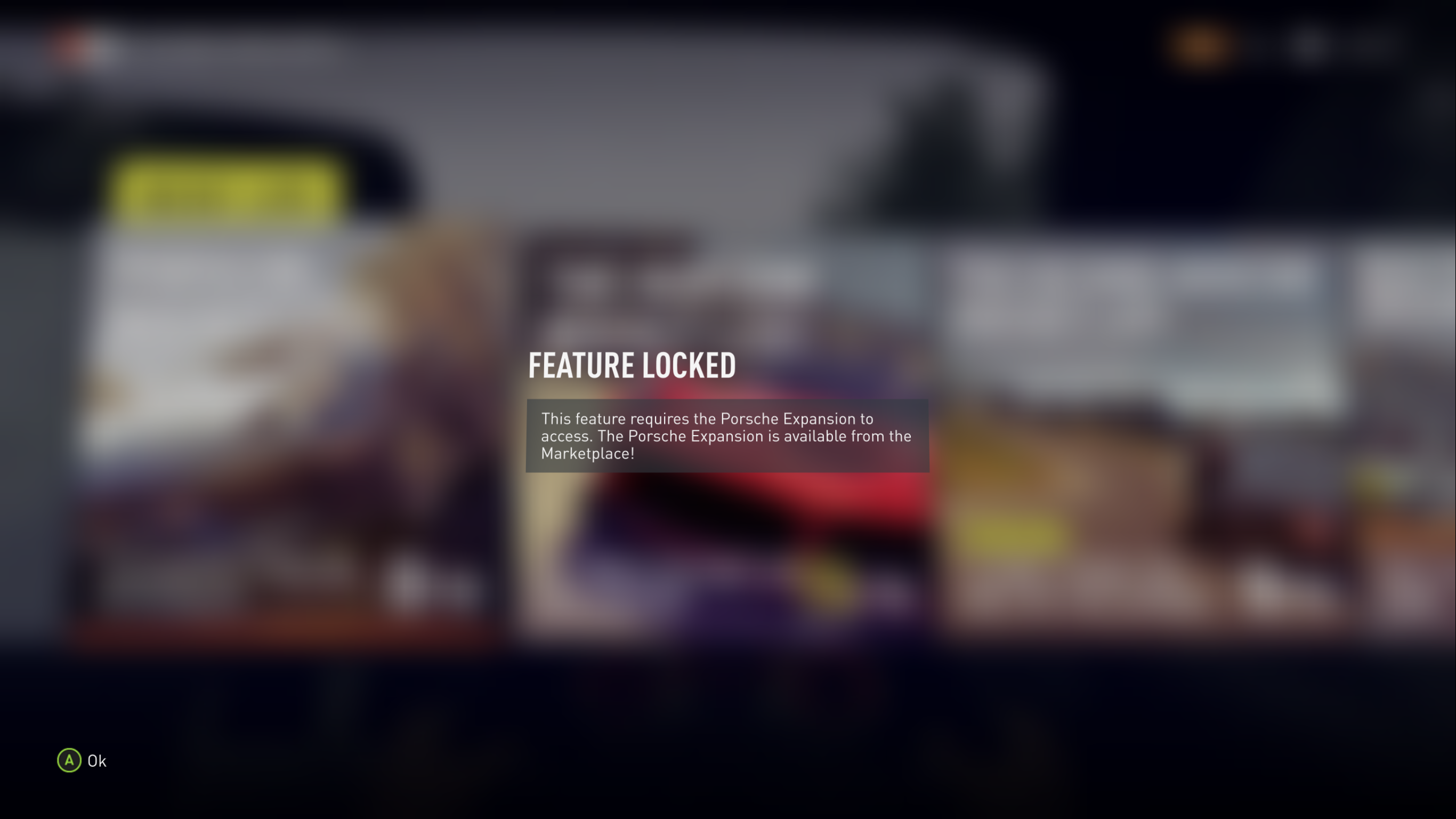
One more thing, how about VIP and Porsche DLC? Do you plan to add it or it's already there but I don't know how to enable this stuff?

Do you plan to implement the ability to change cars in Free Roam?

The thing is, your PC port of the game came at the perfect time for me, and here is why...

About a month ago, I tried the Xenia emulator for the very first time. I stumbled upon some news online about a massive leap in its performance and compatibility. I also found out there was a separate fork that added mouse and keyboard support for certain games. Thanks to that, I finally got to play through the original Gears of War trilogy, and I absolutely loved it.

After that, I decided it was time to marathon the entire Forza Horizon series. When I launched the first game, I was blown away by how incredibly well-made it was for its time. Honestly, I'd say it’s the best arcade racing game on the Xbox 360.

But once I finished it and moved on to Forza Horizon 2, I was in for a rough surprise. Despite everyone praising FH2 as the best entry in the entire franchise, what I experienced on the emulator was... well, maybe not terrible, but definitely a massive step down from the first game on the same platform. Later on, I learned that the main development focus had been shifted to the Xbox One version, which explains why the 360 port felt so stripped down.

Anyway, I pushed through FH2 and kept my marathon going. Just a few days ago, I wrapped up Forza Horizon 5 along with all its DLCs. Unfortunately, I can't properly play Forza Horizon 6 because of my GTX 10-series GPU, which just can't render the game's lighting correctly.

I was feeling pretty bummed out about it, but then, out of nowhere, I stumbled upon your project!!!

At first, I was a bit skeptical. Plus, as many of you know, finding a proper disc dump wasn't exactly easy. But as always, the community came through and helped out. When I finally hit launch for the first time, I was completely awestruck. I was expecting a lot of issues, but the sheer quality of this PC port blew me away. Everything is just fantastic, both in terms of performance and how many bugs were fixed during the porting process.

It honestly feels like a holiday came early. In just two days, I got the complete package with all the content, plus the ability to enhance the original game. THANK YOU SO MUCH FOR THIS!

I don't know what your next steps are (maybe Forza Horizon 3, the Forza Motorsport series, or something else entirely), but you can absolutely count on my support as a tester.

You’ve done a monumental amount of work and proved that all those statements from official developers about how a PC port was "impossible due to architectural differences" are complete corporate nonsense.

Keep up the amazing work — you have massive potential!!!

Now I see))) THX!

I added all the DLC folders. In Storm Island, I can enter the expansion normally through the in-game method (teleporting via the map icon). But how can I access the Fast & Furious standalone expansion using the same launcher?

For now, I've created a separate standalone Azimuth folder and put the Fast & Furious files there, but is there a way to launch this addon using just one single Azimuth hub? If it's possible to add all DLCs into one Azimuth directory, there must be a way to start F&F from there, right?
What I must to do?

+1 for reenable Supersampling because for now there is no my resolution in options only 1440p =(

1 hour is not an indicator! In my case, it only started happening after around 2 hours of playtime.

(1 edit)

Are you using 'FH2_Extra_Options'?
In my case, I'm currently testing Update 0.9.8 with this mod.
Everything was running fine for about 1.5 to 2 hours, but then the infinite loading issue appeared again =(
Hitting Alt+Enter helped as a temporary solution... My next step is to test a clean update without the mod.

I can say that the sound is a little bit better now, but the clicking, low bitrate effect, and that 'stretched tape' sound are still present.

P.S. Still testing the infinite loading issue...
Can confirm that spamming Alt+Enter when the loading screen gets stuck really works and helps a lot (maybe it could be some kind of clue).

Maybe FOV in cockpit view and keyboard support if possible.

Ok. I'm wil look for both - with and without mod

About Version 0.9.8

FH2_ExtraOptions mod replaced "azimuth-tls.dll" file.
So was this file updated too or I can replace it and testing new 0.9.8 without worries?

Cool!

Storm Island is already playable. Just look up some guides on YouTube. I can't go into details here because of the rules!

You can use "Keyboard Splitter".
I'm playing via keyboard with this thing!

So... After spending some more time testing, my theory on why the game gets stuck on infinite loading screens or fails to trigger the barn find script actually comes down to performance after all. And I think this is directly tied to the audio bugs too!

I noticed that the sound starts acting weirder the more crowded or demanding the scene on screen gets - even though the frametime graph stays perfectly flat. Call it a sub-100% emulation speed or whatever you like, but there is definitely a clear pattern here.

Here is the thing: if I failed to open a barn or start an event 10 times in a row, dropping to a lower resolution fixed the issue instantly. In other words, freeing up that extra headroom somehow allowed the game to process the scripts and physics calculations correctly.

Again, the overlay shows that the load is steady, stable, and without any drops, but the fact remains a fact!

Anyway, keep this info in mind and try it out yourself. If lowering your settings fixes the issue for you too, then the theory is confirmed. If not, we'll need to dig deeper...

Same here BUT I use "Keyboard Splitter"
Works perfectly!

(3 edits)

Does anyone else get weird audio? It sounds like a low bitrate or something. I've been playing without headphones and at a low volume for a long time, so I never noticed it until now...

P.S. Interestingly, it’s not that noticeable in the vanilla game, but it's way worse in the Storm Island DLC!

The engine sounds fine, but the radio music sounds pretty bad... Honestly, maybe the engine isn't perfect either, but I'm no pro, so it's good enough for me.

My first suspicion was that it was a performance issue at my side. However, after taking another look at the frametime graph during a race, I saw a perfectly flat line with no spikes or drops, so I can't really blame it on my hardware's performance. ¯\(ツ)/¯

I've already passed that part, but if or when it happens again, I'll definitely do

I am already at 30.

Sure

As I mentioned before, the infinite loading screen only triggers when trying to start certain events with a DLC car. Switching to a standard car lets you right in. Interestingly, you can still drive any DLC car in Free Play without any issues at all.

I can't be 100% sure yet whether this issue is exclusively caused by the mod or if it can happen in the vanilla game too. It definitely needs more testing! But for now, removing the mod or switching cars seems to be the best workaround.

(1 edit)

Still testing! =)
This glitch is pretty inconsistent. Sometimes the game lets you enter events with a DLC car just fine, while other times it triggers the infinite loading screen.

(1 edit)

So...
For those using "FH2_Extra_Options":
I did some research and found out that the game sometimes won't let you start a race (infinite loading) if you are using DLC cars while the mod is active.

You have two options to fix this:

  1. Keep using the mod, but switch to a standard (non-DLC) car for that specific event.
  2. Completely delete the mod files.

Update: The infinite loading might be caused by the "FH2_Extra_Options" mod!

I got stuck at a certain point in the game where no racing events would load while I was using DLC cars. After removing the mod files, the events started working perfectly again. If you're stuck in the same situation, definitely try this!

(1 edit)

Works smoothly even on lower-end hardware like an i3-10100 with a GTX 1050 Ti, hitting a stable 30 FPS on default settings (1440p). It runs fine, but infinite loading screens are a frequent issue. Also, you sometimes can't access the barn find cars because the trigger script breaks.

Temporary fixes:

  • For infinite loading: Restarting the game usually helps, though it might take a few tries.
  • For the barn bug: Try switching to a different car before approaching the barn.

Performance test on this rig: