Indie game storeFree gamesFun gamesHorror games
Game developmentAssetsComics
SalesBundles
Jobs
TagsGame Engines

Escoba69

15
Posts
1
Topics
1
Following
A member registered 77 days ago · View creator page →

Recent community posts

Which Hardware do u have, have u Updated ur graphics driver ?? 

so before the Update it run Perfect ? 

No, you could Download the Itch.io App (https://itch.io/app) and try to Download and run it over this way, but Tell me real Quick, what is the Problem with the Game, dont starting, crashes?

You could try to Download it from the Itch.io Site (https://verrial.itch.io/projectaether) there is an Download Button, then u get an .zip file u Extract the file to an Folder and then run the ProjectAether.Exe

The thing is, He dont even Need the Linux Guide, he is on Windows the Game just dont seem to start 

Tried to Download it on the itch.io Client ? And start there 

Try to Just launch the .exe, go into the Project Aether folder and run the ProjectAether.exe file, you are on Windows, u can skip the Steam Steps and just launch the game 

If even this doesn't work, just send a screenshot of the options of the game in the steam client, I'm sure we will find a solution

u could also try to use the compatibility settings in the steam client settings 

(1 edit)

For Mac u Can try to use  Whisky, I could run, I Can try it later I will catch on later to this topic 

I send u Screenshot later, ill change my Steam Language to english 

(1 edit)

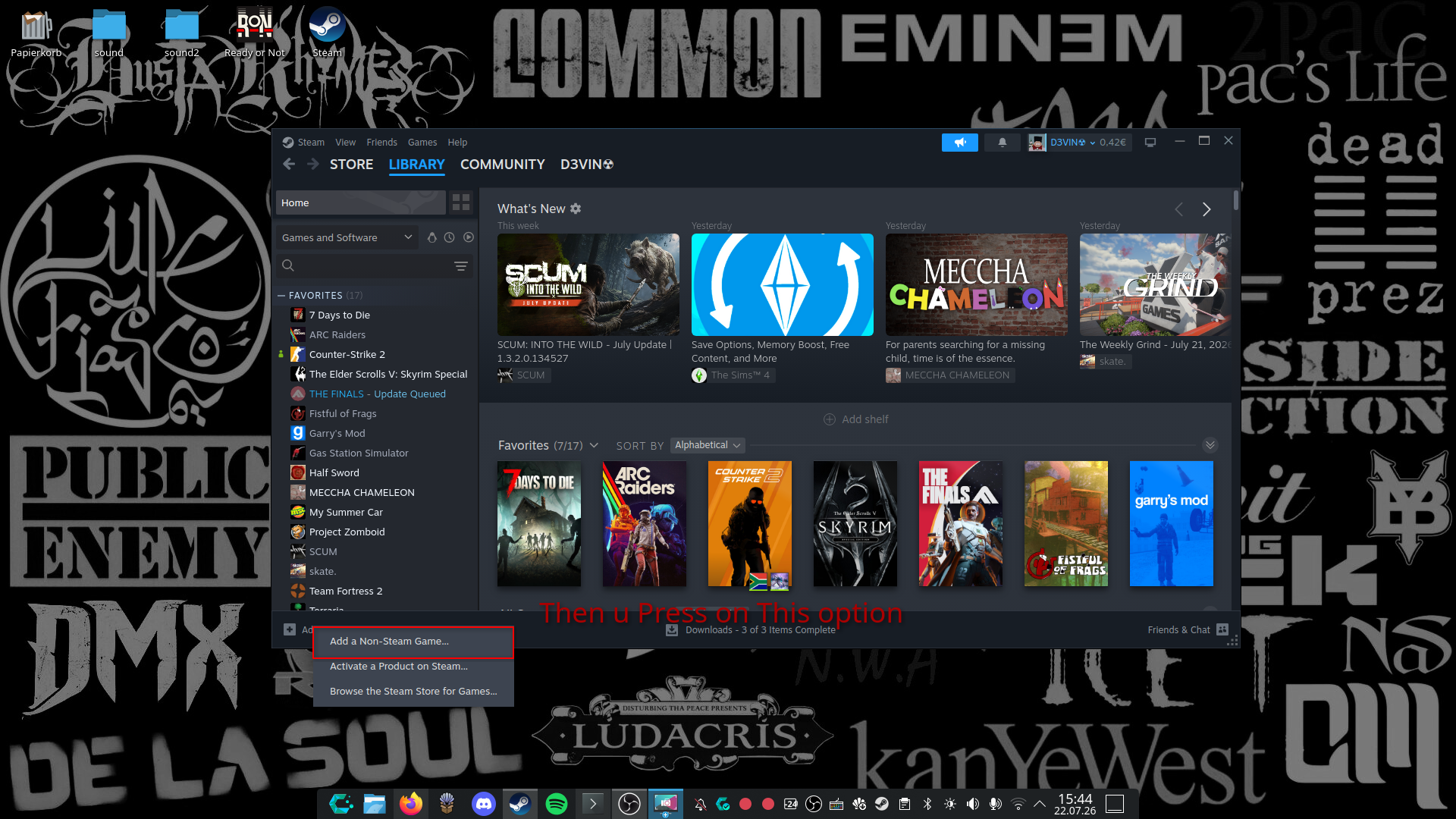
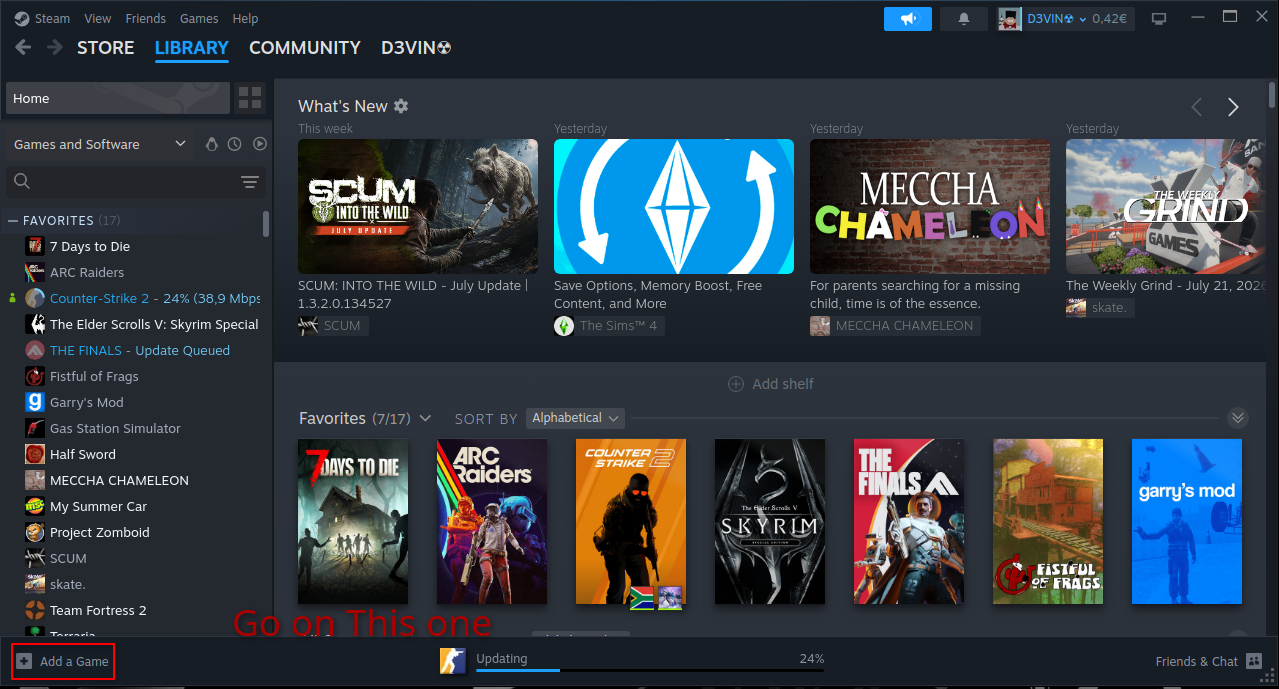
Hey Guys, Here's a quick tutorial I made, Help the Ones Out that Asked for Help in Terms of Linux Installation or Playability.

When Anything Isn't running good or as it Should post it in this thread.

Hope Anyone is Helped out :D

(1 edit)

Just add it over Steam (non-Steam Game), i try to Post an Tutorial later