
On Sale: GamesAssetsToolsTabletopComics
Indie game storeFree gamesFun gamesHorror games
Game developmentAssetsComics
SalesBundles
Jobs
TagsGame Engines

Ekees

26
Posts
2
Topics
1
Followers
42
Following
A member registered Sep 23, 2018 · View creator page →

Recent community posts

Hello Res, you have a typo in the game description:

"Six Before Midnight was made ..."

Brilliant update! Definitely tougher! Love the citymap, gives a grander sense of being a vigilante.

Also love the new artwork banner on the itch.io page! Haven't reached the end on AFv0.5... Can we really dualwield? 

Very responsive controls
like the soundtrack!

I would love if you developed "Dome Romantik" further, and want to pay you for an expanded version of the game. Your "Of Mice and Moggies" title is ready for purchase, but it just isn't for me. Is there a download count or rating count threshold where you'd consider further development/accept payments?

(1 edit)

Super responsive controls, though I had some trouble with what felt like the character sliding just a bit on the landing (maybe my imagination? I never played the original)  Great soundtrack, fits perfectly!

(2 edits)

Thank you for sharing this! Very happy with the play mechanics!  Had a lot of fun playing it, felt the pressure as the monster timer ticked down! If you want feedback, I want to ask for a theme to play depending on how well things are going (i.e. manic music when the dome is damaged and the monster timer is getting close to zero, etc.). I vote for additional music as a future enhancement if you choose to revisit this title for future updates. (haven't heard the ending track yet)

Great execution, VERY polished, much love for the visual aesthetic from the palette to character design to visual fx to level transitions! I never tire of twin-stick action, you have a winner on your hands with this game.


Enhancement requests: 

* Really like the parallax of the frame surrounding the gameplay area.... want more than one frame theme

* More stereo please!  Would love to hear the player character sound fx to pan left/right depending on where the player character is onscreen

(1 edit)

Y E S ! BRILLIANT! Please post an HTML5 version to play in-browser

(1 edit)

Very fun concept! Tough difficulty curve. Held my attention, and I've actually come back to play it more than once.  Music and color palette really suit the visuals.  Honestly you have a real winner with this idea, should translate to mobile audiences well. Hurry up and port it to Android/iOS before someone takes your idea! 😆 Just paid for the game, too.

Great execution for sound, graphics!  One thing I'd ask you'd consider changing how quick it takes to play again after the player loses their ship.  Once the one ship is lost, the player has to click several times through the main menu, and intro screens before they can play again. Please consider making it quicker to restart.  

(1 edit)

Text on your game page is dark on dark so it's hard to read. Game itself? EXCELLENT WORK!  Played all the way through and had a lot of fun with it! Perfect execution of the aesthetic: great choice of sound effects, good pairing of music, good work on the graphics!


Oh, most importantly, I didn't hit a single bug :-)

Thanks for making it playable in-browser!

Super responsive controls, perfect pacing, great chiptune music. Well done! the only criticism I have: sometimes when bringing the last fuel dollop to the rocket, the rocket takes off with the top segment still colored white. 

.. or maybe the original Spectrum title had that same bug and you're just being accurate? 😁

I would recommend implementing multiple difficulty levels only if there's any intention to actively promote/sell copies of the title i.e. making easy, normal, and hard difficulty modes would appeal to wider audiences. Otherwise Need 4 Meat is excellent as-is!

Pretty tough, but it makes sense. Great play mechanics, responsiveness, art, and sound!

Great premise!  Art style fits theme nicely, kudos for the soundtrack! Perfect candidate for multiple endings.

Great work, you captured the feel of the original so perfectly considering this is a PICO-8 release.

(2 edits)

I see all the icons save the 6-legged one when using 640x480 windowed, though the panel is still not left-justified.

I'm unable to manipulate the zoom lever in this rez.


(4 edits)

1920x1080 in fullscreen

Windows 10 Home / 1903 : GTX1060 Nvidia driver ver 436.15

I just learned about holding "SHIFT" during startup to get graphics options, so I retried this in Windowed mode at 1280x720. Same issue.

NO WONDER I had so much trouble with this scene... I didn't even have all the required nanobots available!  Wasn't clear to me that there should have been more options. I just saw the screenshot posted here: https://itch.io/t/910122/known-issue-microchip-scene I NEVER saw the "pusher" nanobot option when I visit this scene.  Here's what I see when I first arrive at this scene... The Circuit-trace icon, Solder-icon, Au icon, and the nanobot icon, zoom slider, and exit icon:
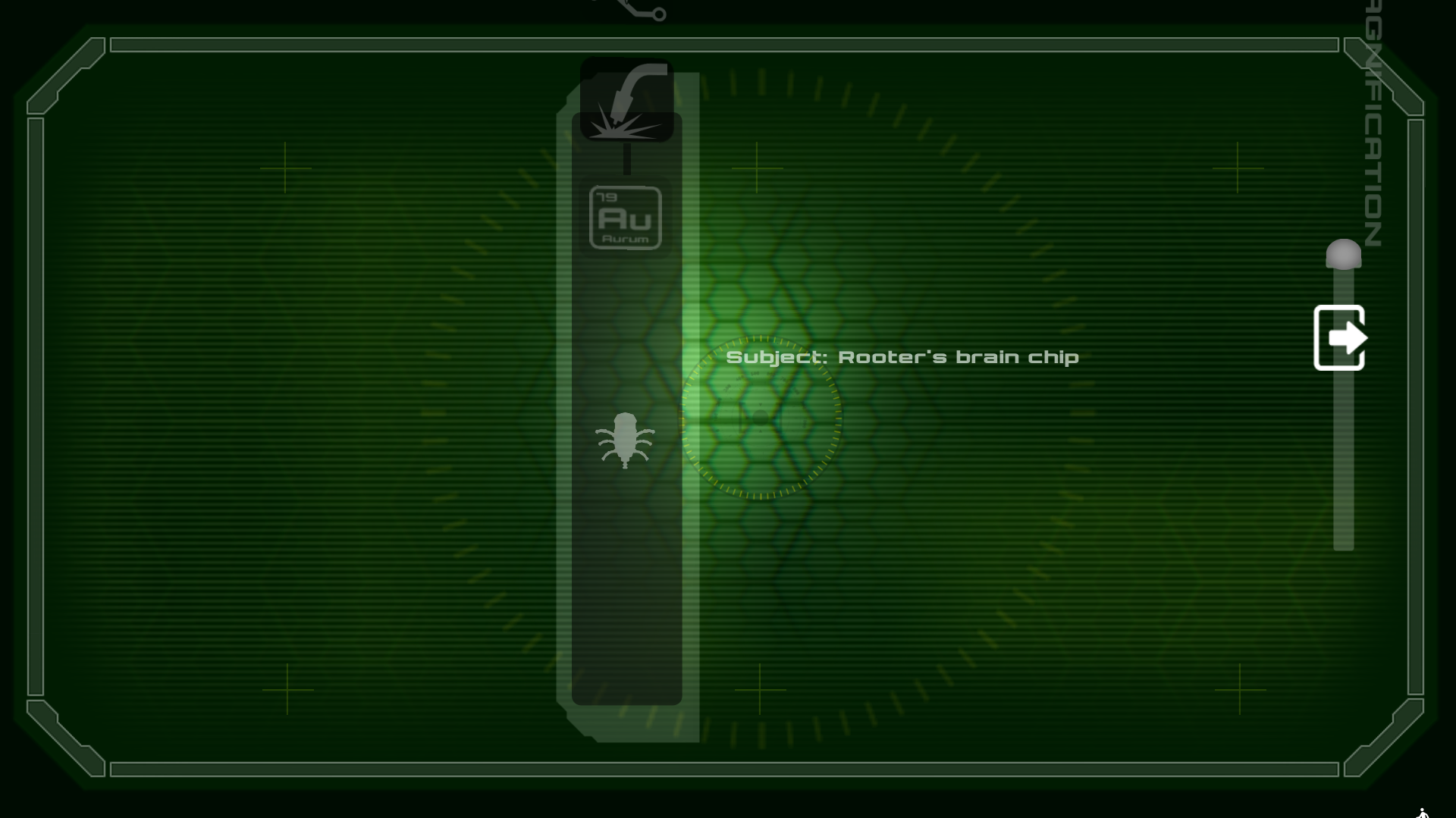
Beta 2 - Nanobot GUI issue

Beta 2 - Nanobot GUI issue

(In my defense, I was trying to avoid "contaminating" how much I knew about the game in my own playthrough, and thus wasn't reading many of the other threads.)
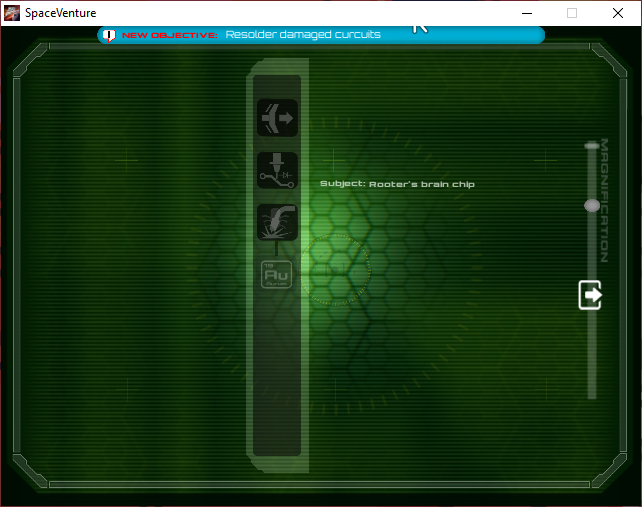
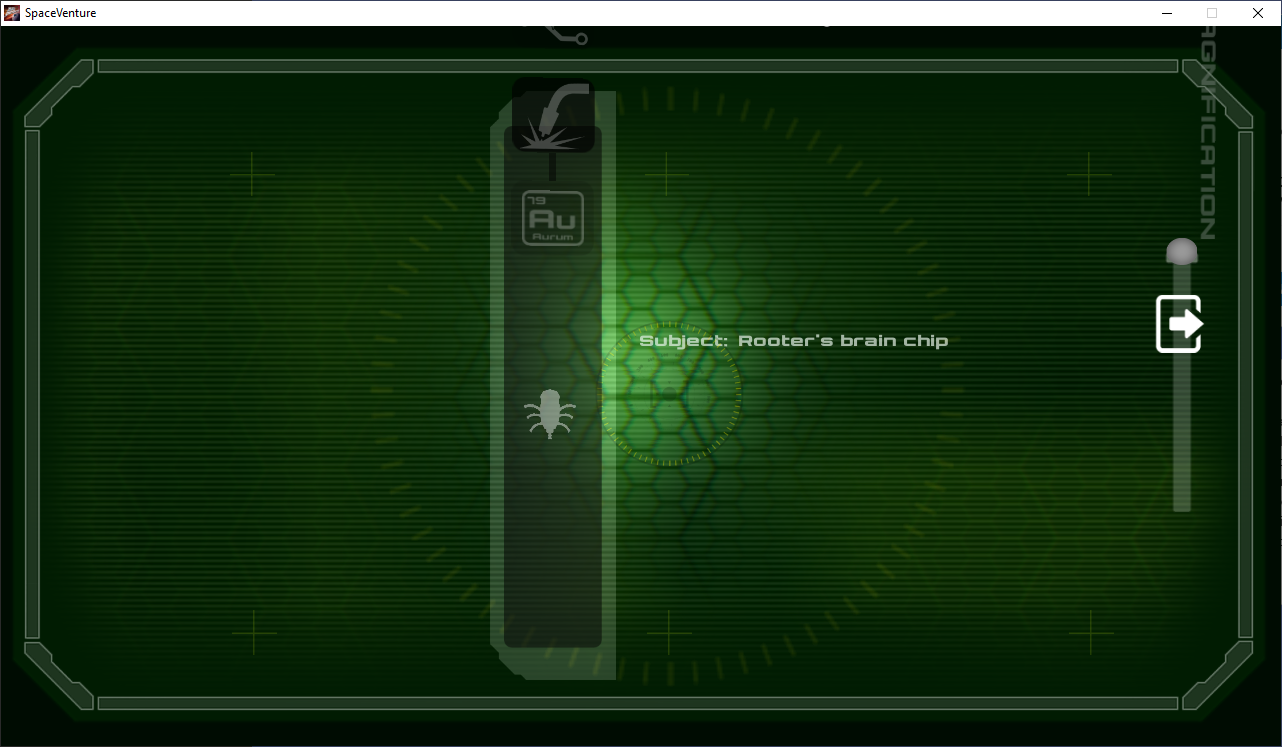
I admit that I was already zoomed out as mush as the slider would allow.  I am waiting for a new build before I try tackling this puzzle again.

If the devs posted a save-game placed right after fixing Rooter, I'd welcome it so that I could try testing all the content that lies beyond that sequence, though I'm not going to push hard for it since that's a bit artificial to the testing process.

(1 edit)

UPDATE: Turns out I was using the wrong nanobot to push the chips... because I could never see the option for the "pusher" nanobot.

ORIGINAL POST:
Even without the vanishing GUI elements or vanishing mouse cursor, this scene is painful.

Average of 20 minutes of pushing and shoving the chips into the correct orientation, and you can never get a solid hold on a chip so that you can run it across the board. It's too much like bumper cars.

If there was a way to "latch" on to the chip on one side and carry it like an ant would carry a crumb of food, that would make this easier.

Ideally I would ask for WASD-control, but I know you want this to work with iPads etc.

Current control scheme is infuriating.  Burned about 2 hours today trying to brute force the chips into place by taking advantage of the Windows OS built-in "Show location of pointer when I press the CTRL key" feature to get around the vanishing mouse cursor bug. Still can't finish the section before the GUI bugs vanish or the process hangs.


NOTE: Windows 10 > Settings > Mouse > Additional mouse options > Pointer Options > Show location of pointer when I press the CTRL key

BTW, in case this matters, I got back and forth to the Lab without using the Roombot remote control. I thought i had to use timing to get around them for that section of the game and then moving on to finishing Chapter 1.  I only learned about the remote after reading about it here.

No sweat!  For a while I was stuck on the idea that I needed Rooter to plumb the opening in the floor within the lab... that is from where this line of thinking came.

CONCERN: Rooter transforming to robot while being handheld by Ace


SEQUENCE:
Entered Lab for the first time

Exited back to the Roombots intersection.

Controlled Rooter to walk over next to Ace & Lab door.

TALKed to Rooter, Rooter transformed to box

Used HAND to pick up Rooter

Chose staff badge/keycard from inventory to use on the door, 

Rooter decoupled from Ace's hand and transformed back to robot form in midair while Ace entered the Lab.

Rooter character then moved to the floor "plane" and tried to walk after Ace through the door

Scene change to Lab does not show Rooter as present

Same.  1st person view of cart shortly after talking to Mr. Spleen and walking down hallway.

Moved toilet paper and red tool to reveal card, clicked card using HAND pointer.

View changed back to 3rd person, Ace left standing of cart. 

CONCERN: I didn't see or hear any feedback indicating successfully adding an item to inventory (i.e. that I did a thing to progress).

Green 4-arrow overlay UI was animating on screen on the my display X/Y where I had previously clicked to grab the card. In retrospect I believe this was meant to clue me in for pushing the cart to reveal panel access.

CONCERN: Clicking at this point shows a green overlay UI arrow stretching from my display's lower-left corner to wherever I click on screen, which threw me off a bit from understanding that I just need to move the cart.

(1 edit)

This is OUTSTANDING! And thank you for hosting the OST at Soundcloud!