On Sale: GamesAssetsToolsTabletopComics
Indie game storeFree gamesFun gamesHorror games
Game developmentAssetsComics
SalesBundles
Jobs
TagsGame Engines

Arvid ☠️

26
Posts
1
Topics
41
Followers
31
Following
A member registered Dec 31, 2020 · View creator page →

Creator of
Recent community posts

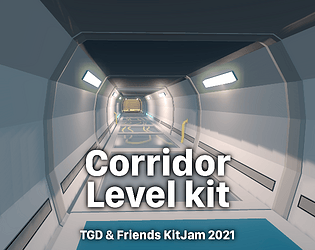
Hi, thanks for your interest. I wouldn’t see any reason why there should be any issue. Just use the level kit for whatever project you have in mind. The “NSFW” tag is something that’s applied to your project and not to my assets. Therefore feel free and go ahead. 😘👍

Love it! 😘👍

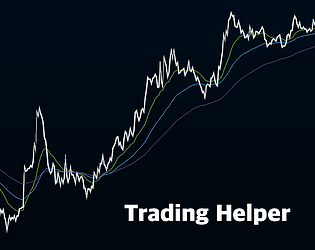
You can always find the latest builds here on the project page. Right now I am not super active on development, I am afraid, which is why you can only find the 0.3.0-dev build that is 6 weeks old already as of writing. I will keep you updated with new devlogs as soon as something new happens. Feel free to follow me and add the Trading Helper to your collection so you won’t miss those updates.

As said a few weeks ago in the dev log as a reply to your other post I won’t replace tradingview.com (=TV) which already is the perfect tool for manually drawing trendlines into your charts.

Assumably there are some good algorithms/calculations out there for determining trendlines, though. Maybe they’re even easy to implement. In that case adding them into my tool should be possible. Why not? 🤔

But…!

Not sure if that makes sense in the first place because I think trendlines are a thing of personal interpretation of the charts since you sometimes got to ignore several highs and lows and instead you have to concentrate on the more relevant highs and lows of a chart that actually form a trendline.

The more I think about them the more I come to the conclusion that they should be drawn manually and not automatically by the tool. Which then leads me to the decision to leave them out of the tool completely because as I told you earlier, the Trading Helper is not meant to be a replacement of other tools that are way better at custom drawings into the charts – like TV.

I mean, I could at least add “trendlines” as an idea to my backlog. So maybe I will have a deeper thought on that later on. For now I still have my plans which will unfortunately take their time. I am quite busy due to IRL responsibilities (daughter and wife, job, house, cats, rest of family, and whatnot).
But I added it to my list now, so I won’t forget about it in the long run.

Thanks for your input! 😘

Long story short, you have to be very patient for any trendline support being ever added to the tool. Can’t promise anything right now. But I keep it in mind.

Hey, thanks for your interest in my tool! ❤️

My plans are a bit different from replacing TradingView where you can already do exactly that: Draw anything into the charts easily.
So, for drawing trend lines and orderblocks and whatnot into the chart I highly recommend to signup at tradingview.com and to use that rather than my tool. No worries, TV is usable for free (although there are some limits for free accounts) and it’s totally sufficient to learn the basics and to walk your first steps in trading and especially to do your chart analysis. It’s perfect for that already.

That’s not what I expect from my tool.

My intention with the Trading Helper is to have things more condensed and less bloated with lots of numbers and UI elements and whatever else you can find on TV or on your broker’s chart implementation. My intention is to keep an easier overview of several things, especially of multiple timeframes at once (e.g. having a look at MACD indicator in different timeframes simultaneously).

I can tell, though, that I plan to add a few more indicators in the future (which is why I am reworking a lot of the UI right now and especially things below the surface).

So, I don’t want to add such tools for drawing custom lines and stuff like that. But I have in mind to add more tools that are supposed to help you finding potential market entries and to determine where to set stop-losses and such kind of things.

Not sure if this will work out but it’s what I have in mind and worth a try.

To sum things up here’s my “master plan” for the Trading Helper:

In the short-term I want to add more indicators, make them customizable in terms of change some of their inputs (basically the same as in TV). This will take a few more weeks or months even, I guess … Let’s say: It will take as much time as it takes, probably until I am satisfied. 😅

In the mid-term I want to add some sort of rules that I can define to implement simple strategies which then should help me find potential entries into the market, as mentioned earlier. I can imagine some alarms or a notification system, or simply markers being drawn into the chart, something like that.

In the long-term I have the vision of the tool being capable of entering the market automatically even and realizing losses and profits on its own to make the tool a trading bot, so to speak.

That looks amazing. Would you mind also sharing the source code? Asking for a friend … 😉

But seriously, really nice looking as I can rate at least from the video you recently posted on Reddit. I have to rely on the video footage because I can’t test it myself as a Mac victim … ahem … I mean … as a Mac user.

My pleasure, you’re welcome. 😘

Glad you like it. :)

Thanks for the nice words and you’re welcome. 😘

Oh, you’re right. I never added a license file. Maybe because back then I wasn’t sure about how to deal with the 3rd party assets that are bundled with the level kit. I think I didn’t know how to exclude them from the license.

I’d say, consider everything of the bundle being licensed under CC0 out of the two PNG files because they aren’t mine. Though I think the Imphenzia palette is also CC0 he once said in his YT videos. Not sure about the “Sky Pirate Studios Palette” which is especially required by the exported FBX and GLB files (the Imphenzia color palette is only used in the blend file).

Regardless of the PNG files I can tell you, do whatever you like with the level kit. Redistribute it, sell it, adjust it to your needs (in other words: edit it), print it on paper and then burn it, whatever comes to your mind. This is absolutely fine for me. 😊

To have that said: Although of course I’d be happy about it, you don’t have to credit me. I am happy to have done something good that people enjoy and can freely use. In fact I had a lot fun creating it during the time of the jam. That’s all I wanted to “get back” from creating the level kit: Some practice, experience and fun.

Hope that helps. Have a good one! 👍

Okay, today I tried it and wanted to leave a short note about it.

Long story short, there’s a good reason for not having a MacOS export, Godot Valet is just not ready-to-use for MacOS users.

It needs some adjustments in the version manager part of Valet at least. Selecting the path to Godot executable in the create-godot-version-dialog.tscn needs to function differently, because the file dialog currently filters by .exe files which isn’t suitable for MacOS, not to speak about the fact that something like the “Godot.app” file actually isn’t a file on MacOS, but a directory. That would require some more changes under the hood, I guess.

Who knows what else needs to be done to make everything work as expected. So it’s not only the export itself which is missing. (Nonetheless a very cool tool, I think, regardless of the fact I can’t actually use it!)

Before someone asks, unfortunately I am lacking some time to help out fixing that. Thus some other Apple users need to jump in. 🙂

…Oh, yes. Stupid me couldn’t even read the whole description text where the GitHub repo was linked:
https://github.com/graydwarf/godot-valet

Thanks again. 😅

Oh, wait. I didn’t see the link to the repository. Thanks for pointing out, will have a closer look. 😘

(The gatekeeper isn’t a problem for me anyway since I’ve spent that money and got a developer account recently.)

godot-valet community · Created a new topic Export to MacOS

Since I watched your YT videos where you’re using Windows, I assume you’re not having an Apple device, right? Thus I can understand if you just can’t build and test a MacOS version without fearing everything breaks. Let me ask you anyway. Is it likely that Valet will be available for MacOS at some point?

This is so great! Love the idea and implementation! <3

The in-game manual is self-explanatory. Press ANY key to take an item, press the SAME key when delivering it. It’s basically a memory game. That’s the gist of it. Nice idea. I liked to playtest it.

Unfortunately can’t try it out as a MacOS user (yeah, shame on me 😉). But I wish you a lot of players and excellent reviews! 😘

Thank you very much!

(2 edits)

First of all some background about my personal jam history, so that you can understand my question a bit better: Up to now I only joined one (yes, one as in “1” and “uno”) jam ever. That was a local jam at my university. I have been working in a team. We used private Git repositories. And it’s already 6 years ago.

That being said, the KitJam is kinda my first jam ever (that I am joining solo, at least). Also, I am going to use a GitHub repo. It’s currently private, but I will change it to public soon, I think.

So, here’s my question:

What do game dev jammers (is that the right word? or would you rather say jam participants? – whatever, you know what I mean … so, do people joining jams) usually upload their stuff under some certain license like MIT, Apache or even CC0?

What fits best the requirements of joining a jam? As a software developer for a living I love the MIT license, because it’s sort of super open source. When using a lib being licensed under MIT you can do with it whatever you want, you just need to credit the original author, that’s basically everything you have to keep in mind. With CC0 you don’t even have to credit anyone.

What do you guys do when it comes to licensing (in a jam)?

EDIT: The more I think about it the more I am likely to use a Creative Commons license, but the question won’t change (because curiosity 😉).

(2 edits)

Sorry for “spamming”. I just cannot stop thinking. Here are a few more ideas:

  • Greek architecture
  • Japanese temples
  • Ancient ruins
  • Alien technology
  • Industrial revolution
  • Automated factories
  • Exotic fruits
  • Extraterrestrial environments
  • Tropical huts
  • Clothing

Just to have that said, a cool idea is to combine two (or even more?) of all suggestions posted above.

I mean, imagine how the level kit you’ll be building should look like if you combined these:

  • Abandoned and Cityscape
  • Miniature and Airport
  • Race Track and Space
  • Race Track and Pirate Adventure
  • Race Track and circuit board
  • Old Western and toy shop
  • Steampunk and Garden

There are some exciting combinations! See the three combinations of race track, for example, each of them is absolutely unique and requires you to think totally different about the style, also about the workflows.

Or think of your own categories or places. E.g. think of … I dunno … a sports stadium. Combine it then with a theme suggestion from above:

  • Pirate Adventure sports stadium
  • Underwater sports stadium
  • Dinosaur sports stadium

The same goes for any other thing you’d like to create. Here a few more ideas.

  • cars (or single parts to build cars with like different chassis, wheels, bumpers, spoilers etc.)
  • traffic structures (streets, traffic lights, bus stops etc.)
  • boats
  • characters
  • weapons
  • robots
  • war machinery

Just think of combining these with … woah … my head explodes. … Pet shop robots. Dinosaur weapons. Traffic structures in caves. … 🤯

  • microscopic world (cells, amoebae, viruses, …)
  • toy shop
  • circuit board

He is so cute! Great interpretation of the Godot logo.

Even though I knew that I’m gonna be the red cube after being hit I somehow had to “recalculate” my brain for being the predator now instead of the prey. The switch between red and blue is a real challenge for the brain. I guess, that’s the actual idea of the game. If yes, then well done!

I like the change in music when changing from blue to red and vie versa. But some visual indicator could support the switch even more.

For instance you could change the background color. Give it a blue tint when being hunted down. When being hit by the red cube and therefore being reborn as red cube yourself you could just fade the background color to something slightly tinted red instead of blue.

That way the player would get some visual feedback of what’s happening (more obvious feedback than the health hearts only).

Or add some “loud screaming” labels when being reborn like: “Get him now!” or “Flee! He’s after you!” … something like that. Maybe also color the labels accordingly.

Other than that, challenging game. Playing the blue cube is easier. Once I thought “hey, that’s almost too easy”, the red one got me instantly (happened twice). Playing the red cube is harder, I think. The blue cube’s AI is pretty good. Or maybe playing the red cube is too slow?

I like however that you managed to implement the kids game “tag” with just two cubes in a small app.

That’s an invite I totally follow, because I am also a Mac user.

Yeah, I initially even had in mind to write “developing” but I somehow thought “deploying” would also be fine. Seemed to be wrong. :D

Very cool idea! Love the stress that is deploying (is that the right word for that? sorry non-native speaker over here) rapidly after a few speed boosts. The music and its increasing tempo also intensify the game pretty good! Well done.