

It sure was the execute command windows.. just happened i went to use ctrl+shift+left arrow to highlight words faster. Couldnt say I was doing anything besides creating item list in the Item section of Drafft 2.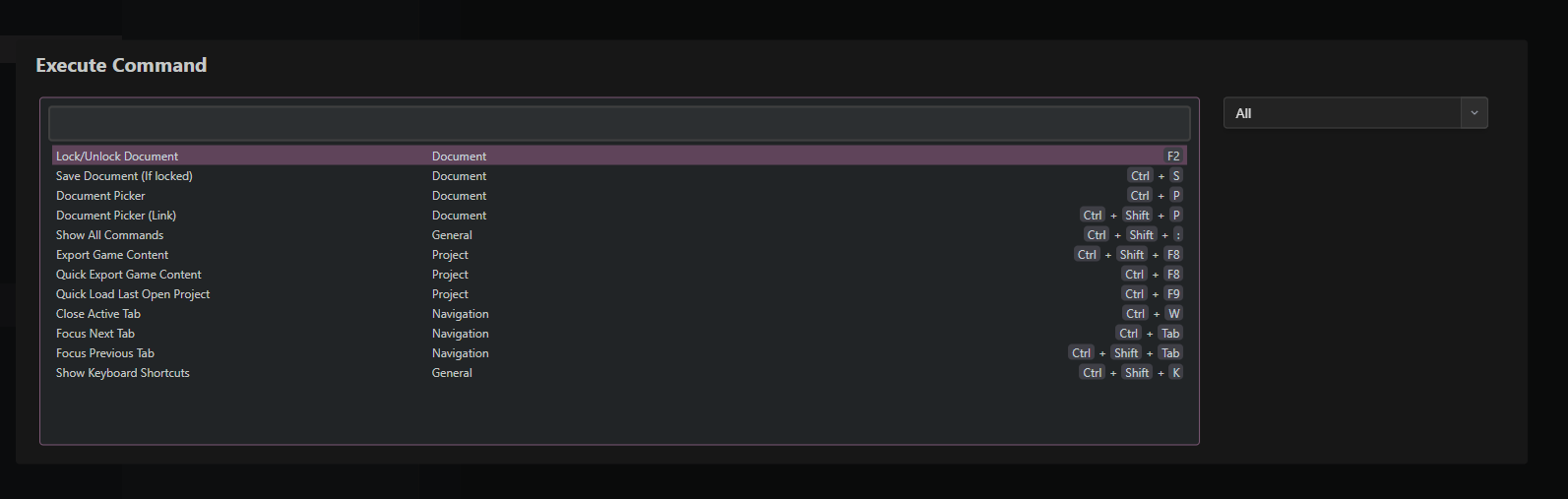
dryink
9
Posts
3
Topics
6
Following
A member registered Dec 11, 2021 · View creator page →
Recent community posts
Thanks for the response... haha I actually did all 515 docs by hand good ole copy/paste..... with some mouse and keyboarding.
I decided to write in the other Drafft2 forums.. thanks again for the responce.. Ill try and remember to screen shot the error.
It might be the execute command screen.. but I pull that open and have a feeling like it looked different...
I know when i get it to do it Ive been working long.. might have tons of stuff open. Ill try again and let you know.
I <3 Drafft!!]
Seems to me a popup of some sort I don't know what it is pops up when im using ctrl + shift + arrow keys to mass select lines of text.
Is this a bug, now it won't do it as I'm writing this.. so weird.
Funny how when I want to grab a screen shot its gone.
All I think I did was to look for the option if there was any.. then it went away. So if you get a weird popup while using said combo. I guess click around the app a little bit.
:rant:
I love Drafft!!
Looking forward to a way to move my projects over to Drafft 2 so I can continue it on Drafft 2. I really really want to be using this updated software for my main project.. Little sad that wasn't a thing brought over to Drafft 1 so we all could transition better.
Hi,
What I ended up doing is unzipping the V2.0.9 version and navigating to $R0 folder and running the uninstall Drafft application.
This worked and allowed me to register my V2.0.9, which in turn allowed me to install V2.0.10.
I ended up finding support email and we cleared this up already.. Thank you for the support and this wonderful application. !!]
So far I love using Drafft might be a buy real soon.
If this has been reported I'm sorry I just thought id share while it was on my mind.
So, I think if you edit something in the timeline then move to a document and edit it or read it or what not.
It deletes your last edits in time line. Gotta hit that save and edit switch to have it really stick there.
Just something that keeps getting me so I thought I would share.
Why cant we edit color and icon while we edit in timeline.. would love that..
:) If you click to highlight a folder then click it again to change the top menu you can then use add folder to add a folder outside with root. pretty sure this is how. took me forever to figure that out. and no i haven't read the manual.