Try using the desktop app and not the web-app or vice versa
Dokk75
Creator of
Recent community posts
Tysm for the detailed feedback !
On OmniVoice and AMD: good news, AMD is actually already supported, but only on RDNA3 (I'm on a 7800XT). It looks like what I set up for RDNA3 doesn't carry over to RDNA4, which is why the server won't start on your 9070XT. I'm fairly confident I can get it working on RDNA4 pretty quickly — it should just take a couple of back-and-forths and some testing. If you're up for helping out a bit, feel free to join the Discord server and we'll sort it out together.
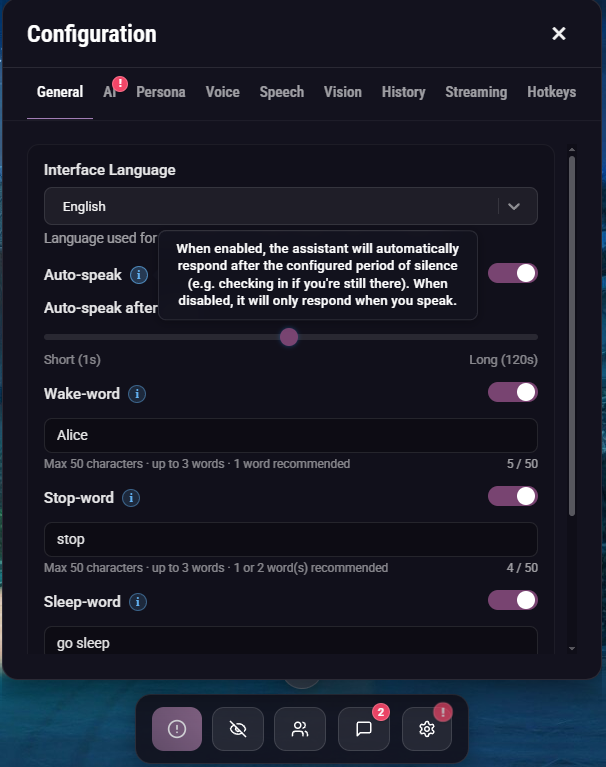
On the AI response length: you can already adjust this! Open the Settings panel → AI tab → click "Show advanced options," and you'll find a Response length slider right at the bottom.
On the lore section: you can set this up today by creating a custom persona. Head to the Persona tab and edit the default "The witty historian" — copy it into a notepad, add your own lore elements, then create a new persona with that content and assign it to a new Character.
Thanks again for taking the time to write all this out — it genuinely helps me improve the app!
Adding Chinese as an input language is already on the roadmap, so that one's coming. For the TTS side though, I'll have to pass on Volcengine. Each new TTS provider takes a considerable amount of work to integrate, and I don't add new providers just to support a single language. The good news is that Chinese already works really well with OmniVoice, a local TTS option built into the app — it supports voice cloning and the quality is genuinely great.
Actually there are two problems. First, Chinese isn't implemented as an input language in the app — Whisper somehow picks up what you say in Chinese and translates it into English on its own. And if I were to add Chinese as an input language, it would do the reverse: translate what you say in English into Chinese. Supporting two languages at the same time isn't possible at the moment (and probably won't be in the future).
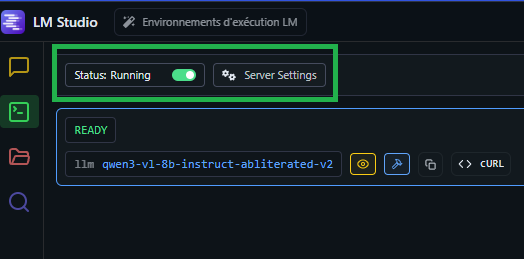
Oh I see — so I have a strip for <thinking> tags in the LM Studio connector, but it only works when both the opening and closing thinking tags are in the complete response, even though it's plugged in streaming mode. You can try increasing the response length to the max (600) in the AI tab so the full response includes both opening and closing thinking tags. Also, I'm a solo dev working on this — thanks again for the support!
Yes, you can talk to the AI — it has both voice and text modes. If you run the LLM locally (via LM Studio or Ollama), nothing leaves your computer; everything, including screenshots, is stored locally. If you use online APIs like Google Gemini, then your messages and screenshots are sent to their servers. Feel free to join the Discord and ask people who've been using it for months.
Hello and thank you for your support! To answer your questions:
- The 250-character limit in text mode is static, but I can definitely increase it.
- Qwen3-TTS is a high-end TTS provider — the minimum requirement to use it is an RTX 4080+. That said, I just released a new update yesterday (v0.7.13) featuring OmniVoice, a new local voice cloning TTS provider with very good quality and performance. Join the Discord and check the #updates channel for more details!
- Simply use your itch.io email address — both work, but most people use the email address linked to their itch.io account.
Thank you! I actually spent quite a bit of time trying to implement Qwen3-TTS (which is genuinely impressive), but it requires a high-end NVIDIA GPU to achieve acceptable latency for real-time usage — on CPU, it takes around 30 seconds to generate just 3 seconds of audio. I'll hold off on adding it until a DirectML streaming solution becomes available.