

SSBoYXZlIGhhZCBsaXR0bGUgbHVjayBpbiBmaW5kaW5nIGFueXRoaW5nIGluIHRoZSBhdWRpbyBidXQgaGVyZSBpcyBhIHdlYnNpdGUgdGhhdCBsaXN0cyBBUkcgdG9vbHMgdGhhdCBtaWdodCBoZWxwOiBodHRwczovL3dpa2kuZ2FtZWRldGVjdGl2ZXMubmV0L2luZGV4LnBocD90aXRsZT1BUkdfVG9vbGJveA==
A member registered Apr 30, 2022
Recent community posts
To anyone using windows that is having this screen or similar: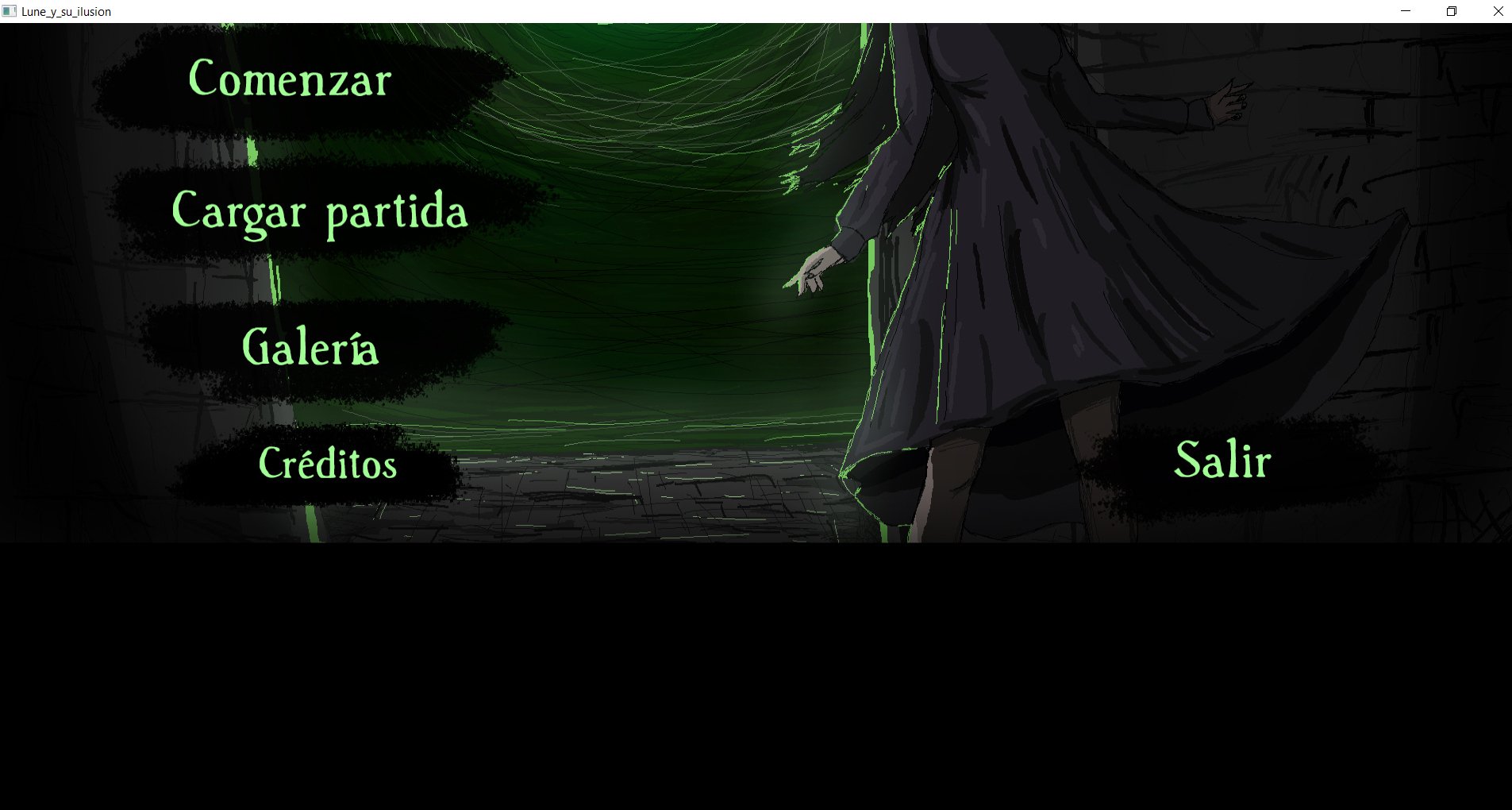
Go to start, click settings, and go to system. You should find the setting to adjust scale and layout:
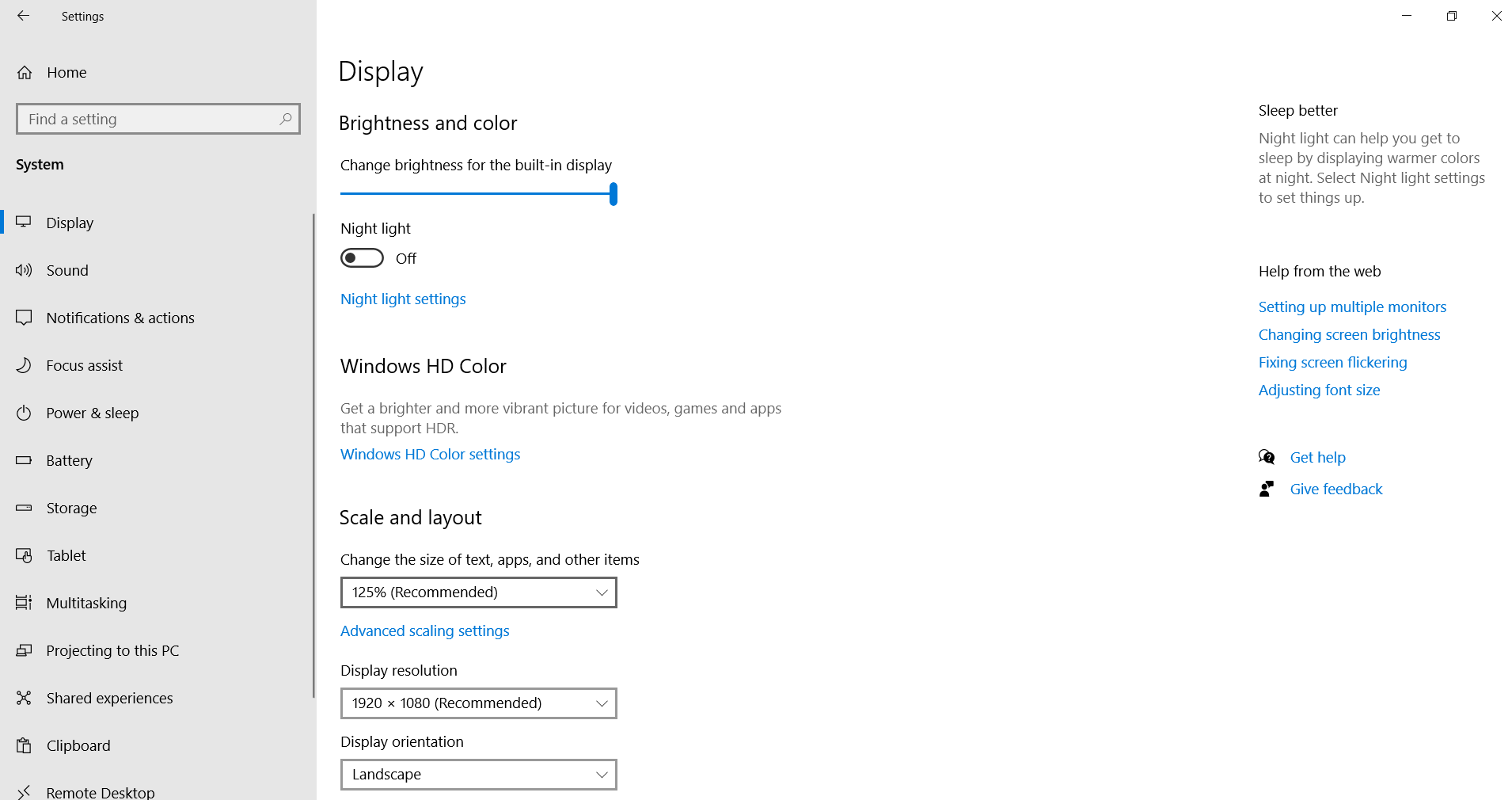 Change the scale and layout (mine was 125%) to 100% and the novel should be completely playable. If for some reason the top part is still cut off maximize the window first and if this does not work then close Lune and mess with the scale and layout until you work something out (hopefully).
If you are getting a save data error for some weird reason then go to your appdata folder under /users, then /(PC-name), and you should find a file called AppData. If not check if it is a hidden item because it should be there. After going into AppData you then go to Roaming. Under /Roaming you should find a folder called tyranogame (this is where the Lune savedata is). Delete this folder and re-run Lune. Hopfully this will resolve any issue that you have.