On Sale: GamesAssetsToolsTabletopComics
Indie game storeFree gamesFun gamesHorror games
Game developmentAssetsComics
SalesBundles
Jobs
TagsGame Engines

CrystalCat36

17
Posts
2
Topics
2
Following
A member registered Nov 10, 2024

Recent community posts

(1 edit)

ok i promise this is a real bug/question and not me having <4  braincells like last time


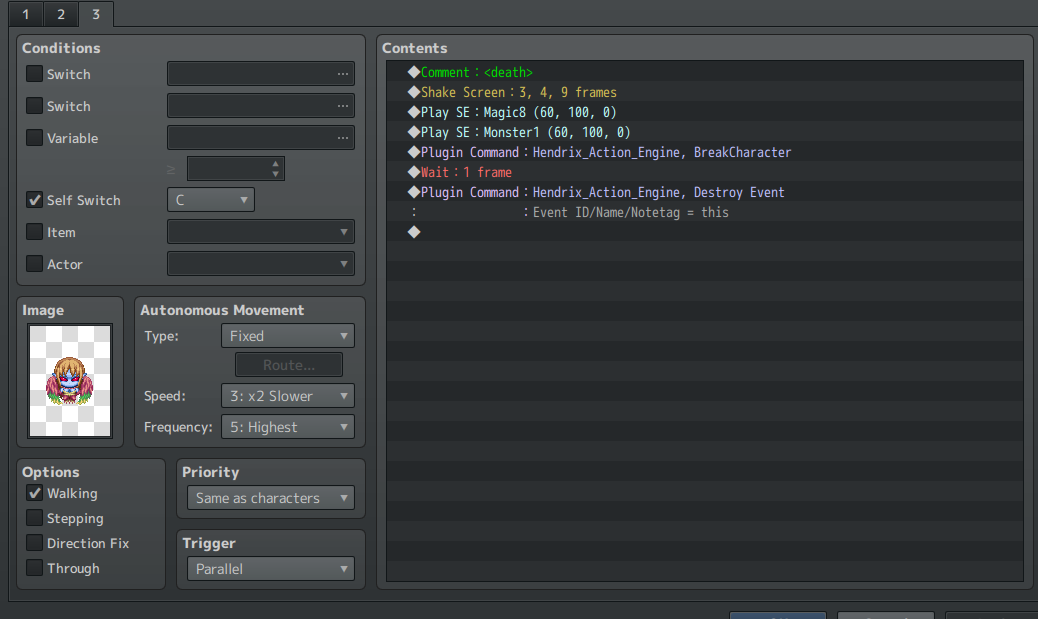
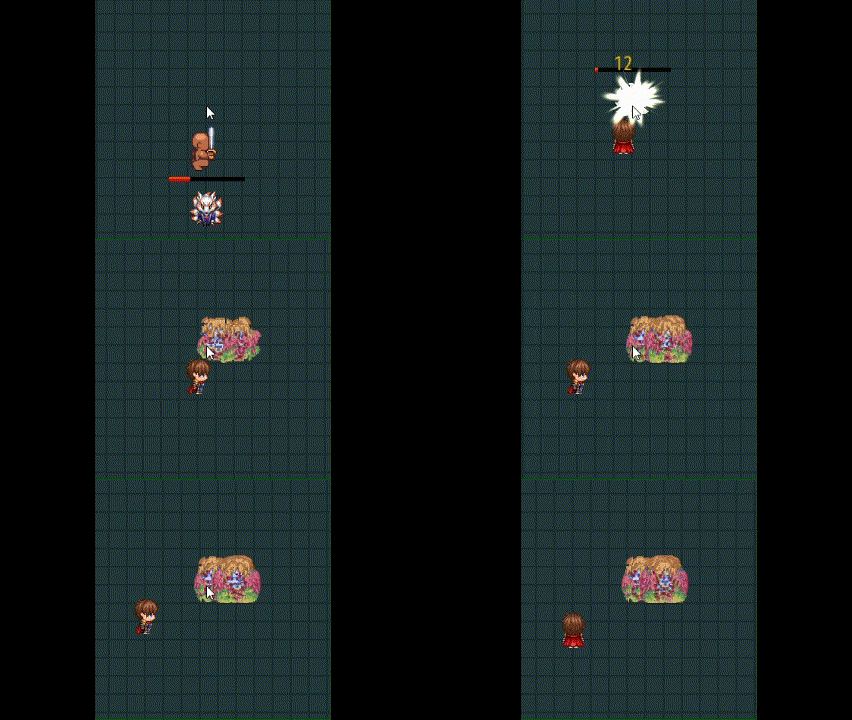
when i kill an enemy, it keeps breaking, shaking, and sound effecting constantly. It's not getting destroyed. I've tried everything, i even copy pasted your event page from the demo:


Here's a video of the issue:
Found out the bug. didnt use the Dot move System plugin. my bad, sorry for the utter incompetence

(1 edit)

Awesome plugin! this thing has insane functionality and versatility!


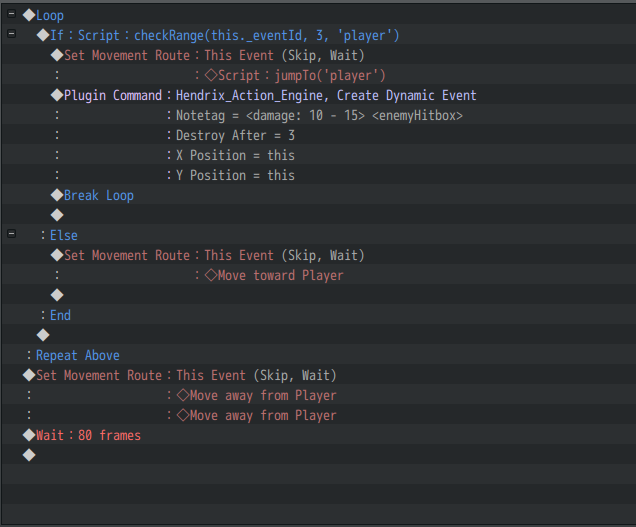
First, i would like to ask about the tutorials. It may very well be that I'm just way too impatient but it seems like the https://rpgmakeractioncombatmanual.blogspot.com/p/all-tutorials.html  tutorial page is kinda weird? Since you numbered them i decided to start chronologically, by making an enemy with an HP bar, then having the AI "detect" me and use the jump attack, but it doesn't deal damage, even though I have 


what seems like something that should deal 10-15 damage to the player. I assumed this was simply because some i didnt set up a hitbox for the player or the enemy, but upon investigating that dynamic event does create a hitbox and the plugin parameters for the action engine already specify an actor hitbox, i thought i just needed to actually make the player, but upon discovering that tutorial was #23!,  i decided to skip through to it and see if that does anything, especially because I'd rather have a character finished before i keep building on enemies and stuff, since i dont even have a way to kill the enemy, despite it having a death page in the tutorial. 


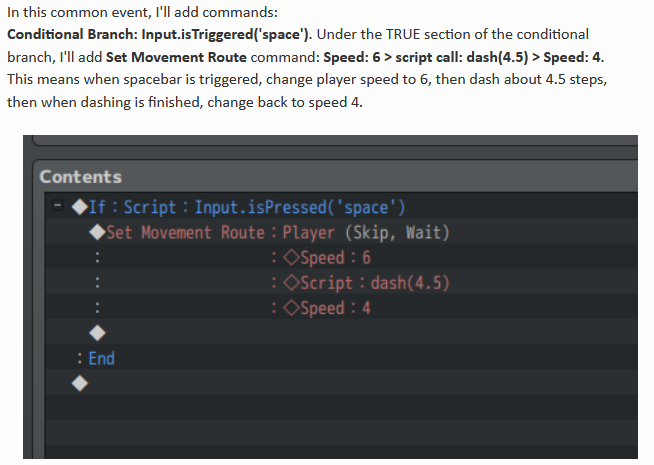
I was immediately met with heavy confusion, as the picture and text have different scripts:


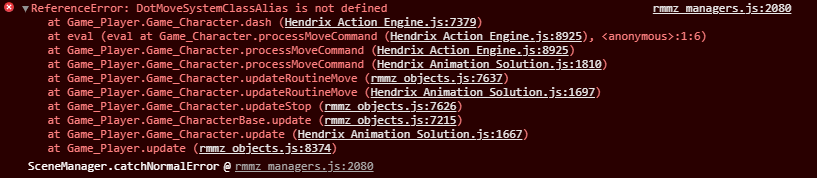
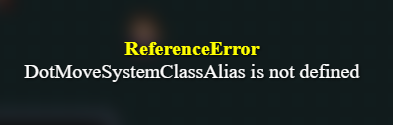
even worse, i tried both ways but still get This error message every time:


I assumed this was because i skipped ahead, but it seems like you would kind of want a functional character for some of these tutorials like enemies dropping loot on death or making a spell. i also do know about the dot move function EX push bug tutorial, but when I searched for the code that you said to "find", it said there were no matches, and it didnt seem like it would solve the above issue anyway. 

I want to go in order, but some of the later stuff seems necessary for the earlier stuff, but when i do the later stuff i get an error.  It doesnt help that like i said before, some tutorials contradict each other too. I'm kinda frustrated because i paid $40 for this above a ton of easier, free plugins and the basic tutorial system feels like a maze. 


great plugin


please help

It was the command symbol! 

thank you so, so much! I'm so grateful that you have fast and reliable support for your plugin users.

once again thank you and great plugin!

hey CasperGaming! Your plugin has been awesome so far, but there's one bug I just can't Figure out. recently I made a post on the forums about using skills from command windows (before beta R4) and you gave me this code (which totally works):

const mySkillId = X;

const action = BattleManager.inputtingAction();

action.setSkill(mySkillId);

this.onSelectAction();

the problem is, i have one of those skill commands for each party member, so i change the  const mySkillId = X; to whatever the skill ID is, but i had a strange problem where it would all use the same skill, the one i set for actor #1, no matter what i changed it to. 


While figuring this out, i stumbled upon this new R4 update, and i thought it was exactly what would solve my issue, but instead every single time i click that command on any actor it uses the one i have set for actor 5 (the one i set up at the bottom of the plugin parameters)

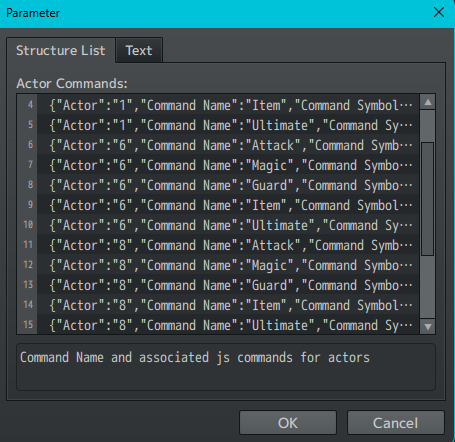
my parameters are set like this:


actor 1:

regular commands (attack skill guard item)
ultimate (skill: 34)


actor 6:

regular commands (attack skill guard item)

 ultimate (skill: 35)

actor 8:

regular commands (attack skill guard item)

 ultimate (skill: 35)

actor 5:

regular commands (attack skill guard item)

 ultimate (skill: 40)

image for more clarity:


Any help is appreciated, and the plugin is still AWESOME! thanks Casper!

Amazing and absolutely perfect for my game. thank you so much

sorry I'm super late but what fixed it for me was setting the X and Y positions, even if its zero. i dont think raizen specified a default in the code, causing them to not appear

sorry I'm super late but what fixed it for me was setting the X and Y positions, even if its zero. i dont think raizen specified a default in the code, causing them to not appear

hey not a giant problem but for me the meter always slides to the left whenever it shrinks, is there a fix for this? dont know what causes it

thanks so much :)

I suspected as much. Thank you so much for taking the time to reply anyway :)

this is fine to use in our own rpg maker projects, right?

I honestly highly doubt it but is there anyway to have multiple colors for one damage popup? (preferrably a gradient but anything else is fine)

Sad, right? :(

...still waiting?

nobody noticing these are made by AI?

excuse me? $40 for this? for anyone interested, you can get picture common events from visustella for 5%, it doesnt have as much functionality but it's 1/8 of this price